How to Add Barcode Scanning to a Web App with JavaScript
Adding barcode scanning to a web application no longer requires dedicated scanning hardware or a separate native mobile app. With browser camera APIs and WebAssembly (WASM), developers can build browser-based barcode scanning directly into a web workflow - no app-store install required.
Quick answer: Browser-based barcode scanning combines three things: the browser's MediaDevices.getUserMedia() API for camera access, a decoding engine (often compiled to WebAssembly for speed) to detect and read barcodes from the video stream, and a JavaScript callback to hand the decoded value to your app. A JavaScript barcode scanner SDK packages that decoding engine and camera-handling logic so you don't have to build it yourself. barKoder Web SDK is one such SDK: it installs via npm as barkoder-wasm, runs in Chrome, Firefox, Edge, Safari, and iOS Safari, and supports a wide range of 1D and 2D barcode symbologies. Browser requirements are listed once, in full, later in this guide.
This guide covers how browser barcode scanning actually works under the hood, why WebAssembly (and increasingly, Web Workers) matter for performance, which barcode formats to support, common implementation pitfalls, and how to add the barKoder Web SDK to a web app. If you're evaluating SDKs commercially - comparing supported formats, licensing, and platform coverage - see the barKoder Web Barcode Scanner SDK product page instead; this article is focused on the "how," not the "which."
What a Browser-Based Barcode Scanner Actually Does
At a high level, browser barcode scanning connects several pieces:
- The device camera
- The browser's media APIs
- A live camera preview
- A barcode detection and decoding engine
- Your JavaScript application logic
- Your business workflow
Instead of building a barcode recognition engine from scratch, developers integrate an existing SDK and configure the barcode formats and scanning behavior their application needs. A production implementation has to handle camera initialization, permissions, video frames, barcode localization, decoding, duplicate results, scanning speed, device differences, and the handoff of decoded data to the app - considerably more than just "recognize a QR code."
getUserMedia() Is Camera Access, Not Barcode Decoding
It's worth being explicit about this distinction, because it's easy to underestimate how much work sits on either side of it. MediaDevices.getUserMedia() gives your application a live video stream from the device camera, subject to browser permissions and a secure context (HTTPS in production). That's it - it doesn't know what a barcode is.
Everything after that - finding a barcode somewhere in a frame, reading it accurately when it's rotated, blurry, small, or partially obscured, avoiding duplicate reads, handling multiple codes in view, and supporting the specific symbologies your business uses - is the job of a decoding engine, not the camera API. That's the gap a barcode scanner SDK fills. With barKoder Web SDK, for example, the scanner accesses the camera, displays a live preview, decodes frames from the stream using its own engine, and passes the resulting barcode data into your JavaScript app.
Native Browser Barcode Detection vs. an SDK
Some browsers also expose a native Barcode Detection API (BarcodeDetector). It's worth knowing this exists, and worth being honest about its limits: it's still an experimental, non-Baseline feature with inconsistent browser support, available formats and behavior depend on the user agent, and it doesn't include the difficult-barcode handling (damaged labels, DPM, low contrast) that industrial and logistics workflows tend to need. Native detection can be a reasonable option for a simple QR-focused application where you control the browser environment. A dedicated SDK becomes more relevant when you need consistent cross-browser behavior, specialized symbologies, advanced scanning controls, or reliable decoding under difficult real-world conditions.
Basic Web Scanning Workflow
The underlying decoding technology can be sophisticated, but the basic workflow is easy to follow:
- Request camera permission. The app requests access through the Media Capture and Streams APIs. getUserMedia() returns a media stream when access is granted, and rejects the request when permission is denied or no suitable device is available. Camera access should be treated as an explicit part of the UX, not something the app assumes will always work.
- Open the live camera preview. Once access is granted, the app displays the camera stream, sized so the user can position the barcode comfortably - especially on smaller phone screens.
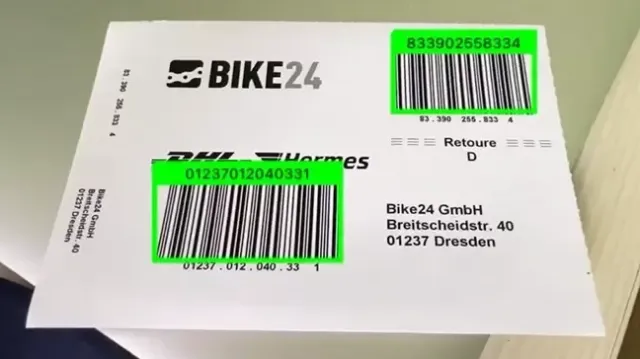
- Detect the barcode. The scanning engine analyzes camera frames and searches for barcode patterns. Detection and decoding are related but distinct: the scanner first has to determine where a barcode exists in the frame, then decode the data it encodes. This gets harder when labels are blurry, damaged, rotated, small, low-contrast, poorly lit, partially obscured, or distorted by perspective.
- Decode the barcode. Once detected, the decoding engine extracts the encoded data - a product identifier, shipment number, URL, serial number, VIN, or another structured value - along with metadata such as barcode type and location, depending on configuration.
- Return the result to the app via a JavaScript callback.
- Process or submit the result. The app decides what to do with it: search a database, open a product page, update inventory, validate a shipment, complete a check-in, record an asset, call an API, or display information to the user.
The key architectural principle: keep barcode recognition separate from business logic. The scanner should provide reliable data; the application decides what that data means.
Why WebAssembly Matters for Barcode Scanning
WebAssembly (WASM) is a low-level, compact binary format designed to run in modern browsers alongside JavaScript, particularly for computationally intensive workloads. Barcode decoding is demanding because the scanner may need to analyze many camera frames per second while continuously searching for a valid barcode. A JavaScript layer manages the interface and application logic while WebAssembly handles the decoding - giving developers the flexibility of JavaScript with a scanning engine that runs efficiently in the browser.
Web Application
│
├── JavaScript / TypeScript
│ ├── UI
│ ├── Business logic
│ ├── API calls
│ └── Scanner configuration
│
└── WebAssembly
└── Barcode decoding engine
Camera Frames and Multithreaded Scanning
Recent versions of barKoder Web SDK use requestVideoFrameCallback to synchronize scanning with new frames delivered by the camera. Compared with repeatedly sampling a video element on a fixed timer, this helps avoid sending the same camera frame for decoding more than once when the camera's actual frame rate drops.
The SDK also supports multithreaded decoding through Web Workers. Web SDK v1.7.0 uses two scanning threads by default and supports up to four through the maxThreads configuration option. Applications that prefer the earlier single-threaded behavior can use useMainThreadOnly. Moving decoding work into workers can also reduce contention with the browser's main UI thread.
The exact configuration options can change between releases, so check the current Web SDK API reference reference for the version you're integrating.
Browser Requirements
barKoder Web SDK currently requires Chrome 67+, Firefox 69+, Edge 79+, Safari 14+, or iOS Safari 14+. Camera access requires user permission when using startScanner, while production deployments should be served over HTTPS with the correct MIME type configured for WebAssembly files. Check the current installation guide before deployment, since browser requirements may change over time.
Adding barKoder Web SDK to Your App
Install via npm:
npm install barkoder-wasmInitialize the SDK with a license key, enable the decoders you need, and start the scanner:
async function barkoderInit() {

  const Barkoder = await BarkoderSDK.initialize("your_license_key_here");

  Barkoder.setEnabledDecoders(
    Barkoder.constants.Decoders.QR,
    Barkoder.constants.Decoders.Ean8,
    Barkoder.constants.Decoders.PDF417
  );

  const callback = (result) => console.log(result.barcodeTypeName, result.textualData);
  Barkoder.startScanner(callback);

}


barkoderInit();
The container element referenced in your HTML (<div id="barkoder-container">) needs an explicit width and height, or the SDK falls back to half the window size. The SDK will scan without a license, but results are marked (Unlicensed) until you register for a trial key. For the full configuration surface - camera resolution, decoding speed, symbology-specific options, and more - see the Web SDK installation guide and the Web SDK API reference.
Framework Integration
The exact integration depends on your stack:
- Vanilla JavaScript - load barkoder-umd.js and barkoder.wasm directly, per the browser/CommonJS steps in the installation guide. barKoder also publishes a Vue.js WASM demo on GitHub if you want to see a working example before writing your own.
- React - the documented React.js WASM integration example covers client-side initialization, decoder configuration, and result handling.
- Angular - a documented Angular integration example is available.
- Next.js - because of server-side rendering, camera access and the scanner need to run client-side only; a Next.js integration walkthrough is available from the Web SDK docs home, covering installation, WASM placement, and browser requirements.
- Other frameworks (Vue, PWA, Electron, and similar) - since the SDK runs in the browser through JavaScript and WebAssembly, it can be integrated into other browser-based architectures too. Check the Web SDK documentation for the framework guides currently published.
Where Browser-Based Scanning Fits
Browser-based scanning is especially useful when the application is already web-based, or when deploying a native app to every scanning device would add unnecessary complexity. A few common patterns:
- Retail - look up products, verify inventory, check prices, or process returns from a phone or tablet browser, without separate hardware.
- Logistics and warehousing - scan packages, shipments, and labels from tablets, phones, or workstations; Batch MultiScan supports capturing several barcodes in one camera view for high-volume picking and receiving. See barKoder's warehousing industry page for more detail.
- Field service - technicians scan an asset directly from the field and retrieve its service history, on whatever device they're carrying.
- Kiosks and self-service - check-in, registration, and ticketing flows that scan a QR code or reservation barcode without dedicated hardware.
barKoder's industry pages cover retail, logistics, manufacturing, healthcare, and automotive use cases in more depth if you want the specifics for your sector.
Common Web Barcode Scanning Challenges
A basic demo can make browser scanning look simple. Production is different - the biggest challenges appear once the scanner meets real devices, real users, and real barcode labels. For a broader look at why scans fail in the field, see barKoder's 10 most common barcode scanning problems.
- Browser compatibility. Camera behavior, permissions, and video constraints differ across browsers and devices. Test on the actual browsers your users rely on - desktop browsers, Android phones, iPhones, tablets, different camera generations - not just "works on my desktop browser."
- Camera permissions. Browsers require explicit user consent, and access is restricted to a secure context (HTTPS in production). If your scanner runs inside an iframe, Permissions Policy can also affect whether camera access is available. Design a clear permission flow with useful guidance when access is denied.
- Low light. Warehouses, vehicles, basements, and outdoor environments introduce noise and reduce image quality. Test under realistic lighting, not just a bright office.
- Focus and motion. A barcode may be close to the camera, moving, or at an angle, and autofocus behavior varies across devices.
- Damaged labels. Real labels get scratched, folded, torn, smudged, faded, or poorly printed. This is where difficult-barcode handling - like barKoder's MatrixSight for damaged 2D codes and Segment Decoding for deformed 1D codes - matters most.
- Duplicate reads. Continuous scanning can detect the same barcode repeatedly - for example, a warehouse app re-reading the package the user is still holding in frame. Build a duplicate-handling strategy from the start; barKoder's continuous scanning docs cover pause/unpause handling for this exact case.
Barcode Types to Support in Web Apps
Choose barcode formats based on your actual workflow. Here are the ones most relevant to web apps - see barKoder's full barcode-type directory for the complete list:
- QR Code (and Micro QR Code) - URLs, tickets, product info, authentication flows, payments.
- Code 128 - a widely used linear barcode in logistics, shipping, and identification labels.
- EAN and UPC (EAN-8, EAN-13, UPC-A, UPC-E, UPC-E1) - standard retail formats for tracking trade items through supply chains and point-of-sale, aided by barKoder's DeBlur mode for blurred codes.
- Data Matrix - a compact 2D format common in industrial identification and traceability, including Direct Part Marking (DPM) scenarios where codes are marked directly onto parts.
- PDF417 (and Micro PDF417) - a stacked 2D format used on identification documents and transportation labels.
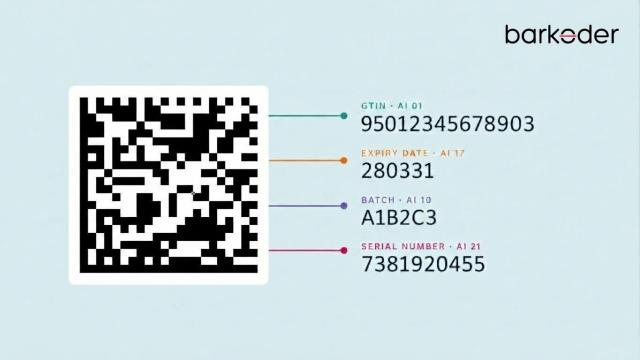
- GS1 formats (GS1 DataBar, GS1 Composite) - important for supply-chain and product identification; a GS1 Parser interprets the structured data once it's decoded.
- Aztec Code (and Aztec Compact) - another compact 2D symbology.
Other formats you may need depending on the application: Codabar, Code 11, Code 25, Code 32, Code 39, Code 93, DataBar, DotCode, MaxiCode, MSI Plessey, Postal Barcodes, and Telepen.
A note on VIN scanning: VIN isn't a barcode symbology in its own right - it's data that gets encoded into other formats. barKoder's VIN scanning mode is tuned to recognize VINs encoded in Code 39, Code 128, Data Matrix, and QR Code, since those are the formats vehicle identification numbers are typically printed in.
Browser Barcode Scanning in Production
Penguin Pickup, which runs a national network of partner shops and smart lockers across Canada, integrated barKoder Web SDK into its parcel-management web app to scan 1D and 2D barcodes directly in the browser. It replaced a scanner that struggled with browser quirks and reliability, cutting manual entry and retries across laptops, tablets, and phones.
eCarMover needed a faster, more reliable way for drivers to capture vehicle VINs inside its .NET Blazor logistics platform, hosted on Azure. Manual VIN entry was slow and error-prone in the field. Integrating barKoder Web SDK let drivers scan VINs directly in the browser - no separate mobile app - and the company has since had drivers scan thousands of VINs across a range of devices with consistent accuracy.
More examples across industries are collected in barKoder's customer stories.
Browser Barcode Scanner vs. Dedicated Hardware
A dedicated hardware scanner can be highly effective at a fixed workstation, but it's another device to purchase, configure, maintain, replace, and integrate. A browser barcode scanner instead uses the camera already present on a phone, tablet, laptop, or compatible workstation - particularly useful for distributed workforces, field service teams, temporary operations, BYOD environments, and customer-facing apps.
For high-volume, fixed-position operations, dedicated hardware may still make sense. For flexible workflows where employees already use web apps, camera-based scanning can meaningfully simplify deployment. The right choice depends on the workflow - not simply whether a browser can scan a barcode, but whether it delivers the reliability, performance, and user experience you require. For a deeper breakdown, see barKoder's guide to barcode scanning SDKs vs. hardware scanners.
Security and Privacy Considerations
Camera access is sensitive functionality, so treat it accordingly:
- Serve the production app over a secure context (HTTPS). Browser camera access through getUserMedia() requires it.
- Request camera access at the right moment in the user journey. A user who clicks "Scan barcode" understands why the browser is asking for permission; requesting it immediately on page load does not.
- Stop the camera when the scanning workflow ends, for both UX and resource-management reasons.
- Decide how your app handles captured data. A barcode can contain sensitive or business-critical information - define whether decoded results are stored, transmitted to a backend, logged, or discarded after processing. Per barKoder's own FAQ, barcode scanning is performed locally on the device and the SDK does not store personal information retrieved from scanned barcodes. Your application remains responsible for whatever it chooses to transmit, log, process, or store after receiving the decoded result.
Testing Web Barcode Scanning
Testing a browser barcode scanner requires more than pointing a phone at a clean QR code. At minimum, test:
- Real devices - iOS, Android, desktop Chrome, desktop Edge, Safari, Firefox, and a few camera generations.
- Real labels from your actual business process, not just print-outs of clean sample codes.
- Difficult conditions - low light, motion, a tilted or small barcode, damage, low contrast, and multiple codes in frame.
- Permission edge cases - denied access, no camera, another app using the camera, HTTP instead of HTTPS, and an iframe-embedded scanner.
- The complete workflow, from opening the scanner to the business action completing - not just raw decode speed in isolation.
For a broader framework on evaluating barcode SDKs - licensing, format coverage, and platform strategy beyond the browser - see barKoder's guide to choosing the best barcode scanner SDK for enterprise apps.
Try barKoder Web SDK in Your Browser
The easiest way to evaluate browser barcode scanning is to test it directly. The barKoder Web Demo lets you try supported barcode formats and scanning configurations - camera selection, scanning speed, camera resolution, and Batch MultiScan - right in your browser, with no installation. A Vue.js-based WASM demo source repository is also available on GitHub if you want to look under the hood before integrating, and a free barcode-scanner-from-file tool is available if you just need to test static images.
Conclusion
Browser barcode scanning is no longer limited to simple QR-code demos. With WebAssembly, Web Workers, and modern camera APIs, developers can embed reliable scanning directly into web workflows across mobile and desktop browsers, without deploying dedicated hardware or a separate native app.
If you're evaluating this for a real application, the useful test isn't a perfect QR code on a monitor - it's your own devices, your own labels, and your own lighting. Try the barKoder Web Demo, or start a free trial to test integration without the (Unlicensed) mark.
Frequently Asked Questions
It's a software development kit that adds barcode scanning to a web application using JavaScript and browser technologies - typically handling camera access, barcode detection, decoding, and delivery of the decoded result back to your app. barKoder Web SDK uses WebAssembly alongside JavaScript to provide this in the browser.
Yes. Modern browsers can request access to a device camera through MediaDevices.getUserMedia(), provided the browser and device support it, the user grants permission, and the page is served over a secure (HTTPS) context. A barcode scanning SDK then uses that camera stream to detect and decode supported formats. Try it yourself on the barKoder Web Demo.
Not necessarily, but WASM is highly useful for computationally intensive barcode recognition, since it runs near-native speed alongside JavaScript. barKoder Web SDK uses WebAssembly as the foundation of its browser scanning implementation, and recent versions add multithreaded scanning via Web Workers for better performance.
A broad range of 1D and 2D symbologies, including QR Code, Code 128, Data Matrix, PDF417, Aztec, EAN/UPC, GS1 formats, DotCode, MaxiCode, Postal Barcodes, and Telepen - plus VIN recognition within supported formats like Code 39, Code 128, Data Matrix, and QR Code. See the barcode-type directory for the current full list.
Install the SDK with npm install barkoder-wasm, initialize it with your license key, enable the barcode formats your app needs, and start the scanner from your client-side code. The Web SDK installation guide covers setup end to end, with framework-specific walkthroughs for React, Angular, and Next.js. You can also try the demo before writing any code, or claim a free trial key to test without the (Unlicensed) mark in the scan results.