Keyboard Wedge

barKoder Keyboard: Scan Barcodes Into Any App

barKoder Keyboard is a barcode scanner keyboard for iPhone, iPad and Android, free to download. Tap the barKoder button in any text field, point the camera at a barcode, and the value is typed in for you. No app switching, no copy and paste.
barKoder Keyboard

A barcode scanner keyboard that works in the apps you already use

barKoder Keyboard replaces typing with scanning. It is a keyboard with a barcode scanner built in, so any text field that accepts keyboard input can receive a scanned value. You keep working in the same app, and the app needs no changes. The scanning comes from the barKoder Barcode Scanner SDK.

What barKoder Keyboard does

  • Scans barcodes from the keyboard, in any app
  • Types the scanned value into the active text field
  • Reads over 25 symbologies, including VIN and MRZ
  • Lets you choose which symbologies to scan
  • Beeps or vibrates on a successful scan, if you want it to
  • Keeps a scan history that you can export (iOS)
  • Collects no data, according to both store listings

Get barKoder Keyboard

  • iPhone: iOS 16 or later
  • iPad: iPadOS 16 or later
  • Android phones and tablets, from Google Play
  • Free to download, with in-app purchases

On Android, the free version includes 25 scans per day. On iOS, you can buy unlimited scans in the app.

Download on the App Store Get it on Google Play

How to scan barcodes into any text field

barKoder Keyboard works like any other keyboard you add to your phone. The difference is a scan button.

  1. InstallDownload barKoder Keyboard from the App Store or Google Play.
  2. Turn it onAdd it in your device's keyboard settings, as you would any third-party keyboard.
  3. Tap to scanIn any app, tap a text field, switch to barKoder Keyboard and tap the barKoder button.
  4. Get the valuePoint the camera at the barcode. The result is entered into the field as if you had typed it.
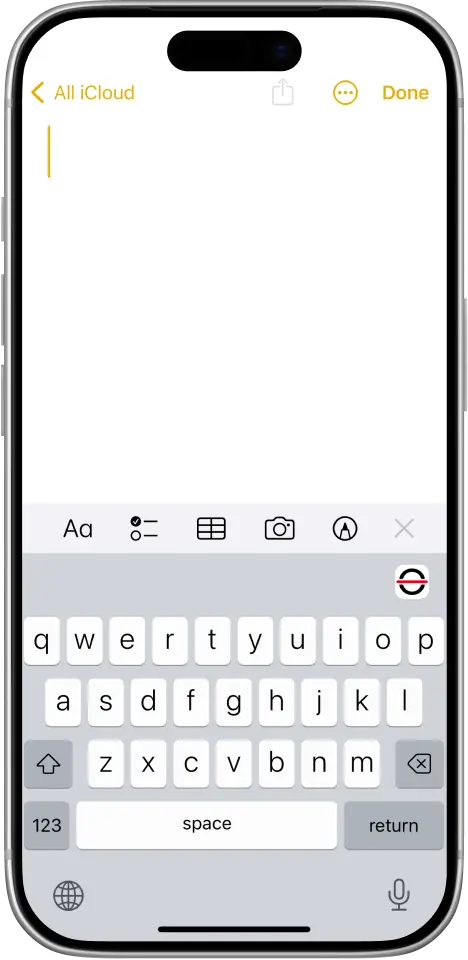
barKoder Keyboard open under a notes app, with the barKoder scan button above the keys

A keyboard that scans

barKoder Keyboard is an enhanced keyboard that lets you scan barcodes on the fly. The barKoder button sits above the keys.

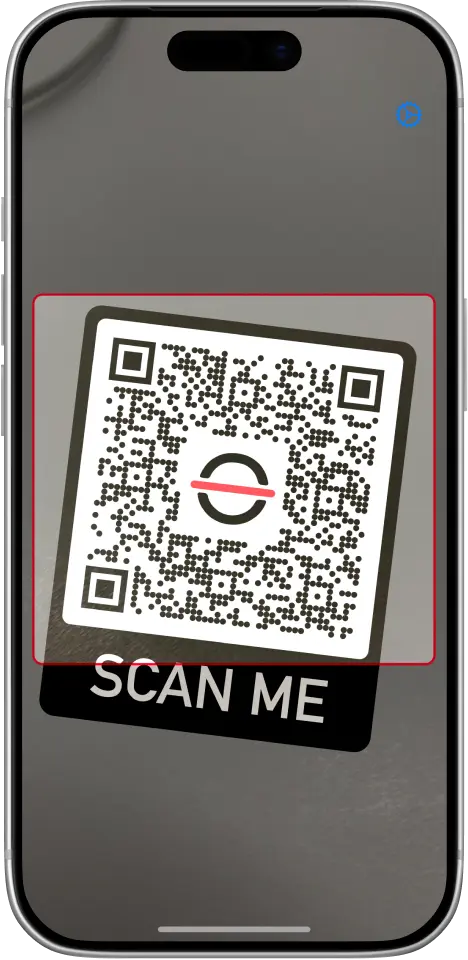
barKoder Keyboard camera view scanning a QR code

The barKoder scanning engine

The camera view uses the barKoder Barcode Scanner SDK, the same engine that developers build into their own apps.

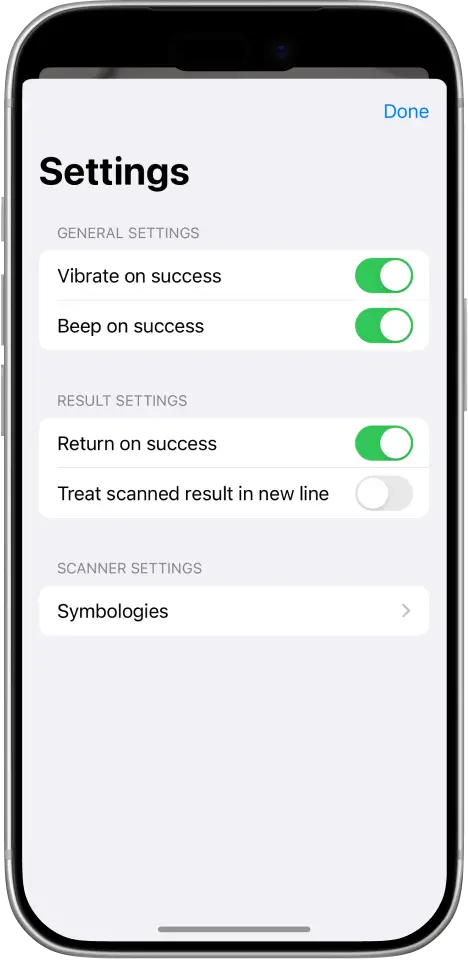
barKoder Keyboard settings: vibrate and beep on success, return on success, new line, symbologies

Any text field

Usable in any text field that supports a keyboard. Settings control feedback and what follows each result: Return on success, or put each scanned result on a new line.

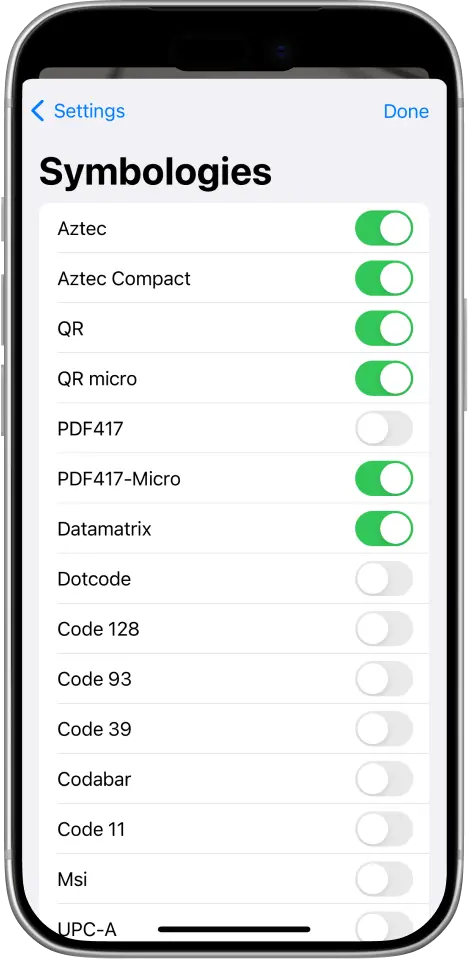
barKoder Keyboard symbology list with switches for Aztec, QR, PDF417, Data Matrix, DotCode and Code 128

Over 25 symbologies

Turn on only the barcode types you scan, from QR, Aztec, PDF417, Data Matrix and DotCode to Code 128, Code 39 and UPC-A. VIN and MRZ are supported too.

When to use barKoder Keyboard

Use it wherever someone types a code by hand today. Scanning is faster than typing, and it avoids typing mistakes.

Inventory management

Stock counts and lookups

Scan item barcodes straight into the inventory app, spreadsheet or form your team already uses.

Existing business apps

No integration project

Add barcode scanning to apps you can't change. If the app has a text field, barKoder Keyboard can fill it with a serial number, a VIN or a tracking number.

Shopping and product information

Instant lookups

Scan a product barcode into a search box or shopping app to pull up product information, without typing the number.

barKoder Keyboard or the barKoder SDK?

Both use the same scanning engine. The keyboard is for people who scan into apps they already have. The SDK is for teams who build scanning into their own app.

barKoder Keyboard fits when

  • You need scanning in an app you don't control
  • You want to start today, with no development
  • Your devices are iPhones, iPads or Android phones and tablets

The barKoder SDK fits when

  • You build your own mobile or web app
  • You want your own scanning UI and result handling
  • You read many barcodes at once with Batch MultiScan
  • You need parsed data, such as driver's license fields
  • You ship on iOS, Android, web or a cross-platform framework
Start a free SDK trial

To see what the SDK can do on your phone, install the free barKoder demo apps or read about the barKoder Barcode Scanner SDK.

barKoder Keyboard questions

What is a barcode scanner keyboard?

A barcode scanner keyboard, sometimes called a keyboard wedge, is a keyboard that enters scanned barcode data into a text field as if you had typed it. barKoder Keyboard does this with your phone's camera, so you can scan into any app without switching between tools.

Does it work in any app?

It works in any text field that supports a keyboard, so you can use it in business apps, spreadsheets and forms without asking their developers for a scanning feature.

Which devices does barKoder Keyboard run on?

iPhone with iOS 16 or later, iPad with iPadOS 16 or later, and Android phones and tablets. Get it from the App Store or Google Play.

Is barKoder Keyboard free?

It is free to download and offers in-app purchases. On Android, the free version includes 25 scans per day. On iOS, an in-app purchase gives you unlimited scans.

Which barcodes can it scan?

Over 25 symbologies, including QR, Micro QR, Aztec, PDF417, Data Matrix, DotCode, Code 128, Code 93, Code 39, Codabar, Code 11, MSI and UPC-A, plus VIN and MRZ. The iOS app added DataBar, postal codes and MaxiCode in version 1.3. You can switch each symbology on or off in the settings.

Does barKoder Keyboard collect my data?

No. Both the App Store and Google Play listings state that the app collects no data, and the Google Play listing states that no data is shared with third parties.

Can I keep a record of what I scanned?

Yes, on iOS. Version 1.4 of the iOS app added a scan history that you can export.

Is barKoder Keyboard the same as the barKoder SDK?

No. barKoder Keyboard is a ready-made app for scanning into other apps. The barKoder Barcode Scanner SDK is for developers who build scanning into their own iOS, Android, web or cross-platform app. Both use the same scanning engine. The SDK has a free trial: 30 days, up to 25 devices.

Where can I get help?

Write to support@barkoder.com.

Stop typing barcodes by hand

Install barKoder Keyboard on your iPhone, iPad or Android device and scan your first barcode into the app you already use.