GS1 Parser
GS1 Barcode Parser – Structured Data Extraction for Global Supply Chains
Automatically extract GTIN, batch, expiry, serial numbers, and more from GS1 barcodes using barKoder’s fast, standards-compliant GS1 parser.
Automatically extract GTIN, batch, expiry, serial numbers, and more from GS1 barcodes using barKoder’s fast, standards-compliant GS1 parser.


barKoder’s GS1 parser is built to recognize and extract structured data from GS1-formatted barcodes used across supply chains, healthcare, retail, and logistics. It automatically decodes Application Identifiers (AIs) — turning raw barcode strings into clearly labeled, machine-usable fields.
Whether you're scanning product packaging, logistics labels, or healthcare identifiers, barKoder gives you the structured output you need in milliseconds.

GS1 is the global standard for product identification and supply chain labeling. Its barcodes are used on over 1 billion products worldwide and encode data like:
Learn more at: GS1 General Specifications
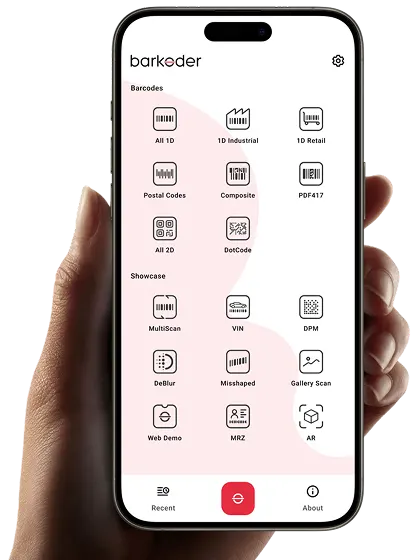
The Barcode Scanner by barKoder app will provide you with an easy-to-use tool designed to showcase the versatility and functionality of our Barcode Scanner SDK in capturing all supported barcode formats, including DPM-engraved Data Matrix codes.
Apart from the plethora of useful features, including a variety of options when it comes to exporting the results of each successful barcode scan, you’ll have access to a specially designed DPM scanning template containing all optimum DPM decoding settings.

iOS

Android



A barcode that scans easily in an office can quickly stall a warehouse workflow on a dusty or glossy box. Choosing the right barcode scanner SDK for logistics isn't about reading clean labels - it’s about keeping parcel, receiving, and delivery workflows moving under tough, real-world conditions.
Oct 16, 2026

Experience the convenience of self-scanning and self-checkout systems!
Oct 09, 2024

Estimates of American and global smartphone owners scanning QR codes for payments or other uses in 2019 and 2020, along with forecasts from 2020 to 2025.
Nov 12, 2024