C# / .NET

C# Barcode Scanner SDK

Read barcodes and MRZ from images in C# applications on Windows. The barKoder C# barcode reader library runs a native decoding engine through a .NET wrapper, decodes locally, and fits desktop, kiosk and server apps built on .NET 6 or newer.


C# logo for the barKoder barcode scanner SDK for C#

A C# barcode reader library for .NET desktop, kiosk and server apps

The barKoder C# barcode scanner SDK is built on a native C decoding engine that your .NET code calls through P/Invoke. You pass it image data, and it returns the barcodes and MRZ it finds. Decoding runs locally, with no cloud service in between.

What you get

  • A NuGet package that you place in a local NuGet repository and install into your project: BarkoderSDK.(VERSION).nupkg with MRZ for x64 and ARM64, or BarkoderSDK.Lite.(VERSION).nupkg without MRZ for x86, x64 and ARM64.
  • The BarkoderNET namespace, imported with one using directive.
  • The sample_charp demo application, a console app that decodes the image file you pass as its argument.
  • Sample code that converts a System.Drawing Bitmap to the grayscale array the decoder reads.
Start your free trial

Check your project setup

  • .NET 6.0 or newer. Contact barKoder if you need an older framework.
  • Windows 10 or newer, and Windows Server 2019 or newer.
  • The SDK is platform-specific and can't be built for AnyCPU. Create a target for each architecture first: x64 or ARM64 for BarkoderSDK, and x86 as well for BarkoderSDK.Lite.
  • Works with System.Drawing, OpenCV through Emgu CV, and other .NET imaging libraries.
Get the barKoder C# SDK

Building a phone or tablet app with .NET? Use the .NET MAUI Barcode Scanner SDK, which adds a live camera scanner to Android, iOS and Windows apps.

Read barcodes from an image in C#

To read barcodes from image files in C#, follow these steps and snippets from the C# installation guide in the barKoder docs. The full decode loop is in the sample_charp project that comes with the SDK.

  1. Install Put the BarkoderSDK .nupkg in your local NuGet repository and install it into an x64 or ARM64 project, or an x86 project with BarkoderSDK.Lite.
  2. Import Add the BarkoderNET namespace, plus System.Drawing if you use the Bitmap conversion from the sample.
  3. License Pass your trial or production key to Config.InitializeWithLicenseKey.
  4. Decode Enable the barcode types you need, convert your image to grayscale and run the decoder.
Program.cs: import the SDK
        using BarkoderNET;
      
Program.cs: Bitmap to grayscale
        using System.Drawing;
        using System.Drawing.Imaging;
      
Initialize with a license key
        Config.InitializeWithLicenseKey("YourLicenseKeyHere");
      
Enable MRZ decoding (needs an MRZ-enabled key)
        config.SetEnabledDecoders(new List<DecoderType> { DecoderType.IDDocument });
      

Then build and run the sample with the image file name as its only command-line argument. The C# SDK installation guide lists every step.

Image file, camera frame or handheld scanner?

"C# barcode scanner" can mean three different jobs. Here is which ones the SDK handles.

Images and documents

Photos, scans, uploads

Load the image in .NET, convert it to grayscale and decode it. This is the flow in the installation guide and the sample app. It suits batch jobs, back-office tools and server-side processing on Windows Server.

Webcams and camera frames

Kiosks, POS and industrial stations

barKoder's Windows SDK takes image and raw pixel buffer inputs from any camera or image source, such as webcams, scanners and video frames. In C#, capture frames with the imaging library you already use, such as Emgu CV or System.Drawing, and pass them to the decoder.

USB handheld scanners

When you don't need an SDK

A handheld USB scanner decodes the barcode in the device and sends the result to your app as text. Your C# code reads that text, so no decoding SDK is involved. Choose barKoder when your app has to find and decode barcodes in images itself.

What the C# barcode scanner SDK reads

The C# SDK uses the same native decoding engine as the other barKoder SDKs.

Barcode types

1D barcodes

Codabar, Code 11, Code 25, Code 32, Code 39, Code 93, Code 128, COOP 2 of 5, Datalogic 2 of 5, GS1 DataBar, GS1 Composite, EAN-8, EAN-13, IATA 2 of 5, Interleaved 2 of 5, ITF-14, Matrix 2 of 5, MSI Plessey, Postal Barcodes, Telepen, UPC-A, UPC-E and UPC-E1.

2D barcodes

Aztec Code, Aztec Compact, Data Matrix, DotCode, MaxiCode, PDF417, Micro PDF417, QR Code and Micro QR Code.

See all supported barcode types →

Passports and ID cards

MRZ with an MRZ-enabled license key

Enable the IDDocument decoder to read the machine-readable zone on passports and ID documents. It suits check-in kiosks, border control and identity verification desks.

See how MRZ scanning works →

Damaged and difficult barcodes

Engine features available to C#

  • MatrixSight® reads QR and Data Matrix codes with missing finder, timing or alignment patterns.
  • Segment Decoding® reads deformed, crumpled or wrinkled 1D barcodes.
  • DeBlur reads EAN and UPC codes with motion, lens or focus blur.
  • PDF417-LineSight® reads PDF417 barcodes with missing start or stop patterns and data columns.
  • DPM mode reads Data Matrix codes engraved or printed directly on parts.
  • Batch MultiScan returns several barcodes from the same input.

The C# installation guide documents setup and MRZ. For the C# settings of the other features, ask the barKoder team during your trial or talk to an SDK expert.

Where teams use a .NET barcode reader

Typical C# projects for the SDK, from the barKoder C# product page.

Choosing a C# barcode reader library

Open-source libraries such as ZXing.Net can be enough for clean, well-printed codes. When your images are harder, compare libraries on your own files before you commit.

What to test

  • Your worst real images: blurred, low-contrast, damaged, curved or engraved codes.
  • Images with several barcodes, and the barcode types you actually receive.
  • Passports and ID cards, if you need MRZ.
  • Your deployment: .NET version, Windows edition, architecture (x86, x64 or ARM64) and offline operation.

Run the test with barKoder

  1. Get a trial key on the trial page.
  2. Register on the Developer Portal and download the C# SDK.
  3. Run sample_charp against a folder of your own images.
  4. Compare decoded results with the library you use today.
Get a trial key

Also scanning on mobile, web or other desktop stacks?

barKoder ships the same engine for each part of a .NET solution.

.NET MAUI Barcode Scanner SDK

Plugin.Maui.Barkoder on NuGet

A camera scanner view for .NET MAUI apps on Android, iOS and Windows, installed from NuGet.org.

Web Barcode Scanner SDK (WASM)

Browser scanning, including Blazor apps

Runs in the browser with WebAssembly. eCarMover uses it inside a .NET Blazor web app hosted in Azure.

Windows Barcode Scanner SDK

Native C interface for C and C++

.dll libraries, headers and samples for Windows 10, 11 and Windows Embedded/IoT on x86 and x64.

One scanning engine for C#, native, web and cross-platform apps

The engine behind the C# SDK also ships as native, web, desktop and cross-platform SDKs, so the same decoding runs in every part of your solution.

  • 7 native & desktop SDKs
  • 6 cross-platform integrations
  • One consistent scanning core

barKoder in .NET projects

Teams that built barcode scanning into .NET applications.

Try barKoder on your phone or in your browser

Install the free barKoder demo app, or open the web demo, and scan your own barcodes before you integrate the SDK.

iPhone and iPad

barKoder demo app for iOS

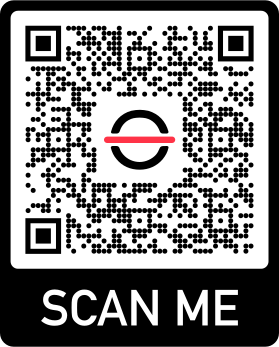
Scan with your camera, or point it at the QR code to open the App Store.

Download on the App Store
QR code linking to the barKoder demo app on the App Store

Android phones and tablets

barKoder demo app for Android

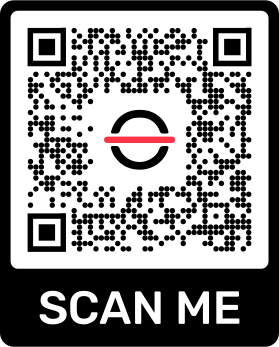
Scan with your camera, or point it at the QR code to open Google Play.

Get it on Google Play
QR code linking to the barKoder demo app on Google Play

Any modern browser

barKoder web demo

Runs the Web SDK in your browser, on desktop or mobile, with nothing to install.

Open the web demo
QR code linking to the barKoder web demo

Test with known samples. Print or display the testing sheet and scan each 1D and 2D barcode with the demo app. The data sheet summarizes the SDK for your team.

C# and .NET barcode scanner questions

What is the best C# barcode scanner SDK?

The one that decodes your own images reliably on your target setup. For clean, well-printed barcodes an open-source library can be enough. If you process damaged, blurred or engraved codes, several barcodes per image, PDF417 or DotCode, or passport MRZ, test barKoder on a folder of your real images with a free trial and compare the results.

How do I read a barcode from an image in C#?

Install the BarkoderSDK NuGet package into an x64 or ARM64 project (or BarkoderSDK.Lite, without MRZ, into an x86, x64 or ARM64 project), add using BarkoderNET;, and call Config.InitializeWithLicenseKey with your key. Then enable the barcode types you need, convert the image to a grayscale array and decode it. The sample_charp console app does this for the image file you pass as its argument. The C# installation guide walks through each step.

Is the barKoder C# SDK on NuGet.org?

No. You download the C# SDK after you register, and it comes as a BarkoderSDK.(VERSION).nupkg file that you add to a local NuGet repository. The package on NuGet.org, Plugin.Maui.Barkoder, is the .NET MAUI Barcode Scanner SDK for mobile and Windows camera apps.

Which .NET versions, operating systems and architectures are supported?

.NET 6.0 or newer, on Windows 10 or newer and Windows Server 2019 or newer. The SDK can't be built for AnyCPU, so you create a target per architecture: x64 or ARM64 for BarkoderSDK, which includes MRZ, plus x86 for BarkoderSDK.Lite, which has no MRZ. Contact barKoder if you need an older .NET framework.

Can I use barKoder with a USB barcode scanner in C#?

You don't need it for that. A handheld USB scanner decodes the barcode itself and sends the result to your application as text. Use the barKoder C# SDK when your application has to decode barcodes from image files, scans or camera frames.

Can the C# SDK read passports and ID cards?

Yes. Enable the IDDocument decoder with config.SetEnabledDecoders to read the MRZ on passports and ID documents. MRZ needs the full BarkoderSDK package (x64 or ARM64), not BarkoderSDK.Lite, and a license key with MRZ enabled.

Does the C# SDK need an internet connection?

Decoding runs on your machine. The SDK contacts the barKoder licensing server only for the license check, at least once every 30 days.

How does the free trial work?

Generate a key on the trial page or in the barKoder Developer Portal. A trial license lasts 30 days and covers up to 25 devices, with unlimited scans. No credit card is required. For server deployments, see the custom terms on the pricing page.

Read barcodes in your C# application

Test the barKoder C# SDK on your own images with a free 30-day trial, or talk to an SDK expert about your .NET project.