Logistics industry

Barcode scanning SDK for logistics, parcel and transport apps

Turn couriers' phones, depot tablets and pickup-counter browsers into logistics barcode scanners. barKoder reads worn parcel labels, MaxiCode and postal barcodes inside your own delivery, tracking and transport software, and decodes on the device.

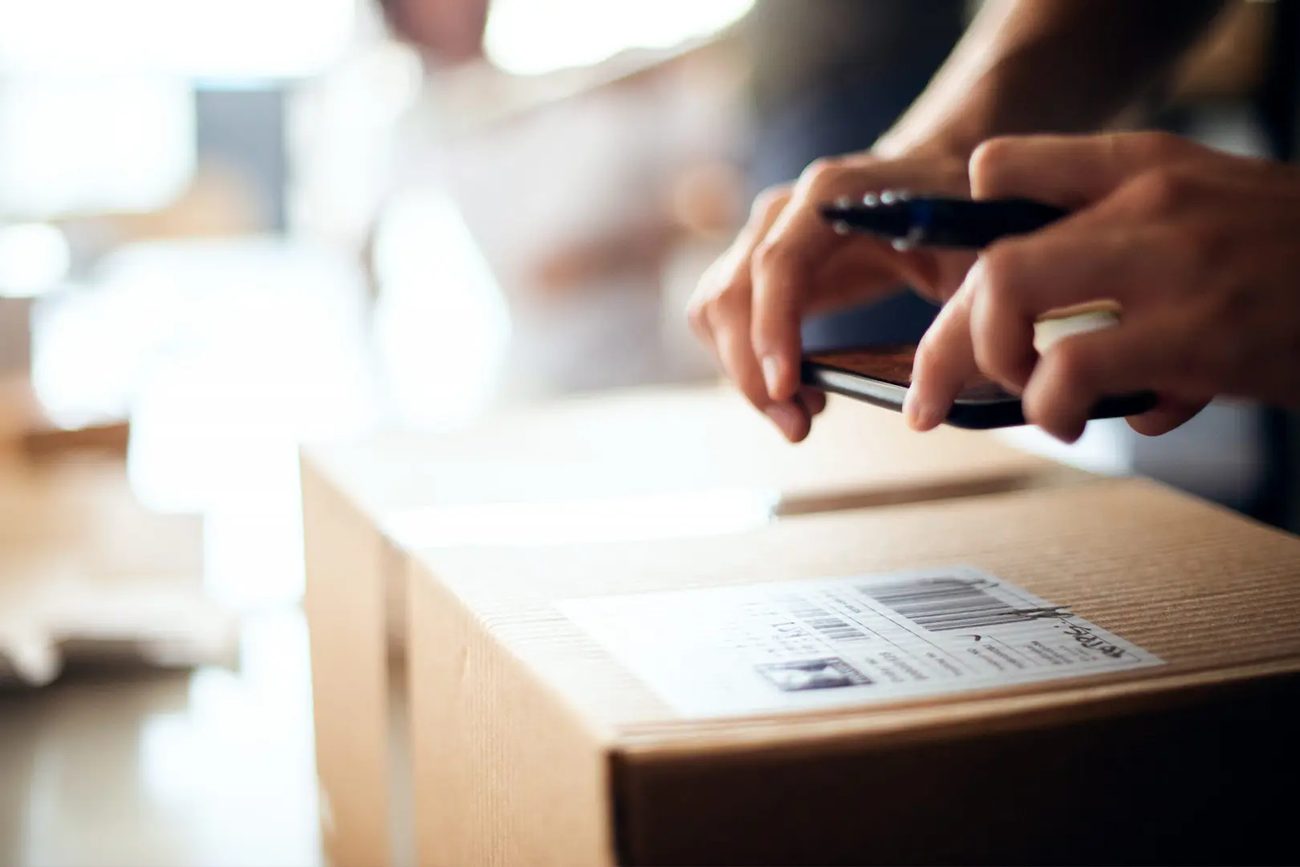
Smartphone scanning the barcode on a parcel shipping label

A logistics barcode scanner inside your own app

A decoded barcode is not yet a logistics event. Your app still has to decide whether the parcel belongs to the route, whether it was already processed and what happens next. barKoder does the capture. Your delivery platform, TMS or WMS keeps the business rules.

Test with the labels you actually ship

Build the test set from labels already in your operation:

  • Labels under glossy tape
  • Labels folded over a carton edge
  • Weak print contrast
  • Small codes at a distance
  • Several codes on one parcel
  • The oldest device in the fleet
Start an SDK trial

Measure the workflow, not only the decoder

  1. Record a baseline with your current scanner on the same labels and devices.
  2. Measure first-pass read rate and time to an accepted result.
  3. Count manual entries, retries and duplicate transactions.
  4. Run a full task offline, reconnect and check the backend gets one correct set of records.
Read the logistics SDK evaluation guide

Barcode scanning for shipping, receiving and delivery

From the first-mile pickup to the doorstep, each step needs a different scanning behavior. Pick the one that fits the task.

Parcel intake and pickup counters

Continuous Scanning

Keep the camera open and scan one parcel after another. Set a delay between duplicates, so a label that stays under the camera is not booked twice.

Continuous barcode scanning →

Loading several parcels at once

Batch MultiScan

Capture every relevant barcode in one camera view when a stack of parcels or a group of labelled items has to be confirmed together.

Batch MultiScan →

Finding one parcel in a cage

AR Mode with Search & Find

Enter the tracking number and point the camera at the cage. The scanner keeps checking every visible code and highlights the match, so drivers and depot staff stop scanning the wrong labels.

AR barcode scanning →

Carrier and postal labels

MaxiCode and postal barcodes

Read the MaxiCode used for parcel sortation and postal symbologies such as Intelligent Mail, RM4SCC, KIX and Australia Post on labels and envelopes.

Postal barcode scanning →

Logistic units and GS1 labels

GS1 Parser

A GS1-128 logistics label can carry an SSCC, a GTIN, a batch and more in one symbol. The GS1 Parser splits the Application Identifiers into labelled fields your app can map to shipment records.

GS1 Parser →

Vehicles and tickets in transport

VIN scanning and Aztec

Car transporters scan VIN barcodes at pickup and dispatch. Rail apps validate Aztec train tickets that follow the UIC-918 specification.

VIN scanning →

Barcodes you'll find on logistics labels

The symbology tells you how the data is printed. The identifier inside it, such as an SSCC, tells your app what the scanned object is.

Common symbologies in parcel and transport workflows
Symbology Where it appears
Code 128 and GS1-128 Shipping labels, tracking numbers and GS1 logistic labels carrying the SSCC
MaxiCode Carrier labels built for high-speed sorting, recognizable by the bullseye in the center
Postal barcodes Mail and parcels: POSTNET, PLANET, Intelligent Mail, RM4SCC, Japan Post, KIX, Australia Post
PDF417 Shipping labels and transport documents that hold many data fields
ITF-14 Cases, cartons and pallets in distribution
QR Code and Data Matrix Shipment tracking, small labels and GS1 Digital Link
Aztec Transport tickets, including UIC-918 rail tickets

Read labels that have been handled, taped and creased

Parcel labels get handled again and again. Different defects need different decoding strategies, and barKoder has one for each.

Scan on couriers' phones, depot tablets and browsers

The same decoding engine runs in native Android and iOS apps, in the browser through the Web SDK, on Windows and Linux stations, and in Flutter, React Native, .NET MAUI, Capacitor, Cordova and NativeScript apps.

  • 7 native & desktop SDKs
  • 6 cross-platform integrations
  • One consistent scanning core

Logistics and transport teams using barKoder

Couriers, parcel networks and transport apps that moved to barKoder from other libraries or dedicated scanners.

Try barKoder on your phone or in your browser

Install the free barKoder demo app, or open the web demo, and scan your own barcodes before you integrate the SDK.

iPhone and iPad

barKoder demo app for iOS

Scan with your camera, or point it at the QR code to open the App Store.

Download on the App Store
QR code linking to the barKoder demo app on the App Store

Android phones and tablets

barKoder demo app for Android

Scan with your camera, or point it at the QR code to open Google Play.

Get it on Google Play
QR code linking to the barKoder demo app on Google Play

Any modern browser

barKoder web demo

Runs the Web SDK in your browser, on desktop or mobile, with nothing to install.

Open the web demo
QR code linking to the barKoder web demo

Test with known samples. Print or display the testing sheet and scan each 1D and 2D barcode with the demo app. The data sheet summarizes the SDK for your team.

Logistics barcode scanner questions

What is a logistics barcode scanner SDK?

It is a software component that developers build into parcel, transport, warehouse or delivery apps. It uses the device camera or an image to decode barcodes and returns the result to your app, which validates it and records the logistics event.

Which barcodes do logistics apps need to read?

It depends on your carriers and trading partners. Expect Code 128 and GS1-128, ITF-14, EAN/UPC, Data Matrix, QR Code, MaxiCode, PDF417 and postal formats. barKoder reads all of them. Keep in mind that an identifier such as the SSCC is separate from the symbology that carries it, usually GS1-128.

Can a smartphone replace a dedicated barcode scanner for couriers?

In many workflows, yes, if the device meets your needs for camera quality, battery life and durability. Grupo ampm replaced dedicated scanners with smartphones and reported an 85% improvement in scanning performance. For intensive or harsh work, rugged Android mobile computers run the same SDK, and a mixed fleet is common.

Does scanning work without a connection on the road?

Yes. The SDK goes online only for the license check, at least once every 30 days. After that it doesn't need a connection for the next 30 days, and all scanning runs on the device. How your app stores and syncs transactions offline is a separate design decision, so test the whole task offline.

Can I scan parcels in a browser without a native app?

Yes. The WASM Barcode Scanner SDK runs inside your web app. Penguin Pickup uses it at pickup counters across Canada, and eCarMover drivers scan VINs in a .NET Blazor app. The browser needs camera permission and a secure (HTTPS) page.

What is the difference between Continuous Scanning and Batch MultiScan?

Continuous Scanning captures one result after another without closing the camera, which suits parcel intake and dispatch. Batch MultiScan captures several visible barcodes in the same camera view, which suits checking a group of parcels together. Search & Find does the opposite: it looks for one requested code among many.

How do I test barKoder on my own labels?

Get a free trial license, valid for 30 days on 25 devices. Install the SDK for your platform and test real labels on the devices your couriers and depots use. Questions go to support@barkoder.com.

Test barKoder on your parcel labels

Get full SDK access for 30 days on 25 devices, or talk to an SDK expert about your delivery, depot or transport app.