Food and beverage industry

Barcode scanning SDK for food and beverage traceability

Read the barcodes on cans, bottles, cases and fresh produce with phones, tablets, kiosks and browser apps. barKoder decodes blurred, curved and damaged labels, parses GS1 lot and expiry data and runs on the device.

Shopping basket with a bottled drink, fresh vegetables and packaged food in a grocery store

Where food and beverage barcodes are scanned

Food barcodes link each product to its batch, origin and expiry date as it moves from raw materials to the shelf. barKoder adds that scanning to your production, warehouse, retail and consumer apps, on the devices your teams already carry.

Traceability and recalls

Batch, origin, recall lookups

Scan raw materials and finished goods at each stage so every batch can be traced to its source. If a problem arises, scanning the affected codes pinpoints the batch and location, so you recall only the products concerned.

Read batch and lot data with the GS1 parser →

Quality control and expiry dates

FIFO and FEFO rotation

Barcodes that carry expiration dates support first-in-first-out and first-expired-first-out rotation, which reduces waste. GS1 DataBar Expanded and GS1 Composite codes carry the expiry date, lot and weight next to the GTIN.

Learn about GS1 DataBar →

Receiving and inventory

Cases, pallets, cold storage

Scan cases and pallets as they arrive, move and ship to keep stock counts current. Continuous scanning keeps the camera open between items, and Batch MultiScan reads several labels in one frame.

See Batch MultiScan →

Beverage serialization

DotCode

DotCode is printed at high speed by industrial inkjet and laser coders. In food and beverage it is used for serialization, authentication and tracking of raw materials and batches. barKoder reads DotCode next to Data Matrix and QR in the same app.

Explore DotCode scanning →

Kiosks and container returns

Self-service, reverse vending

An unmanned grocery kiosk and a reverse vending machine both run barKoder's Web SDK. The machine reads bottles and cans that arrive at an angle or rotate during analysis, inside its existing camera pipeline.

See the WASM Barcode Scanner SDK →

Consumer and GS1 Digital Link QR codes

Ingredients, allergens, origin

QR codes on packaging link shoppers to ingredients, allergen data and sourcing. A GS1 Digital Link QR code also carries the GTIN, batch and expiry in its web address, which barKoder reads and returns as text. For field-by-field parsing, GS1 DataMatrix and GS1 QR Codes go through the GS1 parser, ready for retail's move to 2D codes alongside UPC and EAN by the end of 2027.

Read about GS1 Digital Link →

Food barcodes on packaging, cases and pallets

UPC and EAN are on almost every retail pack. The other codes carry the batch, weight and expiry data that traceability depends on.

Barcode types common in food and beverage
Barcode Where it appears Learn about it
UPC / EAN Individually packaged foods and drinks sold at retail checkouts. UPC in the U.S. and Canada, EAN in most other markets EAN and UPC
GS1 DataBar Fresh produce, meat and perishables that need expiry, batch or weight data on a small label GS1 DataBar
GS1 Composite Item-level expiration and origin tracking for produce and packaged foods GS1 Composite
Code 128 / GS1-128 Cartons and pallets in processing and distribution, with lot numbers and production dates Code 128
ITF-14 Cases, cartons and pallets printed on corrugated board, encoding a 14-digit GTIN Code 25 and ITF-14
QR Code Consumer information, loyalty programs and GS1 Digital Link QR Code
Data Matrix Small items and specialty foods that need origin or batch tracking Data Matrix
DotCode High-speed printed serialization codes on beverage and other packaging DotCode

Barcodes on cans, bottles and damaged labels

Food packaging is curved, shiny and handled in fridges, kitchens and loading docks. These barKoder features target the failures that follow.

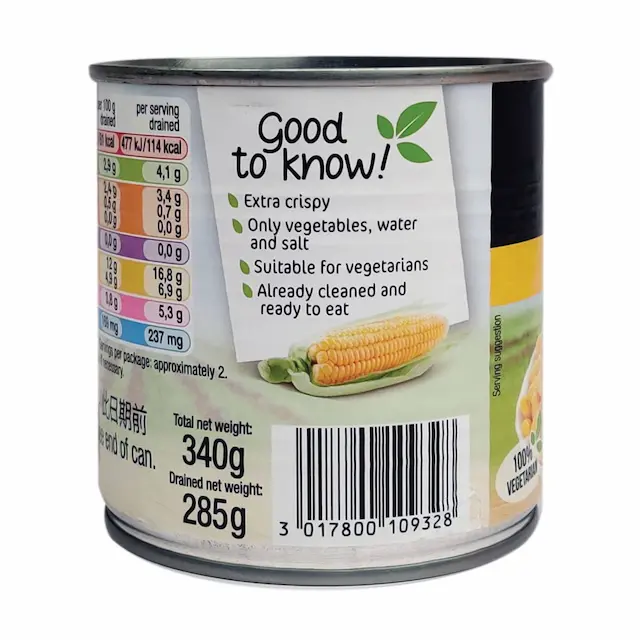
EAN barcode printed on the curved side of a food can
Curved cans and bottles Segment Decoding reads 1D barcodes bent around bottles and aluminum cans, where no straight line crosses every bar.
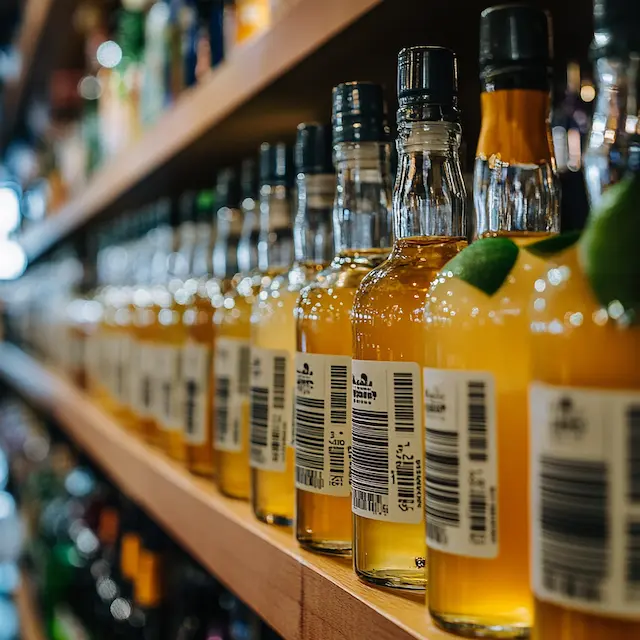
Row of bottled drinks with barcode labels on a store shelf
Blurred EAN and UPC DeBlur reads heavily blurred EAN and UPC barcodes caused by motion, focus or lens blur.
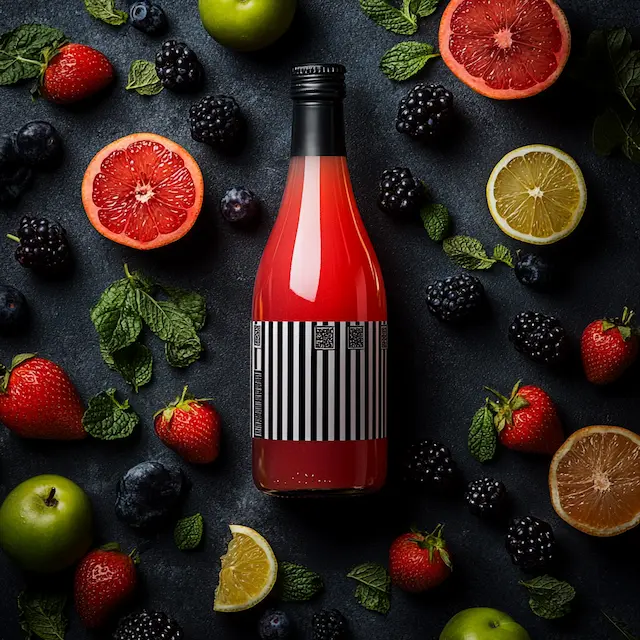
Juice bottle with QR codes on its label
Damaged 2D codes MatrixSight® reads QR and Data Matrix codes with missing finder patterns and damaged data.
Bring your hardest packs Test your own cans, bottles and labels with a trial license. Start an SDK trial

Turn a food barcode into lot and expiry fields

A GS1 code packs several values into one string. The GS1 parser splits it on the device, so your app can act on each value.

  1. Scan Read a GS1 DataBar, GS1-128, GS1 Composite, GS1 Data Matrix or GS1 QR code.
  2. Parse The GS1 parser returns the Application Identifiers as labeled fields: GTIN, batch or lot, expiry date, weight.
  3. Check Your app compares the expiry date with today and matches the batch against recalls or orders.
  4. Record Store the scan with time and place to build the traceability record.

Food barcode scanning on every platform

Use the same scanning engine in warehouse and field apps on Android and iOS, in kiosks and web apps through the Web SDK, and on Windows and Linux stations.

  • 7 native & desktop SDKs
  • 6 cross-platform integrations
  • One consistent scanning core

Food and beverage barcode scanning in production

barKoder inside a reverse vending machine for beverage containers and an unmanned grocery kiosk.

Food barcode resources

Try barKoder on your phone or in your browser

Install the free barKoder demo app, or open the web demo, and scan your own barcodes before you integrate the SDK.

iPhone and iPad

barKoder demo app for iOS

Scan with your camera, or point it at the QR code to open the App Store.

Download on the App Store
QR code linking to the barKoder demo app on the App Store

Android phones and tablets

barKoder demo app for Android

Scan with your camera, or point it at the QR code to open Google Play.

Get it on Google Play
QR code linking to the barKoder demo app on Google Play

Any modern browser

barKoder web demo

Runs the Web SDK in your browser, on desktop or mobile, with nothing to install.

Open the web demo
QR code linking to the barKoder web demo

Test with known samples. Print or display the testing sheet and scan each 1D and 2D barcode with the demo app. The data sheet summarizes the SDK for your team.

Food barcode scanning questions

Which barcodes are used on food packaging?

Retail packs carry UPC or EAN. Fresh and perishable items often use GS1 DataBar or GS1 Composite to add expiry, batch or weight. Cases and pallets use ITF-14 and GS1-128, and QR codes link consumers to product information. barKoder reads all of these, plus Data Matrix and DotCode.

Can barKoder read the lot number and expiry date from a food barcode?

Yes, when the barcode encodes them as GS1 data. The GS1 parser returns Application Identifiers such as GTIN (01), batch or lot (10) and expiry date (17) as labeled fields. A plain UPC or EAN identifies the product; batch and expiry data come from GS1 DataBar, a GS1 Composite component or a 2D code such as GS1 Data Matrix or a GS1 QR Code.

Does it support GS1 DataBar on fresh produce?

Yes. barKoder supports all GS1 DataBar variants, including DataBar Expanded, which can encode weight, date and serial number, and it parses the data with the built-in GS1 parser. See GS1 DataBar.

Can it scan barcodes on cans and bottles?

Yes. Segment Decoding reads 1D barcodes deformed around curved surfaces such as bottles and aluminum cans, and DeBlur helps with blurred EAN and UPC. The Maritime University of Szczecin uses barKoder in a reverse vending machine that reads returned bottles and cans as they move and rotate.

Can I run it in a kiosk or a web app?

Yes. The WASM Barcode Scanner SDK runs in browsers that support WebAssembly, and Pool Digital uses it in an unmanned grocery kiosk. Native SDKs are available for Android, iOS, Windows and Linux.

Does scanning need an internet connection on the factory floor?

Scanning runs locally on the device. The SDK connects only to check the license key, at least once every 30 days.

How can I test it on our products?

Start a free trial, valid for 30 days on up to 25 devices. Test real cans, bottles, cases and fresh-produce labels on the devices your teams use.

Add food barcode scanning to your app

Test barKoder on your own packaging with a free 30-day trial for up to 25 devices, or talk to an SDK expert about your traceability project.