Construction industry

Barcode scanning SDK for construction and field-service apps

Track materials, tools, equipment and inspections on site with the phones and tablets your crews already carry. barKoder reads worn QR codes, Code 128 labels and engraved Data Matrix tags, and scans on the device, going online only for the license check.

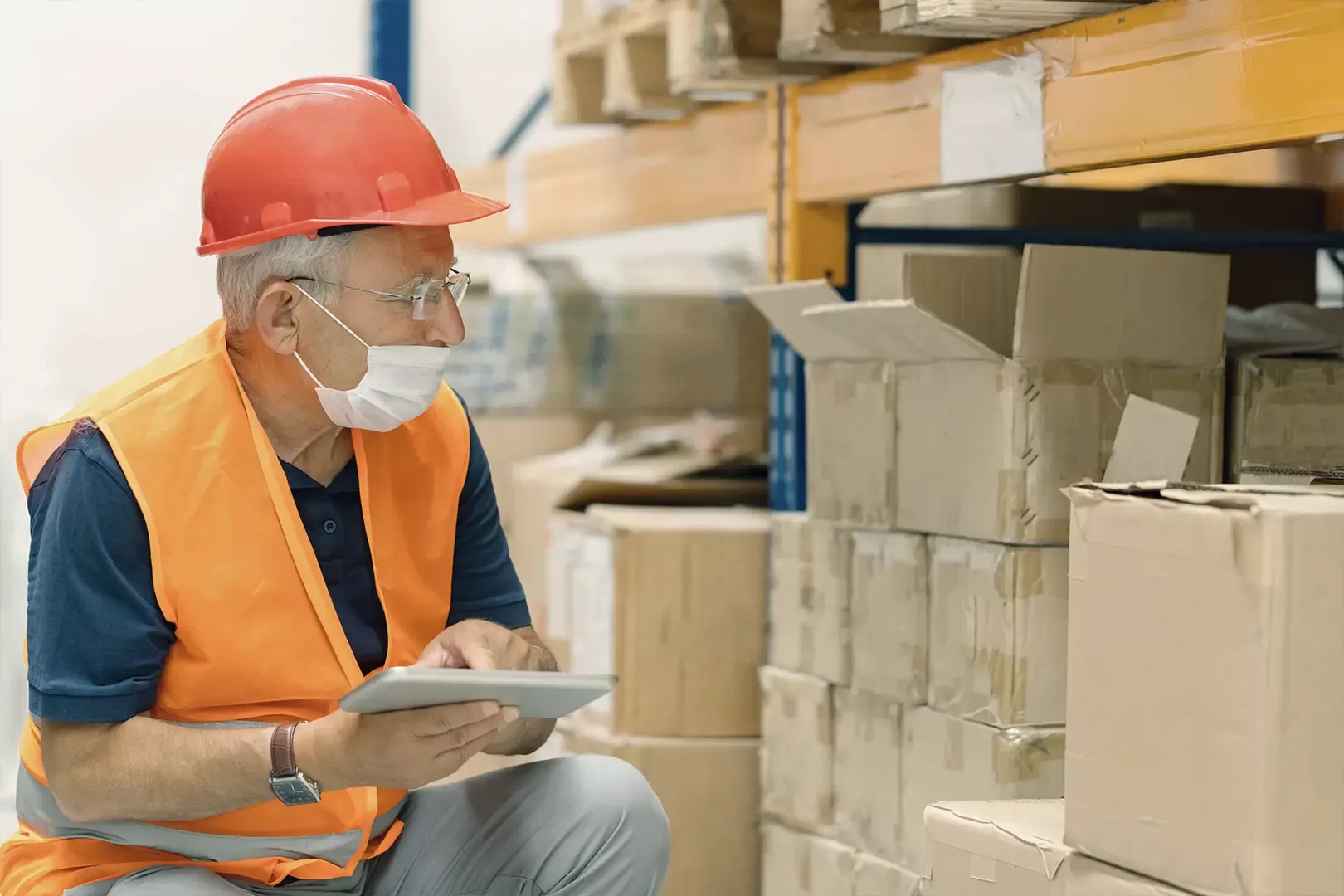
Worker in a hard hat and safety vest checking boxed stock on shelves with a tablet

Barcode scanning for construction sites

Construction teams label materials, tools and equipment so they can see what arrived, where it is and when it was last checked. barKoder adds the scanning step to your own site or field-service app, on the devices crews already have in hand.

What crews scan on site

  • Materials as they arrive at the job site
  • Tools and equipment as they're checked out, used and returned
  • Inspection tags on equipment and safety gear
  • Serial numbers for warranty and certification records
  • QR codes that carry product details, such as a smoke detector's make, model and expiry date
  • Worker badges for clocking in and out
Get a trial license key

Why phone-based scanning fits the site

  • No extra scanner to carry: engineers already carry a lot of tools, and their phone is always in hand
  • Works on the smartphones and tablets your team already owns
  • Decoding runs on the device, so a weak signal doesn't stop the scan
  • Your app decides where the data goes: inventory, asset register, inspection log or timesheet

Read how Innovation Software gave field engineers reliable scanning without dedicated scanner hardware.

Construction and field workflows you can build

Each use case maps to a barKoder feature you can enable in your own app.

Material receiving

Batch MultiScan

Scan every label on a delivery from one camera view instead of aiming at each one. Batch MultiScan reads codes of different types and sizes in one pass, whether they're lined up or scattered.

Batch MultiScan →

Tool and equipment tracking

DPM mode

Metal tools and equipment often carry Data Matrix codes engraved by Direct Part Marking. DPM mode is built for these marks: low contrast, dots instead of lines, and reflective, curved or abraded surfaces.

DPM Barcode Scanner SDK →

Worn and damaged tags

MatrixSight® and Segment Decoding®

MatrixSight reads QR and Data Matrix codes with missing finder, timing or alignment patterns. Segment Decoding reads crumpled, wrinkled and deformed 1D barcodes, including labels on rounded or curved surfaces.

MatrixSight →

Safety inspections

QR Code, continuous scanning

Scan the tag on each piece of equipment to open its inspection record and confirm the required checks are done. Continuous scanning keeps the camera open while an inspector moves from tag to tag.

Continuous scanning →

Field service and certification

Barcode and QR scanning in one SDK

Engineers at domestic and commercial properties capture serial numbers and smoke detector QR codes (make, model, expiry date) for warranty and certification work.

Innovation Software story →

Time and attendance

Mobile or browser

Workers scan a personal badge to clock in and out of a job site. Run it in a native app, or in a web app with the Web SDK on any device with a browser that supports WebAssembly.

Web Barcode Scanner SDK →

Barcodes used in construction

The most common symbologies on construction materials, tools and equipment. barKoder reads all of them.

Symbology Typical use on site
Code 39 Alphanumeric asset and inventory tags
Code 128 Labels on building materials, equipment inventories and component deliveries
QR Code Equipment status, material inventories, project information and product details
Data Matrix Compact tags on materials and equipment, and DPM marks engraved on metal
PDF417 Asset tracking and inventory labels that hold a lot of data

Field engineers scanning with barKoder

Try barKoder on your phone or in your browser

Install the free barKoder demo app, or open the web demo, and scan your own barcodes before you integrate the SDK.

iPhone and iPad

barKoder demo app for iOS

Scan with your camera, or point it at the QR code to open the App Store.

Download on the App Store
QR code linking to the barKoder demo app on the App Store

Android phones and tablets

barKoder demo app for Android

Scan with your camera, or point it at the QR code to open Google Play.

Get it on Google Play
QR code linking to the barKoder demo app on Google Play

Any modern browser

barKoder web demo

Runs the Web SDK in your browser, on desktop or mobile, with nothing to install.

Open the web demo
QR code linking to the barKoder web demo

Test with known samples. Print or display the testing sheet and scan each 1D and 2D barcode with the demo app. The data sheet summarizes the SDK for your team.

Construction barcode scanning questions

Can crews scan construction barcodes with their own phones?

Yes. barKoder turns Android and iOS smartphones and tablets into barcode scanners inside your app, so you don't need dedicated scanner hardware on site. The SDK needs Android 8.0 or iOS 15 or newer, and a camera of at least HD resolution; 8 MP with autofocus is recommended.

Does scanning work on sites with no signal?

Yes. The SDK connects only to check the license key, at least once every 30 days. All decoding runs locally on the device. Your app decides when to sync the scanned data.

Which barcode types work best for construction tool tracking?

Common choices are Code 39 and Code 128 labels, QR codes, which can hold more information, and compact Data Matrix codes, which can also be engraved directly on metal. barKoder reads all of them, so you can mix tag types across your tools and equipment.

Can barKoder read engraved or damaged tags on tools and equipment?

Yes. DPM mode reads Data Matrix codes engraved by Direct Part Marking, MatrixSight® reads QR and Data Matrix codes with damaged patterns, and Segment Decoding® reads crumpled or curved 1D barcodes. Results depend on the damage, light and camera, so test with your own tags.

Can we scan several labels at once when a delivery arrives?

Yes. Batch MultiScan decodes multiple barcodes of different types and sizes from a single camera view, which suits shipping labels and inventory counts.

Does barKoder store the data we scan?

No. Scanning runs inside your app, and decoded barcode content is not sent to barKoder because you used the SDK. barKoder doesn't collect or store personal information from scanned barcodes. See the Privacy Policy.

Add barcode scanning to your construction app

Test barKoder on your own materials, tools and tags with a free 30-day trial for 25 devices, or talk to an SDK expert about your field app.