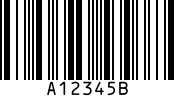
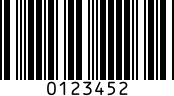
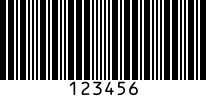
Code 39 Barcode Scanner and Reader SDK

Code 39, also called Code 3 of 9, is a variable-length 1D barcode that encodes the uppercase letters A to Z, the digits 0 to 9 and seven special characters, with an optional mod 43 check character. barKoder reads printed and deformed Code 39 labels with the phone and tablet cameras in your iOS, Android and web apps.

Code 39

Code 39 at a glance

Code 39 key facts
Type1D linear barcode. Discrete, self-checking and readable in both directions.
Character set43 characters: A to Z, 0 to 9, space and - . $ / + %. Full ASCII mode (Code 39 Extended) encodes all 128 ASCII characters as character pairs.
CapacityVariable length. The application and the label width set the limit, because each character takes 13 to 16 modules.
Check digitOne optional mod 43 check character, placed just before the stop character
StandardISO/IEC 16388 (current edition 2023)
Typical usesVehicle identification numbers (VINs) and automotive parts, defense and government logistics, manufacturing and healthcare labels

What a Code 39 barcode is and how it is built

Code 39 is one of the oldest alphanumeric barcodes still in use. Each character is a separate pattern of nine elements, five bars and four spaces. Three of the nine are wide and six are narrow, which gives the code its other name, Code 3 of 9. Because every valid character has exactly three wide elements, a reader can spot a misread character without a check digit.

Every symbol has five parts:

  • Quiet zone: a blank margin at least 10 narrow modules wide on each side.
  • Start character: shown as an asterisk (*). Its asymmetric pattern tells the reader which way the code is facing.
  • Data characters: any number of characters from the 43-character set, separated by narrow spaces called intercharacter gaps.
  • Check character (optional): the mod 43 character, when the application uses one.
  • Stop character: the same asterisk pattern. It is never part of the data.

Wide elements are 2 to 3 times the width of narrow ones. With 13 to 16 modules per character, Code 39 takes more space than Code 128 for the same data, so it suits short IDs such as part numbers and VINs.
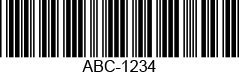
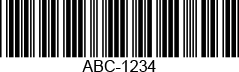
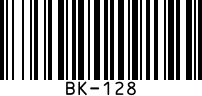
Sample image of code 39 code
Each character is five bars and four spaces, three of them wide. The asterisk start and stop characters frame the data.

Code 39 variants, full ASCII mode and the mod 43 check

The bars are the same in every variant. What changes is how the reader interprets the characters and whether it checks a check character.

Code 39 variants and what they mean for scanning
VariantWhat it isScanning notes
Standard Code 39The 43-character set with no check characterThe default. Self-checking characters catch most single-character errors.
Code 39 with mod 43Adds one check character. Each character has a value (0 to 9 = 0 to 9, A to Z = 10 to 35, - = 36, . = 37, space = 38, $ = 39, / = 40, + = 41, % = 42). The sum of the values divided by 43 leaves a remainder, and the character with that value is the check character. For CODE39 the sum is 75, the remainder 32, so the check character is W.Turn on check character validation only when your labels carry one, or valid labels without it fail
Full ASCII (Code 39 Extended)Encodes all 128 ASCII characters with pairs of standard characters. + before a letter makes it lowercase, so "Code39" is encoded as C+O+D+E39. $ before a letter gives a control character, and / and % introduce punctuation.The bars look like standard Code 39, so the reader has to know which mode the application uses
Code 32 (Italian Pharmacode)Italian medicine packs: the 9-digit AIC number converted to six base-32 characters and printed as Code 39Has its own page: Code 32
VIN labelsThe 17-character vehicle identification number printed as Code 39Use VIN mode, which returns only VIN-compliant results

Where Code 39 barcodes are used

Code 39 works where the data mixes letters and digits, the labels are printed on site and nobody needs a lot of data per label.

Automotive

VINs, parts labels

Many older cars still on the road carry a VIN printed as Code 39, and VIN barcodes also appear on paperwork, inventory lists and labels taped to car windows. Automakers use Code 39 to track parts and components too.

Barcode scanning for automotive →

Government and defense

LOGMARS, MIL standards

Code 39 has a long history in US defense logistics through LOGMARS and military standards, and it is still part of older specifications and processes. Government organizations, including the military and law enforcement, use it to track and identify items.

Barcode scanning for government →

Manufacturing

Parts, components, electronics

Plants and warehouses use Code 39 for parts, components and electronics tracking. Almost any barcode scanner reads it, and the data can include letters as well as digits.

Barcode scanning for manufacturing →

Healthcare

Supplies and equipment

Hospitals and suppliers use Code 39 to track medical supplies and equipment. In Italy, medicine packs carry Code 32, a Code 39 variant that encodes the product's AIC number.

Barcode scanning for healthcare →

Scanning Code 39 with barKoder

The barKoder Barcode Scanner SDK reads Code 39 on iOS, Android, the web, Windows and Linux, and in Flutter, React Native, .NET MAUI, Capacitor, Cordova and NativeScript apps. These features matter most for this code.

VIN mode

One call, config object or template turns on the Code 39, Code 128, Data Matrix and QR decoders with settings tuned for 17-character VINs: a wide region of interest, Full HD resolution and slow, thorough decoding. VIN restrictions return only VIN-compliant Code 39 results.

VIN Scanner SDK →

Segment Decoding® for deformed labels

Reads 1D barcodes that are deformed along the Z axis, where no straight line crosses all the bars. barKoder uses it to read Code 39 VINs printed on paper or taped to a car window, and labels on bottles, tubes and other curved surfaces. It is off by default.

Segment Decoding® →

Mod 43 check character setting

The Code 39 checksum setting is disabled or enabled. Enable it when your labels carry a mod 43 check character, and leave it off for labels without one. The same setting exists on iOS, Android and the Web SDK.

Web SDK API reference →

Batch MultiScan for many labels at once

Decodes several barcodes in a single camera view, whatever their type or size. Use it to register a tray of Code 39-labeled parts in one pass instead of one label at a time.

Batch MultiScan →

Code 39 barcode reader API

Enable only the decoders you need. These Web SDK calls from the barKoder docs enable Code 39 and turn on mod 43 check character validation.

Web SDK (JavaScript)

JavaScript
Barkoder.setEnabledDecoders(Barkoder.constants.Decoders.Code39);

Barkoder.setCode39ChecksumType(Barkoder.constants.Code39ChecksumType.enabled);

The first line is enough for standard Code 39. Add the second line only if your labels carry a mod 43 check character. For VINs, use the VIN example instead: it enables all four VIN decoders and the VIN restrictions.

Get scanning in three steps

  1. Get a free trial license and install the SDK for your platform.
  2. Enable the Code 39 decoder, or VIN mode if you scan vehicle labels. Turn on the misshaped 1D setting for deformed labels.
  3. Read the barcode type and text in your result callback.
See the Web SDK VIN example

VIN mode examples for other platforms: Android, iOS, Flutter, React Native, Capacitor, Cordova, .NET MAUI and NativeScript.

Scan a Code 39 barcode on your phone or in your browser

Install the free barKoder demo app, or open the web demo, and scan your own Code 39 labels and VIN barcodes before you integrate the SDK. In the demo app, VIN mode has a setting to turn on misshaped code capture.

iPhone and iPad

barKoder demo app for iOS

Scan with your camera, or point it at the QR code to open the App Store.

Download on the App Store
QR code linking to the barKoder demo app on the App Store

Android phones and tablets

barKoder demo app for Android

Scan with your camera, or point it at the QR code to open Google Play.

Get it on Google Play
QR code linking to the barKoder demo app on Google Play

Any modern browser

barKoder web demo

Runs the Web SDK in your browser, on desktop or mobile, with nothing to install.

Open the web demo
QR code linking to the barKoder web demo

Test with known samples. Print or display the testing sheet and scan each 1D and 2D barcode with the demo app. The data sheet summarizes the SDK for your team.

Code 39 scanner questions

What is a Code 39 barcode?

Code 39 is a 1D barcode that encodes the uppercase letters A to Z, the digits 0 to 9 and the characters space, -, ., $, /, + and %. Each character is nine bars and spaces, three of them wide, and every symbol starts and ends with an asterisk. It has no fixed length, needs no check digit, and is specified in ISO/IEC 16388. It is common on VINs, automotive parts and defense and government labels.

Is Code 3 of 9 the same as Code 39?

Yes. "Code 3 of 9" and "USS Code 39" are other names for Code 39. The name comes from the character structure: three of the nine elements in each character are wide. A 3 of 9 barcode scanner is any reader with the Code 39 decoder turned on.

Can Code 39 encode lowercase letters and full ASCII?

Standard Code 39 has 43 characters and no lowercase. Full ASCII mode, also called Code 39 Extended, encodes all 128 ASCII characters as pairs of standard characters: +A stands for a, $A for a control character, and / and % introduce punctuation. The bars are the same, so the reader has to know that the application uses full ASCII. barKoder decodes full ASCII automatically and returns the converted text, for example Abc-12/x. The free online barcode scanner, which runs the barKoder engine, lists both Code 39 and Code 39 Extended.

Does Code 39 need a check digit?

No. Each character is self-checking, so the check character is optional. Applications that want extra protection add a mod 43 check character: add up the values of the data characters and take the remainder after dividing by 43. In barKoder, turn on validation with Barkoder.setCode39ChecksumType(Barkoder.constants.Code39ChecksumType.enabled); only if your labels carry the check character.

Is there a Code 39 barcode reader API for mobile and web apps?

Yes. The barKoder SDK has native APIs for iOS and Android, a WASM Barcode Scanner SDK for web apps, and plugins for Flutter, React Native, .NET MAUI, Capacitor, Cordova and NativeScript. Enable the decoder with Barkoder.setEnabledDecoders(Barkoder.constants.Decoders.Code39); in the Web SDK. For vehicle labels, the VIN example turns on everything VIN scanning needs.

What is the top SDK for Code 39 scanning?

The one that reads your real labels on your target devices. Most SDKs read clean Code 39. The differences show on deformed, curved or wrinkled labels and on VINs. barKoder reads Code 39 VINs that are deformed along the Z axis with Segment Decoding®, has a dedicated VIN mode, and runs on iOS, Android, the web and cross-platform frameworks. The free trial runs for 30 days on up to 25 devices, so you can compare results on your own labels.

Add Code 39 scanning to your app

Test the SDK on your own Code 39 labels and VIN barcodes with a free 30-day trial, or talk to an SDK expert about your project.