Code 93 Barcode Scanner and Reader SDK

Code 93 is a compact 1D barcode with a 47-character set, the 43 characters of Code 39 plus four shift characters for full ASCII, and two check characters, C and K, in every symbol. barKoder reads printed and deformed Code 93 labels with the phone and tablet cameras in your iOS, Android and web apps.

Code 93

Code 93 at a glance

Code 93 key facts
Type1D linear barcode, variable length
Character set47 characters: A to Z, 0 to 9, space, - . $ / + % and four shift characters, plus a separate start/stop character. The shift characters encode all 128 ASCII characters (full ASCII).
CapacityVariable length. Each character is 9 modules wide, so Code 93 is shorter than Code 39 for the same data.
Check digitTwo mandatory mod 47 check characters, C and K, before the stop character
StandardAIM Uniform Symbology Specification Code 93 (AIM BC5-2000)
Typical usesLogistics and postal labels, including supplementary delivery data at Canada Post, retail inventory and industrial labels

What a Code 93 barcode is and how it is built

Intermec introduced Code 93 in 1982 as a denser, more secure version of Code 39. It encodes the same 43 characters and adds four shift characters, but packs each character into 9 modules made of 3 bars and 3 spaces, each 1 to 4 modules wide. That is where the name comes from.

Every symbol has six parts:

  • Quiet zone: a blank margin at least 10 modules wide on both sides of the symbol.
  • Start character: shown as an asterisk (*). It is never part of the data.
  • Data characters: any number of characters from the 47-character set.
  • Check characters C and K: two mod 47 characters that every Code 93 symbol must carry.
  • Stop character: the same pattern as the start character.
  • Termination bar: a single bar after the stop character that closes the symbol.

The two check characters let the reader catch a misread before it reaches your app. In Code 39 the check character is optional; in Code 93 both are always there. barKoder verifies C and K, rejects a symbol without them, and returns the data without the check characters. Full ASCII data is decoded automatically.
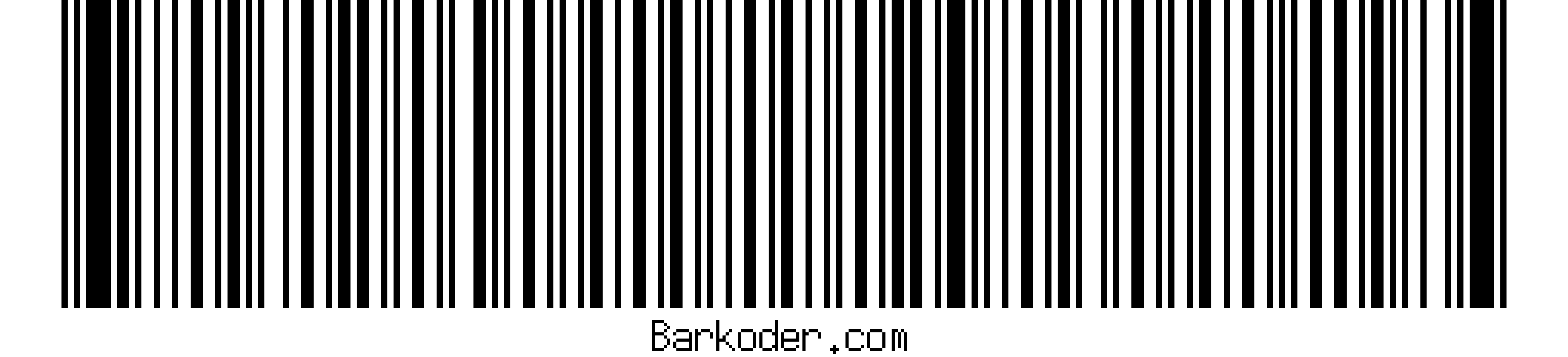
Code 93
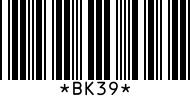
A Code 93 barcode. Each character is 3 bars and 3 spaces in 9 modules, and the symbol ends with a termination bar.

Code 93 characters and their values

Code 93 has 47 data characters, numbered 0 to 46. The values are used to calculate the two check characters. The start/stop character has no value.

The 47-character Code 93 set
ValuesCharactersNotes
0 to 9Digits 0 to 9Value equals the digit
10 to 35Uppercase letters A to ZA = 10, B = 11 ... Z = 35
36 to 42- . space $ / + %In this order: - = 36, . = 37, space = 38, $ = 39, / = 40, + = 41, % = 42
43 to 46Shift characters ($), (%), (/), (+)Used in pairs with a letter to encode lowercase, punctuation and control characters
NoneStart/stop (*)Frames the data. Never transmitted.

Full ASCII works like Code 39 Extended, with the four shift characters in place of the plain $, %, / and +. For example, (+) followed by A is a lowercase a. Because the shift characters are distinct, a reader can tell full ASCII data from plain characters.

How the C and K check characters work

Both check characters use the character values above and the remainder after dividing by 47.

Calculating C and K, with CODE93 as the data
StepRuleExample: CODE93
1. Check character CMultiply each data character's value by a weight. The rightmost character has weight 1, the next 2, and so on up to 20, then the weights start again at 1. Add the results and divide by 47. The remainder is the value of C.3×1 + 9×2 + 14×3 + 13×4 + 24×5 + 12×6 = 307. 307 mod 47 = 25, so C is P.
2. Check character KAppend C to the data and repeat, with weights from 1 to 15.25×1 + 3×2 + 9×3 + 14×4 + 13×5 + 24×6 + 12×7 = 407. 407 mod 47 = 31, so K is V.
3. EncodeStart, data, C, K, stop, termination bar. The reader recalculates both characters and rejects the scan if either one doesn't match.*CODE93PV*

Where Code 93 barcodes are used

Code 93 fits where Code 39 data has to fit on a shorter label.

Logistics and postal

Shipping and delivery labels

Canada Post uses Code 93 to encode supplementary delivery information. Carriers and shippers use it on shipping and receiving labels where space is short.

Barcode scanning for logistics →

Warehousing and inventory

Asset and stock labels

Warehouses use Code 93 for inventory management and asset tracking, where labels carry alphanumeric IDs and the mandatory check characters guard against misreads.

Barcode scanning for warehousing →

Scanning Code 93 with barKoder

The barKoder Barcode Scanner SDK reads Code 93 on iOS, Android, the web, Windows and Linux, and in Flutter, React Native, .NET MAUI, Capacitor, Cordova and NativeScript apps. These features matter most for this code.

Segment Decoding® for deformed labels

Reads all supported 1D barcodes, Code 93 included, when they are deformed along the Z axis and no straight line crosses all the bars. Use it for labels on bottles, tubes and other curved or irregular surfaces. It is off by default.

Segment Decoding® →

Batch MultiScan for many labels at once

Decodes several barcodes in a single camera view, whatever their type or size. Use it to check in a stack of Code 93-labeled parcels or a shelf of inventory labels in one pass.

Batch MultiScan →

Web scanning with the WASM SDK

Scans Code 93 from the camera in the browser, or decodes it from images and local files, with the WebAssembly-based Web SDK. Nothing to install for your users.

WASM Barcode Scanner SDK →

Length filters

Set the minimum and maximum length the decoder accepts for each symbology. Use it to ignore stray Code 93 labels that don't match the format your app expects.

Web SDK API reference →

Code 93 barcode reader API

Enable only the decoders you need. These Web SDK calls from the barKoder docs enable Code 93 and turn on decoding of misshaped 1D barcodes.

Web SDK (JavaScript)

JavaScript
Barkoder.setEnabledDecoders(Barkoder.constants.Decoders.Code93);

Barkoder.setEnableMisshaped1D(Barkoder.constants.EnableMisshaped1D.Enable);

The first line is enough for flat, printed labels. Add the second line if you scan labels on curved or crumpled surfaces.

Get scanning in three steps

  1. Get a free trial license and install the SDK for your platform.
  2. Enable the Code 93 decoder, and the misshaped 1D setting if your labels are deformed.
  3. Read the barcode type and text in your result callback.
See the Web SDK example

Enable symbologies on other platforms: Android, iOS, Flutter, React Native, Capacitor, Cordova, .NET MAUI and NativeScript.

Scan a Code 93 barcode on your phone or in your browser

Install the free barKoder demo app, or open the web demo, and scan your own Code 93 labels before you integrate the SDK.

iPhone and iPad

barKoder demo app for iOS

Scan with your camera, or point it at the QR code to open the App Store.

Download on the App Store
QR code linking to the barKoder demo app on the App Store

Android phones and tablets

barKoder demo app for Android

Scan with your camera, or point it at the QR code to open Google Play.

Get it on Google Play
QR code linking to the barKoder demo app on Google Play

Any modern browser

barKoder web demo

Runs the Web SDK in your browser, on desktop or mobile, with nothing to install.

Open the web demo
QR code linking to the barKoder web demo

Test with known samples. Print or display the testing sheet and scan each 1D and 2D barcode with the demo app. The data sheet summarizes the SDK for your team.

Code 93 barcode questions

What is Code 93 used for?

Code 93 carries short alphanumeric IDs on logistics, inventory and industrial labels where Code 39 would be too long. Canada Post uses it to encode supplementary delivery information. It was designed in 1982 as a denser, more secure alternative to Code 39, so it often appears where systems already handle Code 39 data.

What characters can Code 93 encode?

Code 93 has 47 characters: the digits 0 to 9, the uppercase letters A to Z, space, the symbols - . $ / + % and four shift characters, written ($), (%), (/) and (+). The shift characters combine with a letter to encode the rest of the 128 ASCII characters, including lowercase letters and control characters. An asterisk start/stop character frames the data and is not part of it.

What are the C and K check digits in Code 93?

Every Code 93 symbol ends with two check characters before the stop character. C is the weighted sum of the data character values, with weights 1 to 20 from right to left, modulo 47. K is calculated the same way over the data plus C, with weights 1 to 15. For the data CODE93, C is P and K is V. A reader recalculates both to catch misreads.

What is the difference between Code 93 and Code 39?

Both encode the same 43 basic characters, and both can carry full ASCII. Code 93 packs each character into 9 modules instead of 13 to 16, so the barcode is shorter. It always has two check characters, while the Code 39 check character is optional. Code 93 encodes full ASCII with dedicated shift characters, so a reader can tell it apart from plain data. Code 39 is the one you find on VINs and in defense logistics.

Can a phone camera read Code 93 barcodes?

Yes. With barKoder, ordinary iOS and Android phones and tablets read Code 93 with the built-in camera, and web apps read it in the browser through the WASM Barcode Scanner SDK. Turn on the misshaped 1D setting to read labels on curved surfaces with Segment Decoding®. Try your own labels in the free demo app or the free online barcode scanner.

How do I create a Code 93 barcode?

Use the free barKoder barcode generator, which supports Code 93 along with Code 39, Code 128 and other symbologies. Enter uppercase letters, digits and the supported symbols. Print a few samples and scan them with the demo app to check your label size and print quality.

Add Code 93 scanning to your app

Test the SDK on your own Code 93 labels with a free 30-day trial, or talk to an SDK expert about your project.