MSI Plessey Barcode Symbology and Reader SDK

MSI Plessey, also called MSI or Modified Plessey, is a numeric-only 1D barcode used on warehouse shelves, bins and storage containers. barKoder reads MSI barcodes, with the check digit scheme you choose, using the phone and tablet cameras in your iOS, Android and web apps.

MSI Plessey

MSI Plessey at a glance

MSI Plessey key facts
TypeContinuous, non-self-checking linear (1D) symbology. Each digit is 4 bits, and each bit is a bar and a space, so a digit has 8 elements.
Character setDigits 0-9 only
CapacityVariable length, set by the application
Check digitOne or two check digits: mod 10 (the most common), mod 11, mod 1010 or mod 1110
StandardSpecification from MSI Data Corporation, based on the original Plessey Code
Typical usesWarehouse shelf and bin labels, storage containers, inventory control

What MSI Plessey is and how it is built

Modified Plessey, usually shortened to MSI, was developed by the MSI Data Corporation from the original Plessey Code. It encodes digits only, which makes it a fit for shelf locations, bin numbers and item numbers in inventory control.

Each digit is written as 4 binary bits. Each bit is a bar followed by a space: a narrow bar and wide space for 0, a wide bar and narrow space for 1. A symbol has five parts:

  • Quiet zone before the bars.
  • Start pattern.
  • Data digits, 8 elements each.
  • Check digit or digits, calculated from the data.
  • Stop pattern and a trailing quiet zone.

MSI is not self-checking: a misread bar can turn one digit into another. The check digit is what catches the error, so the reader has to know which scheme the label uses.
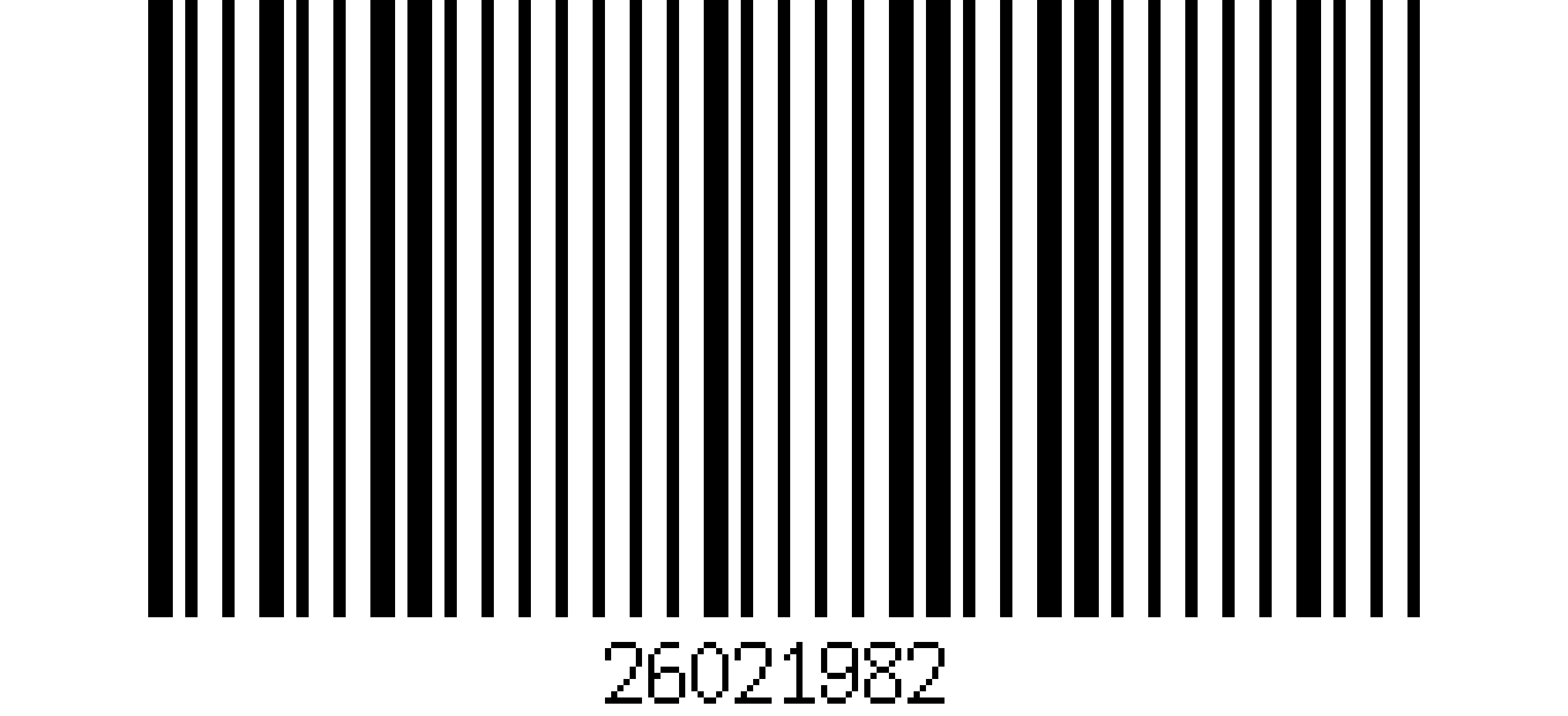
Sample MSI Plessey barcode with the human-readable text 26021982
A sample MSI Plessey barcode with the human-readable text 26021982.

MSI Plessey check digit options

The symbology allows several check digit schemes, and the label printer decides which one is used. Set barKoder to the same scheme so it validates the result.

MSI check digit schemes and the matching barKoder setting
SchemeHow it worksbarKoder MSI checksum type
NoneNo check digit. The least common choice, and risky because MSI is not self-checking.Disabled
Mod 10One check digit calculated with the Luhn algorithm. The most common scheme.Mod10
Mod 11One check digit from a weighted sum, modulo 11. IBM weights run 2 to 7; NCR weights run 2 to 9.Mod11 (NCR weights), Mod11IBM (IBM weights)
Mod 1010Two check digits: a mod 10 digit, then a second mod 10 digit calculated over the data plus the first oneMod1010
Mod 1110Two check digits: a mod 11 digit first, then a mod 10 digitMod1110 (NCR weights), Mod1110IBM (IBM weights)

Where MSI Plessey barcodes are used

MSI is a legacy code that stays in use where shelf and bin labels were printed years ago.

Warehousing

Shelves, bins, storage containers

MSI is used mainly for inventory control: marking storage containers, shelves and bin locations in warehouses. Warehouse apps scan these labels to record where stock sits.

Barcode scanning for warehousing →

Retail

Shelf labels, stock counts

MSI also appears on retail shelf labels used for inventory control. Staff apps that count stock read these labels alongside the EAN and UPC codes on the products.

Barcode scanning for retail →

Libraries

Shelf and item labels

barKoder's barcode generator lists library systems among MSI's users, alongside warehousing. Libraries also use Codabar and Telepen, which barKoder reads too.

Barcode scanning for education →

Scanning MSI Plessey with barKoder

The barKoder Barcode Scanner SDK reads MSI Plessey on iOS, Android, the web, Windows and Linux, and in Flutter, React Native, .NET MAUI, Capacitor, Cordova and NativeScript apps. These features matter most for this code.

MSI checksum type setting

Set the check digit scheme your labels use: disabled, mod 10, mod 11, mod 1010, mod 1110, or the IBM variants of mod 11 and mod 1110. The setting is documented for the Web, Android, Flutter, React Native and other SDKs.

setMsiChecksumType in the API reference →

Segment Decoding for curved labels

Reads all supported 1D barcodes with strong deformation, such as labels on rounded containers or wrinkled tags, where no straight line crosses all the bars.

Segment Decoding →

Batch MultiScan for stock counts

Decodes several barcodes in one camera view, whatever their type or size. The feature page names price tags and inventory counting as use cases.

Batch MultiScan →

Create MSI test labels

The free barKoder barcode generator creates MSI Plessey barcodes as PNG images. Print a few and scan them with the demo app before you test your real shelf labels.

Free barcode generator →

MSI barcode scanner API

Enable the MSI decoder and set the check digit scheme. The first line uses the decoder constant from the barKoder docs; the second is the docs' own MSI example.

Web SDK (JavaScript)

JavaScript
Barkoder.setEnabledDecoders(Barkoder.constants.Decoders.Msi);

Barkoder.setMsiChecksumType(Barkoder.constants.MsiChecksumType.mod1010);

Replace mod1010 with the scheme your labels use. On Android the decoder is Barkoder.DecoderType.Msi.

Get scanning in three steps

  1. Get a free trial license and install the SDK for your platform.
  2. Enable the MSI decoder and set the MSI checksum type to match your labels.
  3. Read the result in your callback and map it to the shelf or bin location in your system.
See the Web SDK API reference

MSI checksum settings on other platforms: Android, Flutter and React Native API references.

Scan an MSI barcode on your phone or in your browser

Install the free barKoder demo app, or open the web demo, and scan your own MSI shelf and bin labels before you integrate the SDK. No labels at hand? Create MSI Plessey test codes with the free barcode generator.

iPhone and iPad

barKoder demo app for iOS

Scan with your camera, or point it at the QR code to open the App Store.

Download on the App Store
QR code linking to the barKoder demo app on the App Store

Android phones and tablets

barKoder demo app for Android

Scan with your camera, or point it at the QR code to open Google Play.

Get it on Google Play
QR code linking to the barKoder demo app on Google Play

Any modern browser

barKoder web demo

Runs the Web SDK in your browser, on desktop or mobile, with nothing to install.

Open the web demo
QR code linking to the barKoder web demo

Test with known samples. Print or display the testing sheet and scan each 1D and 2D barcode with the demo app. The data sheet summarizes the SDK for your team.

MSI Plessey barcode questions

What is an MSI Plessey barcode?

MSI Plessey, also called MSI or Modified Plessey, is a numeric-only linear barcode developed by the MSI Data Corporation from the original Plessey Code. Each digit is encoded as 4 bits, and each bit as a bar and a space. It is used mainly for inventory control, on warehouse shelves, bins and storage containers.

Which check digit does MSI use: mod 10, mod 11, mod 1010 or mod 1110?

It depends on who printed the label. Mod 10, based on the Luhn algorithm, is the most common. Mod 11 adds one check digit with weighted sums (IBM and NCR use different weights). Mod 1010 adds two mod 10 digits, and mod 1110 adds a mod 11 digit followed by a mod 10 digit. Some labels have no check digit. Look at a known label, or ask the system that prints them, and set the same scheme in barKoder with setMsiChecksumType.

How do I create an MSI barcode?

Use the free barKoder barcode generator: pick MSI Plessey, enter your digits and download the barcode as a PNG image. MSI encodes digits only. Print the result or show it on screen and scan it with the demo app to check your setup.

Why does my MSI barcode not scan?

The most common cause is a check digit mismatch. If the scanner expects mod 10 and the label was printed with mod 1010, mod 11 or no check digit, the read is rejected. Set the MSI checksum type to the scheme your labels use, or disable it while you find out. Also check that the MSI decoder is enabled in your scanner settings.

Can a phone camera scan MSI barcodes?

Yes, if the scanning library supports MSI. barKoder reads MSI Plessey with the camera on iOS and Android phones and tablets and in web browsers, and lets you set the check digit scheme. Try it with the free demo app or the web demo.

Add MSI Plessey scanning to your app

Test the SDK on your own shelf and bin labels with a free 30-day trial, or talk to an SDK expert about your project.