Government and public sector

ID and document scanning SDK for government and public-sector apps

Capture citizen data from passports, ID cards and driver's licenses in field, counter and kiosk apps. barKoder reads the MRZ and the PDF417 barcode, parses them into fields on the device and keeps working where there is no network.

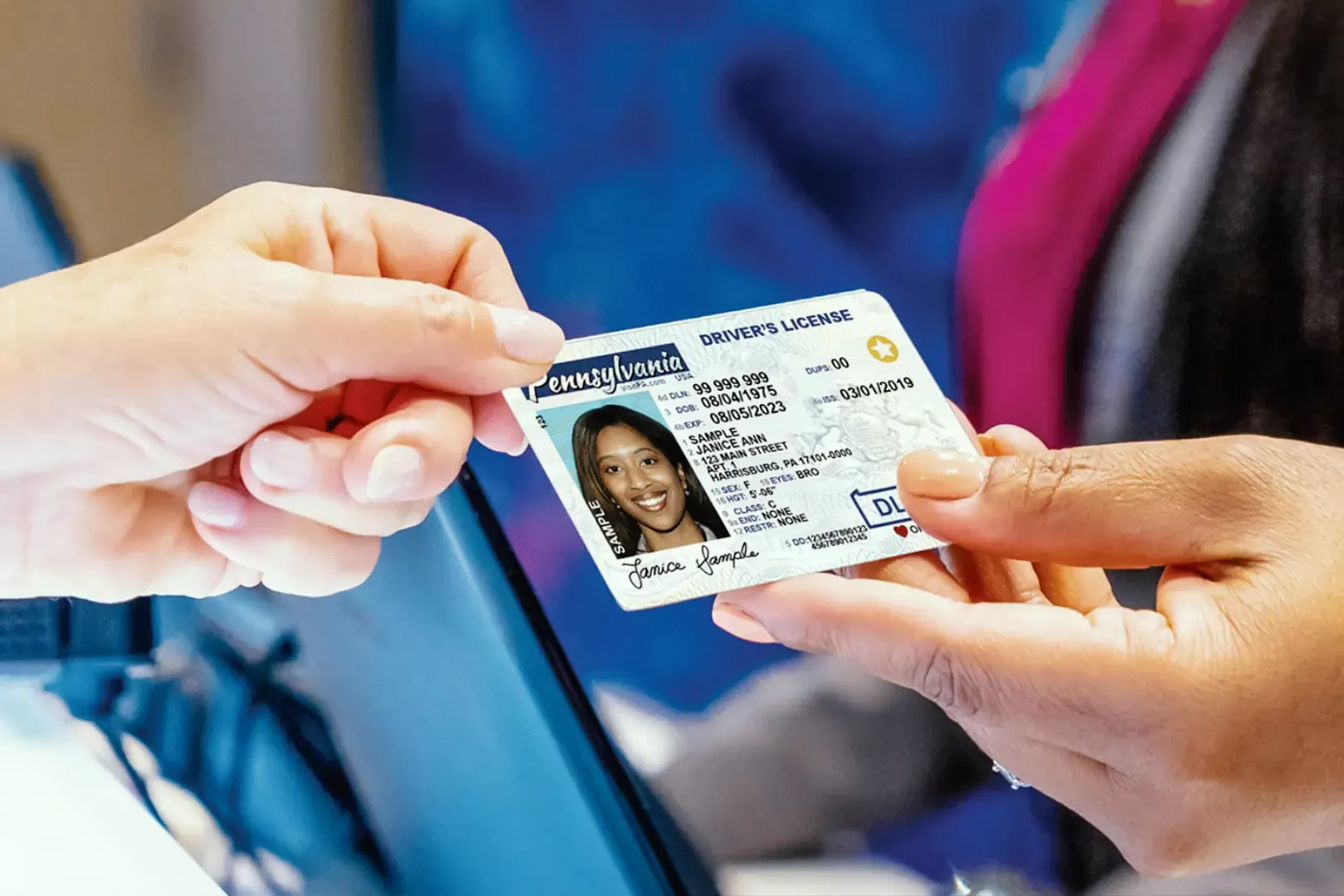
Sample driver's license handed across a service counter

The government IDs and documents you can scan

Public-sector apps register voters, verify identities, issue permits and check credentials. Most of that data is already printed on the document in a machine-readable form. barKoder reads it with the camera of a phone, tablet or browser and returns labeled fields to your app.

Passports, visas and ID cards

MRZ scanning and MRZ parser

The MRZ parser follows ICAO Doc 9303 for TD1, TD2, TD3 and MRV documents and validates check digits and formatting. MRZ scanning is available on every barKoder platform and framework, including the Web SDK.

Fields you can map

  • Name
  • Document number
  • Nationality
  • Date of birth
  • Sex
  • Expiry date
  • Issuing country
Explore MRZ scanning →

U.S. and Canadian driver's licenses

AAMVA parser

Parses the PDF417 barcode on the back of U.S. and Canadian driver's licenses and ID cards, following the AAMVA DL/ID Card Design Standard, with check digit and formatting validation. Used for government ID verification, law enforcement and visitor management.

Fields you can map

  • Name
  • Address
  • Date of birth
  • Document number
  • Issue and expiry dates
  • Jurisdiction and class
Explore the AAMVA parser →

South African driving licenses and Smart ID cards

SA DL parser

Decrypts and parses the ultra-dense PDF417 barcode on South African driving licenses, which holds up to 720 bytes, without a remote parsing service. The Smart ID card parser is an option of the same parser.

Fields you can map

  • ID number
  • License number
  • Name and surname
  • Date of birth
  • Vehicle code classes
  • Holder photo
Explore the SA driving license parser →

National ID barcodes and vehicle license discs

PDF417-LineSight®

LineSight reads PDF417 barcodes that are worn, cut off or missing their start and stop patterns. It is used on documents such as U.S. Uniformed Services ID cards, Common Access Cards, Argentine DNI, Colombian Cédula de Ciudadanía and South African vehicle license discs.

See how LineSight reads damaged PDF417 →

From document scan to a filled-in form

Reading the code and interpreting what it contains are two separate steps. barKoder does both on the device, so no document data has to go to a remote parsing service.

  1. Scan The officer points the camera at the MRZ or at the PDF417 barcode.
  2. Read MRZ OCR reads the text lines. LineSight decodes the PDF417, even when parts of it are worn.
  3. Parse The parser for the document splits the data into labeled fields and checks digits and formatting.
  4. Use Your app receives the fields and maps them to its own registration or verification form.

Code examples: enable MRZ in the Web SDK, add a PDF417 scanner to a web app and parse SA license data, enable the South African parsers on Android.

Built for offline field work and sensitive data

Works in remote areas

Scanning and parsing run on the device. The SDK connects only for the license check, which each device needs at least once every 30 days, so field officers can keep registering people in places with weak or no connectivity.

WayMark Infotech chose barKoder for a national voter registration platform partly because scanning runs on the device, without cloud services.

  • Native Android and iOS apps for field teams
  • Web portals through the WASM Barcode Scanner SDK
  • Windows and Linux SDKs for counters and kiosks

Scanned data stays in your application

The SDK decodes, runs OCR and parses documents inside your application, device or browser. During normal scanning, barKoder does not collect or store the personal information in scanned barcodes, and MRZ data processed locally stays under the control of your app.

barKoder is ISO/IEC 27001:2022 certified, and the barKoder Web SDK is listed on Microsoft Marketplace.

Read the privacy policy

Other public-sector barcode scanning

A government barcode scanner app rarely reads only IDs. The same SDK reads the other codes your teams handle, from credentials to asset tags.

ID scanning on every platform

MRZ scanning runs on every barKoder platform and framework, and the South African parsers are documented for Android, iOS, Flutter, React Native, Capacitor, .NET MAUI, NativeScript and Cordova, with SA license parsing in the Web SDK.

  • 7 native & desktop SDKs
  • 6 cross-platform integrations
  • One consistent scanning core

ID scanning in production

Teams reading national IDs, passports and driving licenses with barKoder.

ID and document scanning resources

Try barKoder on your phone or in your browser

Install the free barKoder demo app, or open the web demo, and scan your own barcodes before you integrate the SDK.

iPhone and iPad

barKoder demo app for iOS

Scan with your camera, or point it at the QR code to open the App Store.

Download on the App Store
QR code linking to the barKoder demo app on the App Store

Android phones and tablets

barKoder demo app for Android

Scan with your camera, or point it at the QR code to open Google Play.

Get it on Google Play
QR code linking to the barKoder demo app on Google Play

Any modern browser

barKoder web demo

Runs the Web SDK in your browser, on desktop or mobile, with nothing to install.

Open the web demo
QR code linking to the barKoder web demo

Test with known samples. Print or display the testing sheet and scan each 1D and 2D barcode with the demo app. The data sheet summarizes the SDK for your team.

Government barcode and ID scanning questions

How do you scan barcodes in a public-sector app?

Add the barKoder SDK to the app your staff already use, on Android, iOS, the web, Windows or Linux. Enable the decoders you need, such as PDF417, QR Code or MRZ, and turn on the matching parser. The camera of a phone, tablet or laptop becomes the scanner, and your app receives the decoded and parsed data.

Can barcode scans verify identity?

A scan reads the identity data printed on the document and checks its structure: the MRZ parser validates check digits and formatting, and the AAMVA parser validates check digits and formatting on U.S. and Canadian licenses. That removes typing errors. Whether a person may receive a service is decided by your own verification rules and records.

Does barKoder parse AAMVA and South African driver's licenses?

Yes. The AAMVA parser handles U.S. and Canadian driver's licenses and ID cards. The SA DL parser decrypts and parses South African driving licenses, with options for Smart ID cards and vehicle license discs. Both are generally available.

Can MRZ scanning run in a browser?

Yes. MRZ scanning is available on all barKoder platforms, including the Web SDK. Try it in the MRZ web demo, then follow the Web SDK MRZ example.

Is scanned citizen data sent to barKoder?

No. Decoding, OCR and parsing run inside your application. During normal scanning, barKoder does not collect or store the personal information contained in scanned barcodes, and your application decides whether the data is stored or transmitted. See Local Processing of Scanned Data.

Does barKoder help with state funding or grants for barcode scanners?

No. barKoder sells a barcode scanning SDK and cannot advise whether a purchase qualifies for a state grant, board-approved contract or other funding program. For your procurement file, you can request a quote for your number of devices and platforms, see pricing, and test the SDK with a free trial first. Licensing is based on the devices that initialize the SDK and scan at least one barcode.

How can our team evaluate it?

Start a free trial, valid for 30 days on up to 25 devices. Test with real passports, ID cards and licenses on the devices your officers use, including in offline conditions.

Add ID and document scanning to your public-sector app

Test MRZ, AAMVA and South African license parsing with a free 30-day trial for up to 25 devices, or talk to an SDK expert about your rollout.