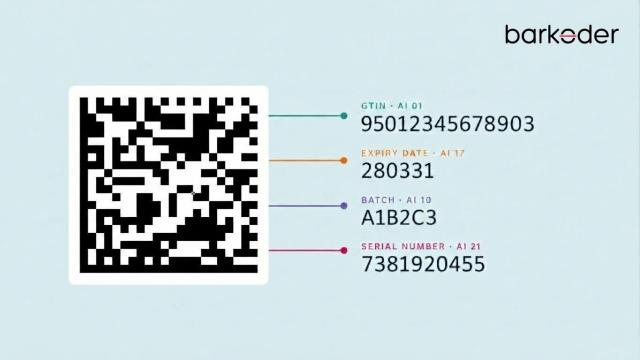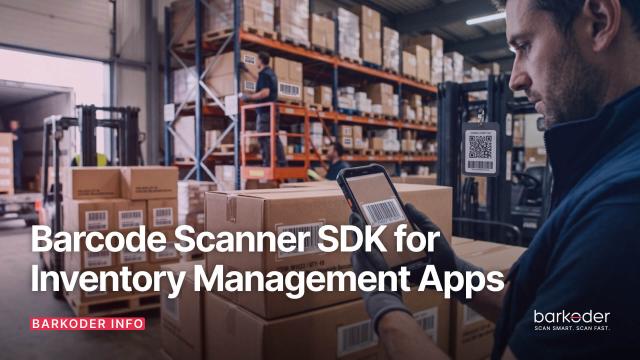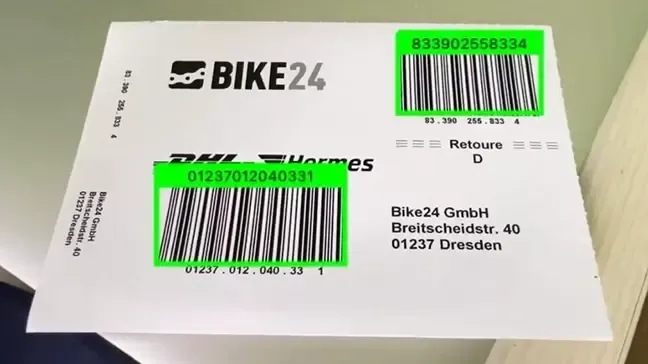
A shipping label with two barcodes. A rack of sample tubes. A shelf of boxes waiting to be counted. Scanning these one barcode at a time, aiming and tapping for every code, is the slow part of the job, and it is where people miss a code or scan the same one twice.
Reading many barcodes in one go is a question of how your app uses the camera, not of special hardware. With a barcode scanner SDK running on the phone, tablet or rugged device your team already carries, there are three ways to do it:
- Several barcodes in one camera view. The user points at a label, a shelf or a rack, and the app reads every barcode it can see.
- One barcode after another, without stopping. The scanner stays open and reads each code as the user moves from item to item.
- Every barcode in an image. A photo, a scanned document or a stream of images is processed, often on a server, and all the codes in it are returned.
Below is how each one works in the barKoder Barcode Scanner SDK, which settings to use, and how to choose.
1. Several barcodes in one camera view: Batch MultiScan
This is what most people mean when they ask how to scan multiple barcodes at once. In the barKoder SDK it is called Batch MultiScan. It decodes several barcodes in one camera view, whatever their type or size, and keeps the session open for the next batch. Codes can be 1D or 2D, of different sizes, neatly lined up or scattered at random, and the count can range from a few to dozens.
Batch MultiScan is not a separate product. It is a configuration of the standard scanner, so you add it to an existing integration with a few settings:
- Turn on the barcode types your labels use. 1D and 2D can be mixed.
- Set the maximum results count above 1. That enables multi-code reading in one frame.
- Turn off close session on result, so scanning continues after the first codes.
- Turn on multi-code caching and set the caching duration (3,000 ms in the docs examples).
- Set the duplicates delay, the time before the same code is reported again, and store each decoded value in your app.
The docs recommend the Normal decoding speed and resolution for best results, with HD resolution in the iOS and Web examples. If your app won't run on older devices, the docs suggest the Slow decoding speed instead: it gives more reliable results, and on modern phones the small loss of speed is negligible.
The feature page has the full overview, use cases and videos: scan multiple barcodes at once with Batch MultiScan. For the background on the mode itself, see barKoder's Batch MultiScan mode and its benefits.
Android (Kotlin)
From the docs page Batch MultiScan for Android:
private fun setMultiScan() {
    //In order to perform scanning, config property need to be set before
    // If the license key is not valid, results are marked (Unlicensed)
    bkdView.config = BarkoderConfig(this, "LICENSE_KEY") {
        Log.i("Licensing SDK: ", it.message)
    }

    // Enabling MultiScan

    bkdView.config.isCloseSessionOnResultEnabled = false
    BarkoderConfig.SetMulticodeCachingEnabled(true)
    BarkoderConfig.SetMulticodeCachingDuration(3000)
    bkdView.config.decoderConfig.duplicatesDelayMs = 0
    bkdView.config.decoderConfig.maximumResultsCount = 200

    // For best result decoding speed should be normal, and barkoder resolution should be normal
    bkdView.config.decoderConfig.decodingSpeed = Barkoder.DecodingSpeed.Normal
    bkdView.config.barkoderResolution = BarkoderResolution.NORMAL

}
iOS (Swift)
From the docs page Batch MultiScan for iOS:
private func setMultiScan() {
    // In order to perform scanning, config property need to be set before
    // If the license key is not valid, results are marked (Unlicensed)
    barkoderView.config = BarkoderConfig(licenseKey: "LICENSE_KEY") { licenseResult in
        print("Licensing SDK: \(licenseResult)")
    }

    // Enabling MultiScan
    barkoderView.config?.closeSessionOnResultEnabled = false
    barkoderView.config?.setMulticodeCachingDuration(3000)
    barkoderView.config?.setMulticodeCachingEnabled(true)
    barkoderView.config?.decoderConfig?.duplicatesDelayMs = 0
    barkoderView.config?.decoderConfig?.maximumResultsCount = 200

    // For best result decoding speed should be normal, and barkoder resolution should be HD
    barkoderView.config?.decoderConfig?.decodingSpeed = DecodingSpeed.init(1)
    barkoderView.config?.barkoderResolution = .HD
}
Web SDK (JavaScript)
From the docs page Batch MultiScan for the Web SDK:
Barkoder.setContinuous(true);
Barkoder.setMulticodeCachingDuration(3000);
Barkoder.setMulticodeCachingEnabled(Barkoder.constants.MulticodeCachingEnabled.Enable);
Barkoder.setDuplicatesDelayMs(0);
Barkoder.setMaximumResultsCount(20);

Barkoder.setCameraResolution(Barkoder.constants.CameraResolution.HD);
Barkoder.setDecodingSpeed(Barkoder.constants.DecodingSpeed.Normal);
React Native
From the docs page Batch MultiScan for React Native:
_barkoder.setCloseSessionOnResultEnabled(false);
_barkoder.setMaximumResultsCount(200);
_barkoder.setMulticodeCachingDuration(3000);
_barkoder.setMulticodeCachingEnabled(true);

// For best result decoding speed should be normal, and barkoder resolution should be normal
_barkoder.setDecodingSpeed(Barkoder.DecodingSpeed.normal);
_barkoder.setBarkoderResolution(Barkoder.BarkoderResolution.normal);Flutter, Capacitor, .NET MAUI, Cordova and NativeScript use the same settings; each has its own Batch MultiScan page in the barKoder documentation.
2. One barcode after another: Continuous scanning
Sometimes the codes are not all in view at once. A cashier passes items over the counter, a picker walks along a shelf, a receiver checks cartons as they come off a pallet. Here the goal is not to read many codes in one frame, but to keep reading without the scanner closing after each result.
That is continuous scanning: barcodes are read in quick succession without stopping the scanner, for checkout lanes, shelf audits and receiving docks. Batch MultiScan includes this behavior, since it also keeps the session open, but continuous scanning on its own is the simpler choice when users scan one item at a time.
The duplicates delay matters here too. It stops the same barcode from being reported again and again while it stays in the camera view.
3. Every barcode in an image: server-side and desktop
Not every batch comes from a live camera. Delivery notes, scanned forms and photos taken in the field can carry several barcodes, and they are often processed after the fact. The Python Barcode Scanner SDK decodes barcodes from images, streams or files, for server-side processing and desktop automation.
The setting is the same as on mobile: a maximum results count above 1 enables multi-code reading. The Python example in the docs enables six barcode types, allows up to 10 barcodes in one go, uses the Slow decoding speed for accuracy and sets the region of interest to the whole image.
From the docs page Batch MultiScan for Python:
#---------------configure the SDK--------------
QR = BarkoderSDK.constants["Decoders"]["QR"];
PDF417 = BarkoderSDK.constants["Decoders"]["PDF417"];
Code128 = BarkoderSDK.constants["Decoders"]["Code128"];
Datamatrix = BarkoderSDK.constants["Decoders"]["Datamatrix"];
Code93 = BarkoderSDK.constants["Decoders"]["Code93"];
Code39 = BarkoderSDK.constants["Decoders"]["Code39"];

#set desired decoders
decoders = [QR, PDF417, Code128, Datamatrix, Code93, Code39];
BarkoderSDK.setEnabledDecoders(decoders);

#set multicode limit (value higher than 1 enables multicode)
BarkoderSDK.setMaximumResultsCount(10);

#set desired decodingSpeed
decodingSpeed = BarkoderSDK.constants["DecodingSpeed"]["Slow"];
BarkoderSDK.setDecodingSpeed(decodingSpeed);

#set desired ROI
BarkoderSDK.setRegionOfInterest(0, 0, 100, 100);
To check a single picture in the browser without writing any code, use the free online barcode scanner, which reads barcodes from your camera, a photo or a screenshot.
Which approach fits your job?
Your situation | Use |
|---|---|
Several codes visible together: a shipping label, a shelf, a rack of samples | Batch MultiScan |
One item at a time, in quick succession: checkout, picking, receiving | Continuous scanning |
Photos, scanned documents or files, often processed on a server | Multi-code reading in the Python SDK |
Users need to see which codes were already read | Batch MultiScan with AR Mode |
Tips for reliable multi-barcode scanning
- Set the maximum results count to what you expect. The docs examples use 200 on Android, iOS and React Native, 20 on the Web and 10 in Python. Any value above 1 turns on multi-code reading.
- Enable only the barcode types you need. The SDK reads only the types you turn on, so other codes in the view are left out of your results.
- Use the duplicates delay and multi-code caching so a code that stays in view is counted once, and store every decoded value in your app as it arrives.
- Show users what was read.AR Mode draws bounding boxes and labels over each detected barcode in the live camera view, with tap-to-select, on Android, iOS and the Web SDK. In a batch, it shows at a glance which codes are done and which are still missing.
- Plan for hard codes. In real batches some labels are worn, curved or blurred. Batch MultiScan combines with the SDK's other modes, such as MatrixSight for damaged 2D codes, Segment Decoding for deformed 1D codes and DeBlur for blurry EAN and UPC.
- Test on your own labels. Print or display the barKoder testing sheet, then try your real labels, lighting and devices.
Where teams scan many barcodes at once
- Receiving and stock taking: reading every carton on a pallet or every item on a shelf instead of one code at a time. See barcode scanning for inventory management apps.
- Shipping labels: labels that carry several barcodes, read in one pass.
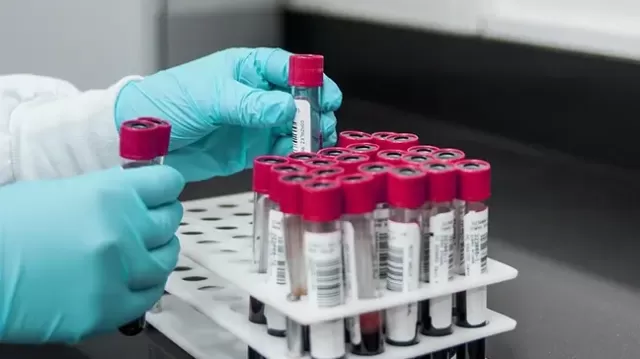
- Laboratories: racks of specimen tubes labeled with QR codes or Data Matrix.
- Libraries: rows of book spines on a shelf.
- Pharmaceuticals: GS1 Data Matrix codes on packs, for track and trace.
Try it on your own barcodes
Batch MultiScan is part of the barKoder Barcode Scanner SDK on Android, iOS, the Web SDK, Flutter, React Native, Capacitor, Cordova, .NET MAUI, NativeScript and Python. The free trial runs for 30 days on up to 25 devices, with every feature included, so you can test multi-barcode scanning in your own app before you choose a plan.