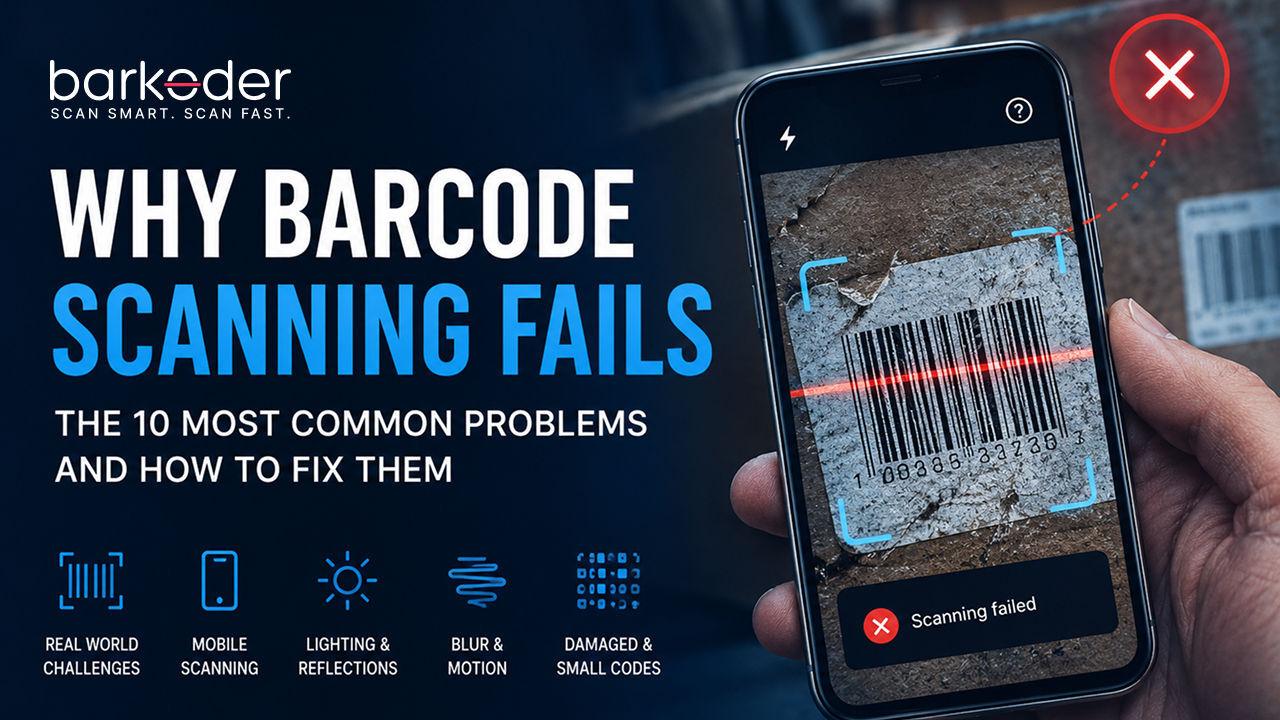
Why Barcode Scanning Fails: The 10 Most Common Problems and How to Fix Them.
Barcode scanning has become so familiar that we rarely think about what is happening behind the scenes. A camera is pointed at a barcode, the software recognizes the pattern, and the information appears almost instantly. When it works, the entire process feels effortless.
But real world barcode scanning is rarely as predictable as a controlled demonstration.
A barcode can be perfectly valid and still be difficult to read. A label that scans instantly on one device may require several attempts on another. A code that works perfectly under bright office lighting may struggle in a warehouse. A barcode printed on flat white paper can be easy to decode, while the same symbol printed on a curved, reflective, or damaged surface can become surprisingly difficult.
The reason is simple: barcode scanning is not just about recognizing a pattern. It is a combination of camera performance, image quality, focus, lighting, barcode design, positioning, processing, and decoding technology. When several of these factors work against the scanner at the same time, even a valid barcode can become a challenge.
This is particularly important as barcode scanning continues to move beyond traditional point of sale systems. Smartphones, tablets and mobile computers are now being used for inventory management, logistics, manufacturing, healthcare, transportation, retail, document processing and countless other applications. In many of these environments, users are not scanning perfect barcodes under controlled conditions. They are scanning whatever happens to be in front of them.
For developers building barcode scanning applications, understanding why scanning fails is therefore just as important as understanding how scanning works.
A Barcode Can Be Valid and Still Be Difficult to Read
One of the most common misconceptions about barcode technology is that a barcode either works or does not work. In reality, there is a significant difference between a barcode being valid and being easy for a camera and decoding engine to interpret.
Consider a standard EAN 13 barcode printed on clean white paper. It has sufficient size, strong contrast, a proper quiet zone, and is positioned under good lighting. The camera is stable and focused, and there are no reflections or objects interfering with the symbol. Under these conditions, scanning is relatively straightforward.
Now place the same barcode on a package moving through a warehouse. The label is slightly scratched, the surface is glossy, the lighting is uneven, and the employee is holding a smartphone while moving. The barcode itself has not changed, but the conditions surrounding it have changed completely.
That distinction explains why barcode scanning performance should always be evaluated in the context in which the technology will actually be used.
A scanner that performs well with clean samples may still struggle when exposed to the difficult conditions found in manufacturing, logistics, retail or outdoor environments. The real measure of a scanning engine is not simply how quickly it reads a perfect barcode, but how reliably it continues to work when the image is far from perfect.
Android:
private fun setActiveBarcodeTypes() {
    // There is option to set multiple active barcodes at once as array
    bkdView.config.decoderConfig.SetEnabledDecoders(
        arrayOf(
            Barkoder.DecoderType.Ean13

        )
    )
    // or configure them one by one
    bkdView.config.decoderConfig.UpcA.enabled = true
}
iOS:
private func createBarkoderConfig() {
    barkoderView.config = BarkoderConfig(licenseKey: "LICENSE_KEY") { licenseResult in print("Licensing SDK: \(licenseResult)") }

    // Enable QR barcode type
    guard let decoderConfig = barkoderView.config?.decoderConfig else { return }
    decoderConfig.ean13.enabled = true
}
The Barcode Is Too Small for the Camera to Capture Enough Detail
Size is one of the most fundamental factors affecting barcode readability. A barcode may look perfectly clear to the human eye, but what matters to the decoder is how much information is actually captured by the camera.
When a barcode is very small in the camera frame, individual bars or modules may occupy only a few pixels. At that point, the decoder has less information available to distinguish one part of the symbol from another. Small amounts of blur, noise, or compression can then have a much larger effect.
This is particularly relevant when scanning small Data Matrix symbols on electronic components, industrial parts, or other products where there is very little physical space available for identification.
Moving the device closer can improve the amount of detail captured, but there is a limit. If the camera gets too close, it may lose focus. The result can be counterintuitive: moving closer to a small barcode can actually make it harder to scan.
A reliable scanning application therefore needs to find the right balance between camera resolution, distance, focus, and decoding performance. The goal is not simply to capture the largest possible image, but to provide the decoder with enough useful information to identify the symbol accurately.
How to enable DPM? Just look at our docs page; there are examples for every scenario.
iOS - iOS DPM mode example
Android - Android DPM mode example
Motion Blur Can Turn a Readable Barcode into an Unreadable Image
Motion blur is another common problem, particularly in mobile scanning applications. Unlike traditional fixed scanners, smartphones and tablets are often moving while the barcode is being captured. In many situations, the barcode itself is moving as well.
Even a small amount of movement during image capture can soften the edges of the bars and reduce the distinction between neighboring elements. To a person, the barcode may still appear recognizable, but the decoder has to work with the actual image data rather than our ability to interpret a blurred pattern.
This is especially relevant in warehouses, distribution centers and manufacturing facilities where employees may be scanning dozens or hundreds of objects during a workflow. Asking users to stop completely and carefully position the camera for every scan is rarely practical.
Modern scanning software can reduce the impact of this problem by continuously processing camera frames and selecting moments where the barcode is captured more clearly. Advanced image processing can also help recover information from difficult blurred images.
barKoder includes a Deblur Mode designed specifically for challenging barcode samples affected by blur. This type of capability illustrates an important principle in mobile scanning: the software should be designed around the conditions users encounter rather than assuming that every frame will be sharp and perfectly captured.
How to enable Deblur Mode? Just look at our docs page; there are examples for every scenario.
Android - Android DeBlur API reference
iOS - iOS DeBlur API reference
Lighting and Reflections Can Completely Change the Image
Lighting is another factor that can make a significant difference to scanning performance.
People naturally adapt to different lighting conditions. A barcode may still appear perfectly visible to us when we move from a bright room into a darker environment. A camera, however, has to adjust exposure and sensitivity to compensate for the change.
Low light can introduce image noise and reduce the amount of visible detail. Excessive light creates a different problem: reflections.
Glossy packaging, plastic containers, laminated labels, and metallic surfaces can reflect light directly into the camera. Instead of capturing the barcode's pattern, the camera may capture a bright patch covering part of the symbol. Once information is lost in the image, the decoder has a much more difficult task.
This is one reason why changing the scanning angle can sometimes make an immediate difference. A small adjustment can move the reflection away from the barcode and reveal the underlying pattern.
Mobile applications can also provide flashlight control when appropriate, allowing users to improve visibility in darker environments. However, good scanning software should also be capable of handling a reasonable range of lighting conditions without requiring the user to constantly adjust the environment.
In one published customer case, MIT Group reported that barKoder improved scanning performance by more than three times in its warehouse workflow and was able to handle small barcodes and QR Codes in low light. Results will naturally vary between environments and devices, but the example demonstrates how much scanning performance can matter when conditions are less than ideal.
Damaged Barcodes Are the Real Test of a Scanning Engine
Perfectly printed barcodes are useful for testing basic functionality, but they do not tell the whole story.
In real environments, labels get scratched, folded, dirty, wet or partially damaged. Packages are handled repeatedly, moved through warehouses and exposed to conditions that were never present when the barcode was originally printed.
A damaged barcode may still contain enough information to be decoded, but the scanning engine needs to be able to work with the information that remains, which is what MatrixSight damaged barcode decoding does for 2D codes.
This is one of the areas where differences between barcode decoding technologies can become particularly visible. barKoder has published comparative testing involving difficult barcode samples, including damaged, blurred, and low-resolution codes. In that particular test set, barKoder reported an overall reading rate of 89.66 percent, compared with 65.52 percent for Scandit and 48.28 percent for Cognex.
barKoder vs Scandit, Dynamsoft, Scanbot and Cognex test results
These figures represent barKoder's published testing methodology and sample set rather than a universal industry benchmark, but they highlight an important point for anyone evaluating barcode technology: difficult samples are often much more informative than perfect ones.
If a scanner is going to be deployed in a warehouse, factory, or logistics operation, it should be tested against the kinds of barcodes employees will actually encounter.
Poor Contrast Makes Detection More Difficult
The classic black barcode on a white background remains popular because it provides excellent contrast.
Modern product design, however, sometimes introduces more complicated backgrounds. Barcodes may be printed in different colors, placed on textured packaging, or positioned over backgrounds containing images and graphics.
When the difference between the barcode and its background becomes smaller, the camera has a harder time separating the symbol from everything around it.
GS1 recommends strong contrast between bars and the background as one of the fundamental requirements for reliable barcode readability. This is particularly important when companies control the design and printing of their own labels.
Software can compensate for some variations in contrast, but there is a fundamental limitation: if the camera cannot capture a meaningful difference between the barcode and its background, the decoder has very little information to work with.
Good scanning therefore starts before the scanning application is even opened. Barcode design, printing quality, and placement all influence the final result.
The Quiet Zone Is Not Just Empty Space
One of the easiest barcode requirements to overlook is the quiet zone.
The quiet zone is the clear area surrounding the barcode. Although it appears to be empty space, it plays an important role in helping the decoder identify where the barcode begins and ends.
Problems can occur when text, graphics, borders, or other barcodes are placed too close to the symbol. Instead of seeing a clearly separated barcode, the decoder sees a much more complicated visual environment.
This becomes especially important when multiple barcodes are printed on the same product, package or document.
A barcode that scans immediately when isolated may become more difficult when surrounded by several other symbols.
Following the appropriate barcode specifications and maintaining sufficient space around the symbol can therefore make a significant difference. Good barcode design gives the scanning software a much cleaner signal to work with.
Curved, Wrinkled and Reflective Surfaces Change the Barcode
Not every barcode is printed on a flat cardboard box.
Manufacturing and consumer products frequently place barcodes on bottles, cans, pipes, containers, flexible packaging, and other curved surfaces. When a barcode wraps around a cylindrical object, the camera no longer sees the symbol as a simple flat rectangle.
Perspective and surface geometry can distort the appearance of the barcode. Flexible packaging introduces another complication because the surface can bend and wrinkle, changing the shape of the symbol from one scan to another.
Reflective materials make the situation even more complicated because the camera may simultaneously have to deal with geometric distortion and glare.
In these situations, changing the angle of the device can sometimes help considerably. Developers also need to consider whether the scanning engine they choose is designed to handle distorted real-world images rather than only clean, flat samples.
This is another reason why testing actual products is so valuable.
Segment Decoding for deformed 1D barcodes
Autofocus Can Make the Difference Between an Instant Scan and Several Failed Attempts
Modern smartphone cameras are extremely capable, but autofocus still needs time to stabilize.
This can become particularly noticeable when an application starts the camera and immediately attempts to decode whatever appears in the first frames. Those initial frames may not yet be fully focused.
The problem is more obvious when scanning small barcodes or objects that are close to the camera. A slightly soft image may contain enough information for a human to recognize the barcode but not enough detail for reliable decoding.
Allowing the camera to initialize and focus before depending heavily on the first frames can improve the experience considerably.
This is a relatively small implementation detail, but it demonstrates how barcode scanning depends on more than the decoding algorithm itself. The application needs to work with the camera rather than simply assuming the camera will always provide an ideal image.
barKoder's Android documentation specifically discusses camera initialization and autofocus considerations as part of avoiding common scanning problems.
Multiple Barcodes Can Create a Completely Different Challenge
Scanning one barcode is one thing. Scanning an image containing many barcodes is another.
Imagine pointing a smartphone at a warehouse shelf. The camera may see dozens of product labels at the same time. A document may contain several QR Codes or PDF417 symbols. A pallet can contain multiple packages, each carrying its own identification code.
The scanning engine now has to detect multiple symbols within a single frame and determine where each one is located.
But even that may not be enough.
In many applications, the user does not want every barcode in the image. They want one specific barcode.
This is where technologies such as multi-barcode scanning and barKoder's Search & Find functionality become particularly useful. Instead of forcing the user to carefully position the camera until only the desired barcode remains visible, an application can detect multiple results and then determine which result matches the user's search criteria.
This approach is particularly relevant for warehouse operations, retail shelves, document processing and other environments where multiple barcodes naturally appear in the camera's field of view.
The scanning problem has therefore evolved from simply asking, "Can you find a barcode?" to a much more useful question: "Can you find the barcode I am looking for?"
The Barcode May Simply Not Be Enabled in the Application
Sometimes the explanation is much simpler than poor lighting or image quality.
The application may simply not be configured to recognize the barcode symbology in front of the camera.
There are many different barcode formats, each developed for particular applications. EAN and UPC are common in retail, Code 128 is widely used in logistics and industrial environments, Data Matrix is common in manufacturing, PDF417 is frequently used for identification documents, and QR Codes are now used across an enormous range of consumer and business applications.
If an application is configured to recognize only certain symbologies, presenting it with another format can result in what appears to be a scanning failure even when the barcode itself is completely valid.
This is why developers should identify the barcode formats their application actually needs and configure the scanning SDK accordingly.
It is also worth avoiding the assumption that enabling every available symbology is automatically the best solution. A scanner configured around the specific requirements of an application can often provide a more focused and efficient experience.
Real-World Barcode Scanning Is a Combination of Problems
The biggest challenge is that these problems rarely appear individually.
A barcode in a warehouse might be small, slightly damaged, poorly illuminated and moving at the same time. A barcode on a bottle might be curved and reflective. A label on a shipping package might be partially covered by tape. A Data Matrix code on an industrial component might be extremely small and directly marked onto a reflective metal surface.
None of these situations are unusual.
That is why real-world barcode scanning needs to be evaluated differently from a simple demonstration.
A perfect barcode printed on clean white paper tells you that the basic decoding functionality works. A large collection of difficult samples tells you much more about how the technology behaves when deployed in practice.
For developers, this distinction can save a significant amount of time. Testing difficult samples early can reveal limitations before an application reaches production.
Camera Quality Matters, but It Is Only Part of the Equation
It is natural to assume that a better camera automatically means better barcode scanning.
Camera quality certainly matters. Higher resolution, better autofocus, and improved low-light performance can all provide the decoder with better input.
But the camera is only responsible for capturing the image.
The scanning engine has to interpret it.
Two applications running on the same smartphone can sometimes produce different results because their decoding technology and image processing are different. One may recognize a difficult barcode immediately while another may require several attempts.
This is why the barcode scanning SDK is such an important part of a mobile scanning application.
The camera provides the image. The decoding engine determines what that image means.
Speed and Accuracy Need to Be Balanced
There is another important consideration when choosing and configuring a scanning engine: speed.
It may seem obvious that the fastest scanner is always the best scanner, but real applications often need to balance speed against the ability to decode difficult symbols.
A retail checkout system may prioritize extremely fast recognition of clean barcodes. A manufacturing application dealing with damaged Direct Part Marking codes may be willing to spend more processing time to improve the probability of a successful decode.
barKoder provides configurable decoding speed levels that allow developers to choose how aggressively the engine processes difficult scanning situations.
This flexibility is important because there is no universal definition of the perfect scanner.
The ideal configuration depends on the environment, the barcode types, the device and the expectations of the application.
The Best Barcode Scanner Is Tested with Bad Barcodes
There is an easy way to make almost any barcode scanner look impressive.
Give it perfect barcodes.
The much harder test is to give it the barcode that has been sitting in a warehouse for six months.
Give it the tiny barcode on a component.
Give it the scratched label.
Give it the barcode under poor lighting.
Give it the curved barcode.
Give it the blurred barcode.
Give it the image containing twenty other barcodes.
That is where meaningful differences begin to appear.
In barKoder's published comparative testing, the company specifically included difficult samples rather than focusing exclusively on ideal conditions. The testing included blurred EAN and UPC codes, damaged samples, and Direct Part Marking Data Matrix codes. In that particular test, barKoder reported successfully decoding 25 of 26 DPM Data Matrix samples.
Again, these results should be considered within the methodology and sample set used for the test. They are not a universal guarantee for every device or environment. But they demonstrate the kind of testing that matters when barcode scanning is going to be used outside a controlled laboratory.
Building a Barcode Scanner That Users Can Trust
A reliable barcode scanning application is not created by simply turning on the camera and adding a decoder.
It requires an understanding of the environment in which the application will operate.
Developers need to consider the barcode types they need to support, the devices their users will have, the size and quality of the symbols, lighting conditions, expected scanning distances, movement, reflections, damaged labels and whether multiple barcodes can appear in the same image.
The application should also give the scanning engine enough time to work properly and provide users with sensible guidance when conditions are difficult.
Most importantly, developers should test with real samples.
The closer the test environment is to the environment where the application will eventually be used, the more useful the results will be.
Barcode Scanning Is Easy Until the Real World Gets Involved
The simplicity of a barcode is deceptive.
Behind that familiar pattern is a surprisingly complex interaction between printed information, optics, camera hardware, image processing and decoding algorithms.
When the conditions are perfect, all of that complexity disappears and the user simply sees a successful scan.
But when the barcode becomes small, blurred, damaged, poorly illuminated, distorted or surrounded by other symbols, the technology is tested in a completely different way.
That is ultimately what makes barcode scanning such an interesting technology.
The goal isn't to create a system that works only when everything is perfect. The goal is to create a system that remains reliable when conditions are far from perfect.
For developers building applications where barcode scanning is a critical part of the workflow, that reliability can make the difference between a feature that technically works and a product that users genuinely trust.
Because in the real world, the best barcode scanner isn't the one that can read a perfect barcode. It's the one that can still read the difficult one.
Frequently Asked Questions
A barcode can be formatted correctly and still fail due to environmental and hardware factors. Issues like poor lighting, reflections, camera motion blur, extreme distance, surface curvature, or physical label damage can obscure the pattern, making it difficult for the camera sensor and decoding engine to extract readable data.
Motion blur softens the edges of a barcode's bars and spaces, reducing contrast and detail. In fast-paced workflows like warehouse inventory management, forcing users to hold still isn't practical. Developers can resolve this by using an advanced mobile SDK like barKoder, which includes specialized features like Deblur Mode to algorithmically process and reconstruct blurred frames.
Curved surfaces (like bottles, cans, or flexible packaging) distort the geometry of the symbol, while glossy materials reflect direct light into the camera, blinding the sensor. Adjusting the scanning angle can reduce glare, while leveraging advanced image processing designed for non-flat surfaces—such as barKoder's segment decoding capabilities - helps restore the distorted pattern.
The most common software-level reason is that the specific barcode symbology (such as Data Matrix, PDF417, or Code 128) is not enabled within the application’s decoder configuration. Developers must ensure the target barcode types are explicitly enabled in the SDK settings for both iOS and Android.
In published comparative testing featuring challenging real-world samples (such as blurred, low-resolution, and damaged codes), barKoder achieved an overall read rate of 89.66%, outperforming alternatives like Scandit (65.52%) and Cognex (48.28%). Results vary based on environment and device, making direct testing with real-world samples essential.