DPM Scanner SDK

DPM Barcode Scanner SDK

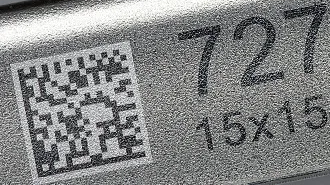
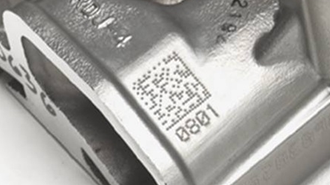
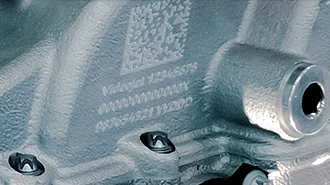
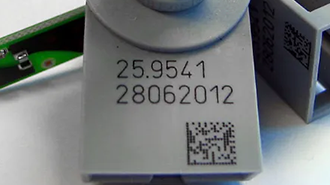
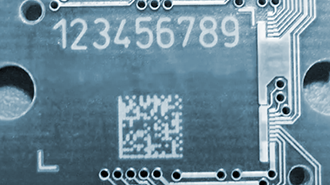
Decode Direct Part Marking barcodes directly from mobile, web and industrial applications with barKoder. The DPM Barcode Scanner SDK is designed for challenging Data Matrix symbols created by laser marking, dot peen, engraving and other permanent marking methods, on metal, plastic and electronic components.

Continuous Scanning Continuous Scanning

Test the DPM scanner SDK on your own parts

A direct part marking scanner is only as good as its reads on your real parts. barKoder's DPM mode runs on the phones, tablets and industrial mobile computers your teams already carry, without a dedicated hardware reader.

Test against your real samples

Collect parts that represent your production line:

  • Laser-marked metal
  • Dot peen marks
  • Reflective and curved surfaces
  • Tiny codes on electronics
  • Low-contrast plastic
  • Worn or contaminated marks

Record successful reads, failures and time to result on your target devices and lighting.

Start an SDK trial

Enable DPM mode

  1. Get a trial key and install the SDK for your platform.
  2. Enable the Data Matrix decoder and turn on DPM mode.
  3. Set decoding speed to Slow, resolution to Full HD and a small region of interest. The docs call the region of interest an important step for DPM.
  4. Or apply the predefined DPM template in one call.
See the DPM web example

Direct Part Marking for Industrial Traceability

Paper labels peel, burn and fade. A direct part mark becomes part of the item, so its Data Matrix code stays readable from the production line to recycling or remanufacturing. That makes DPM the basis of component-level traceability for serialized components in automotive, electronics, aerospace, manufacturing and healthcare.

DPM Data Matrix code on an automotive part

Automotive

AIAG B-17

Engine blocks, transmission housings and safety components are marked so each part can be traced through the supply chain. This supports quality control, recalls and compliance with industry standards.

Barcode scanning for automotive →
DPM code on an electronics or aerospace component

Electronics and aerospace

SAE AS9132, MIL-STD-130, IPC-1782

Manufacturers mark PCBs, small components and turbine parts for maintenance, inventory and traceability of individual components. DPM codes carry the data needed for inspections and repairs.

Barcode scanning for manufacturing →
DPM code on a medical instrument

Healthcare and pharmaceuticals

FDA UDI

Medical instruments, equipment and implants carry DPM codes for patient safety, usage history, drug distribution and regulatory requirements. Reusable instruments are marked directly because packaging doesn't survive sterilization.

Barcode scanning for healthcare →
DPM code scanned in a logistics workflow

Logistics and supply chain

Packages, pallets and shipments

DPM codes track packages, pallets and shipments across the supply chain and give real-time visibility of each marked item.

Barcode scanning for logistics →

How DPM codes are made

Each marking method leaves a different visual signature, which affects how easy the code is to scan later.

Common direct part marking methods
Method How it marks Typical use and scanning notes
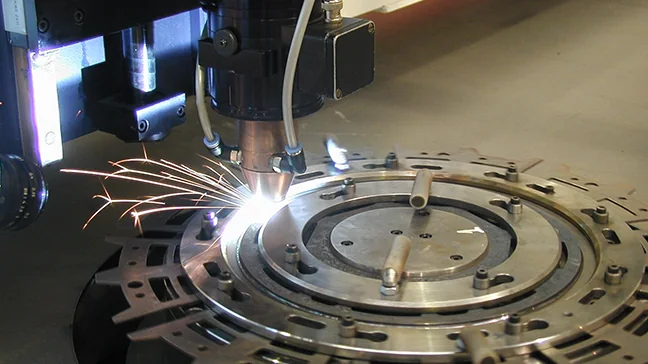
Laser marking Melts, ablates or discolors the surface of metal, plastic or ceramic Precise and fast. Usually the easiest DPM codes to scan, but glossy or reflective finishes cause glare
Dot peen A stylus strikes small pits into heavy metal parts Common on cast engine components. The dots are disconnected, one of the harder problems for a decoder
Chemical etching Removes material through a mask, for thin or delicate parts Thin metals and delicate parts that can't take mechanical stress or heat, such as surgical instruments
Engraving Cuts grooves with a rotating bit or carbide tool Structural parts that see heavy handling, repeated cleaning or outdoor exposure
Inkjet Sprays ink directly onto plastic, metal or glass Fast to apply, less durable than surface-altering methods
Molding and casting The code is machined into the mold or die High-volume plastic and die-cast metal parts, where the code forms as a raised or recessed feature

Why DPM codes are hard to scan

Decoders built for black ink on white paper often fail on direct part marks. barKoder's DPM algorithm is built for these five problems.

Low-contrast DPM Data Matrix code
Color and contrast The mark is the same color as the surface, and shadows change the contrast across the code.
Dot peen DPM code made of separate dots
Dots instead of lines Dots that are too close, too far apart or irregular in shape cause decoding errors.
DPM code on a textured, uneven surface
Surface imperfections Reflective, uneven or curved surfaces, plus damage and abrasion, get in the way.
DPM code on curved metal in poor light
Lighting Curved metal and poorly lit placements reduce contrast under ambient light.
Tiny DPM code on an electronic component
Confined spaces Codes printed directly on electronic components are tiny and low in contrast.
Bring your hardest parts Try the DPM template in the free demo app, then test in your own app with a trial license. Start an SDK trial

How the DPM Data Matrix scanner works

DPM mode has been part of the barKoder SDK since version 1.2.2, as a decoder setting and as a predefined template.

What the decoder does

  • MatrixSight® recovers broken L-shaped finder patterns and missing clocking tracks.
  • De-dotting connects the separate dots of worn or shallow dot peen marks into a readable grid.
  • Local contrast boost reads low-contrast marks on dark plastic, machined steel and cast aluminum without special lighting rigs.
  • Deformity tolerance handles perspective distortion on pipes, shafts and other curved parts.

Beyond Data Matrix

Data Matrix (ECC 200) is the standard symbology for direct part marking. Working with inexto, barKoder also added DPM support for QR Codes, so track-and-trace apps can read direct-marked QR Codes alongside DPM Data Matrix and DotCode.

Read more in Direct Part Marking: what DPM codes are and how to scan them.

Add a DPM barcode scanner SDK to your app

The same settings work on every platform. These examples are copied from the barKoder docs.

Web (WASM)

JavaScript
              Barkoder.setEnabledDecoders(Barkoder.constants.Decoders.Datamatrix);
              Barkoder.setDatamatrixDpmModeEnabled(true);
              Barkoder.setRegionOfInterest(35, 40, 30, 14);
              Barkoder.setDecodingSpeed(Barkoder.constants.DecodingSpeed.Slow);
              Barkoder.setCameraResolution(Barkoder.constants.CameraResolution.FHD);
            

Or apply the template: Barkoder.applyTemplate('template.json', 'dpm');

Android (Kotlin)

Kotlin
            private fun setDpmMode() {
            bkdView.config = BarkoderConfig(this, "LICENSE_KEY") {
            Log.i("Licensing SDK: ", it.message)
            }
            bkdView.config.isRegionOfInterestVisible = true
            bkdView.config.decoderConfig.Datamatrix.enabled = true
            bkdView.config.decoderConfig.Datamatrix.dpmMode = true
            bkdView.config.decoderConfig.decodingSpeed = Barkoder.DecodingSpeed.Slow
            bkdView.config.barkoderResolution = BarkoderResolution.FHD
            bkdView.config.setRegionOfInterest(35f, 40f, 30f, 15f) //this is pretty important for DPM mode
            }
          

DPM mode examples: Android, iOS, Web, Flutter, React Native, Capacitor, Cordova, .NET MAUI and NativeScript.

Scan DPM codes on every major platform

DPM mode is documented for Android, iOS, the Web SDK and every cross-platform framework, with the same Data Matrix settings everywhere.

  • 7 native & desktop SDKs
  • 6 cross-platform integrations
  • One consistent scanning core

Industrial barcode scanning in production

Manufacturing and industrial teams running barKoder on mobile devices instead of dedicated scanners.

inexto

Manufacturing and logistics · Switzerland

Replaced Cognexfor DPM track-and-trace on Zebra TC mobile computers

Two factory and logistics track-and-trace projects read DPM Data Matrix, DotCode and QR codes with barKoder.

What truly made us choose barKoder was the simplicity of integration and high performance in DPM barcode scanning, outperforming competitors by 40%-50%.Nicolas Schaefer, Head of R&D, inexto
Read the inexto story →

Omicron

Automotive manufacturing · Italy

Offlinelicense activation on segregated networks

Scans the many code types found across car parts on the shop floor of a luxury car manufacturer, on devices with no internet access.

Read the Omicron story →

Tenaris

Industrial · Luxembourg · .NET MAUI

Field-provenon phones and tablets, offline

The PipeTracer app suite reads small, low-quality and partially damaged codes in field conditions.

The SDK is robust, easy to maintain, and perfectly suited for industrial applications like ours.David Donayo, Tenaris
Read the Tenaris story →
DPM resources

Try barKoder on your phone or in your browser

Install the free barKoder demo app, or open the web demo, and scan your own barcodes before you integrate the SDK.

iPhone and iPad

barKoder demo app for iOS

Scan with your camera, or point it at the QR code to open the App Store.

Download on the App Store
QR code linking to the barKoder demo app on the App Store

Android phones and tablets

barKoder demo app for Android

Scan with your camera, or point it at the QR code to open Google Play.

Get it on Google Play
QR code linking to the barKoder demo app on Google Play

Any modern browser

barKoder web demo

Runs the Web SDK in your browser, on desktop or mobile, with nothing to install.

Open the web demo
QR code linking to the barKoder web demo

Test with known samples. Print or display the testing sheet and scan each 1D and 2D barcode with the demo app. The data sheet summarizes the SDK for your team.

DPM barcode scanner questions

What is a DPM barcode?

A DPM (Direct Part Marking) barcode is marked directly into an item's surface by laser, dot peen, chemical etching, engraving, inkjet or molding, instead of being printed on a label. It is usually a Data Matrix code and is harder to read than print, because it depends on surface texture and reflected light.

Can a smartphone scan DPM Data Matrix codes?

Standard camera apps usually struggle with DPM codes because of low contrast, glare and surface noise. With the barKoder SDK in your app, ordinary iOS and Android devices, as well as Android-based industrial mobile computers, can read DPM codes without a dedicated hardware scanner.

Does DPM mode work in the browser?

Yes. The WASM Barcode Scanner SDK supports DPM mode through setDatamatrixDpmModeEnabled, a config object or the DPM template. See the Web DPM example.

Why is dot peen marking hard to scan?

A dot peen stylus strikes separate indents into the surface, so the code is made of disconnected dots rather than solid squares. Dot depth and spacing also vary with stylus wear and material hardness. barKoder's de-dotting connects the dots into readable Data Matrix modules.

Which symbologies can be read in DPM mode?

Data Matrix (ECC 200) is the standard for direct part marking, and DPM mode is built around Data Matrix DPM codes. barKoder also reads direct-marked QR Codes and DotCode, as used in inexto's track-and-trace projects.

How do I get better reads on reflective metal?

Combine a small lighting change, such as dark-field or diffuse lighting at the marking station, with a decoder tuned for DPM. In the SDK, use DPM mode with slow decoding, Full HD resolution and a small region of interest around the code.

Do I need internet access on the shop floor?

Scanning runs locally on the device. The SDK connects only for the license check, at least once every 30 days. For segregated networks, barKoder can issue license keys that work without the licensing server, on custom terms, as in the Omicron deployment.

Add direct part marking scanning to your app

Test DPM mode on your own parts with a free 30-day trial, or talk to an SDK expert about your traceability project.