On this page
A barcode can scan perfectly under office lights and still be the slowest step in a warehouse workflow.
Now picture the same label on a dusty carton, wrapped in glossy tape, under a loading bay light, with someone scanning it one-handed while holding another package. The result can look very different.
That’s why choosing a barcode scanner SDK for logistics takes more than counting supported symbologies. A good evaluation should reflect the labels, devices, speeds and conditions your app will actually face in the field.
And the scan is only the start. Once a value is decoded, your app still has to work out what it means: does it belong to the expected order or shipment, has it already been processed, and what should happen next?
So for teams building parcel, transport and warehouse software, the real question isn’t:
Which SDK reads a clean barcode fastest?
It’s:
Which SDK keeps the whole workflow moving when labels and conditions are far from ideal?
This guide shows how to answer that, using real workflows, measurable tests and the kinds of barcode problems that come up in depots, warehouses and last-mile delivery.
Start With the Workflow, Not the Scanner
It’s easy to kick off an SDK evaluation with barcode formats and device requirements listed. This information is important, but it should come after the business transaction has been defined.
For example, a receiving workflow isn’t done when the scanner returns a value. The application may still need to compare that value to an advance shipping notice, confirm a quantity, identify a pallet and assign a storage location.
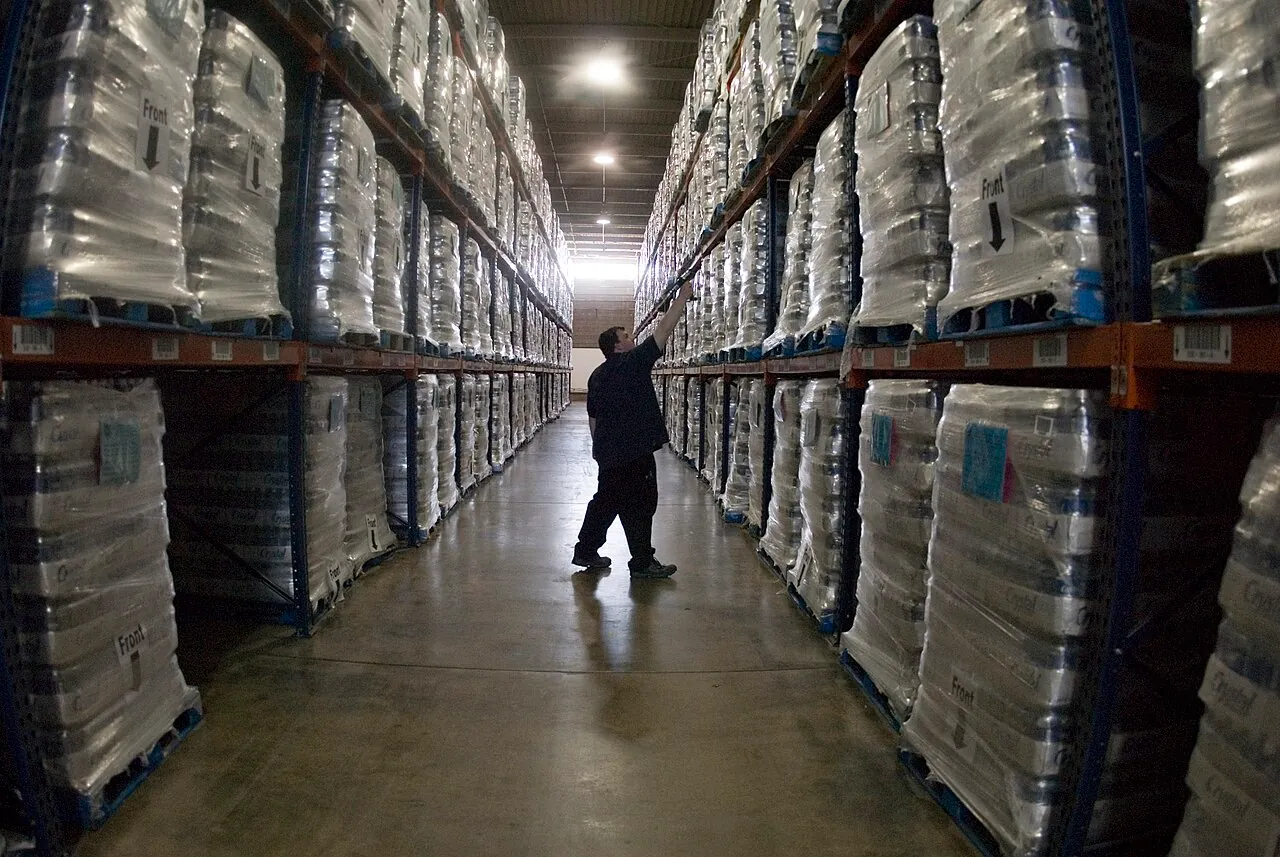
Pallet racking in a logistics center warehouse. Photo: Liz Roll / FEMA, public domain, via Wikimedia Commons
The same applies throughout a logistics operation:
Workflow | What may be scanned | What the application must determine |
|---|---|---|
Parcel intake | Parcel or transport label | Shipment identity, destination and duplicate status |
Depot sortation | Parcel, bag or logistic unit | Route, depot, delivery zone or next handling step |
Receiving | Product, carton, pallet or logistic unit | Whether it matches the purchase order or expected shipment |
Putaway | Product plus location | Whether it is being placed in the correct bin, rack or zone |
Picking | Product identifier | Whether the item and quantity match the order |
Packing | Item and shipping label | Whether the package contains the correct products |
Last-mile delivery | Parcel identifier | Whether the parcel belongs to the route and recipient |
Returns | Product or parcel identifier | Original order, condition and next disposition |
The detailed workflow varies between businesses. A parcel network does not scan the same way as a medical-supply warehouse, and a factory traceability system does not necessarily need the same configuration as a retail distribution center.
Developers working on these use cases can find broader operational examples on the barKoder pages for logistics barcode scanning and warehouse barcode scanning. Applications focused primarily on stock, assets and cycle counts are covered separately in the guide to barcode scanning for inventory management apps.
A Decoded Barcode Is Not Yet a Logistics Event
A scanner answers one basic question:
What data is encoded in the symbol?
The application still has to answer another:
What does that value mean in this workflow?
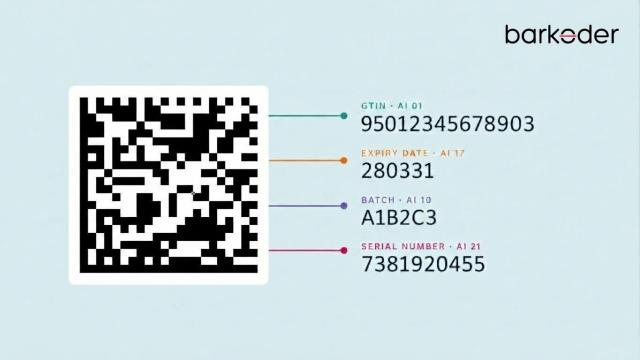
That distinction becomes important when an application encounters GS1 identifiers or labels containing multiple structured data elements.
A barcode may identify a product, a pallet, a warehouse location, an individual asset, a shipment or an entire consignment. Code 128, Data Matrix and QR Code describe how data is carried; they do not, on their own, tell the application what business object the value represents.
GS1 identifies several keys commonly used in transport and logistics:
Identifier | What it identifies |
|---|---|
GTIN | A trade item or product |
SSCC | A logistic unit such as a pallet, parcel, roll cage or case |
GLN | A party or physical location such as a warehouse, dock door or storage area |
GIAI | An individual asset |
GRAI | A reusable or returnable asset such as a pallet, crate or tote |
GSIN | A shipment |
GINC | A consignment |
GS1 lists these identifiers as building blocks for transport and logistics processes, with each key representing a different object in the supply chain.
The difference is practical. Scanning a GTIN may tell an application which product is present. Scanning an SSCC can identify the complete logistic unit carrying multiple products. A GLN can identify the receiving warehouse or dock door.
The GS1 Logistic Label Guideline describes the SSCC as the mandatory identifier for a GS1 logistic label. Scanning it allows the physical movement of a logistic unit to be connected with the electronic messages that describe it, supporting processes such as automated receiving, routing and cross-docking.
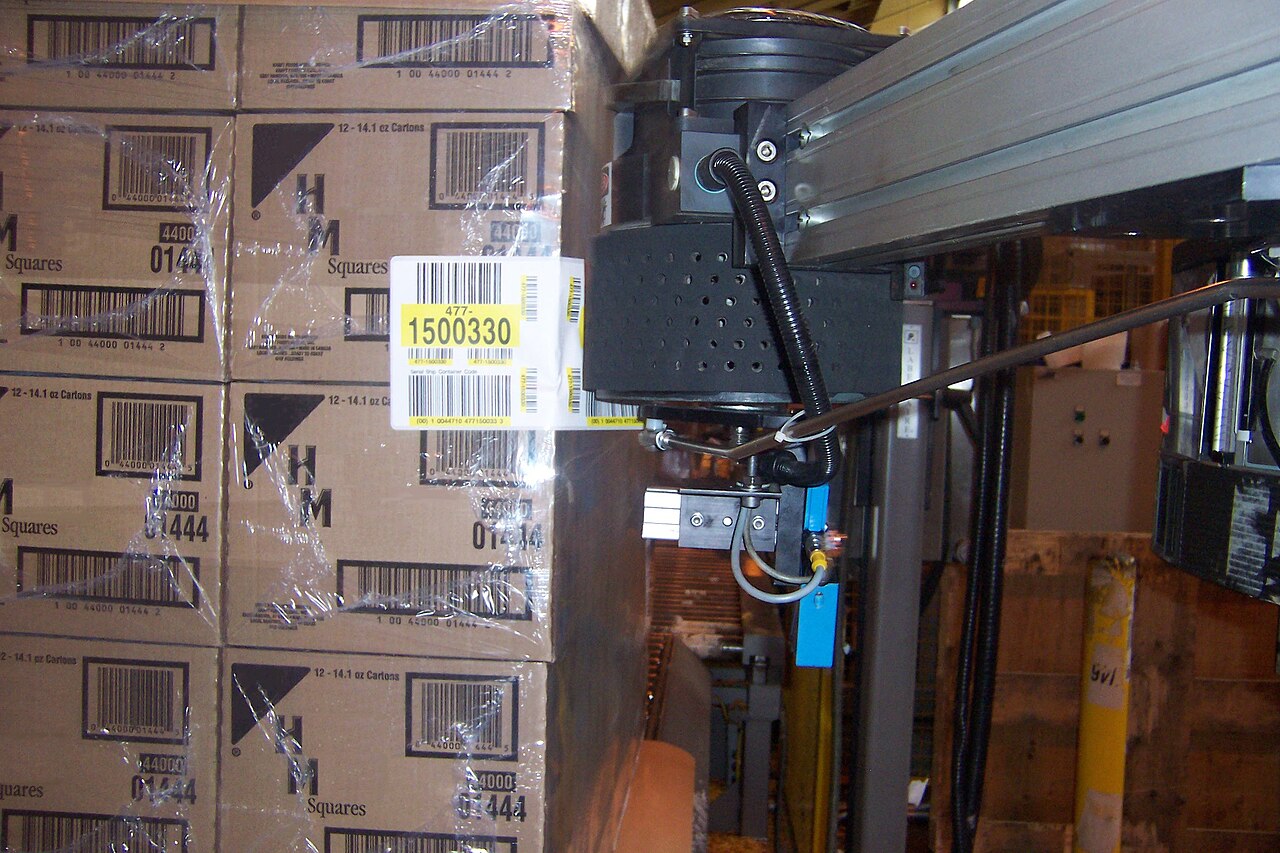
A print-and-apply GS1-128 logistic label on a pallet load, next to the product barcodes printed on each carton. Photo: Labelling Technologies, CC BY-SA 3.0, via Wikimedia Commons
Where several GS1 Application Identifiers are encoded in one symbol, the application may need a parsing layer rather than a simple string result. The barKoder GS1 Parser is designed to separate structured fields such as GTIN, batch, expiry and serial information so they can be mapped to the appropriate records.
Parcel and Sortation Workflows Need Their Own Tests
Parcel labels deserve to be treated differently from ordinary product labels.
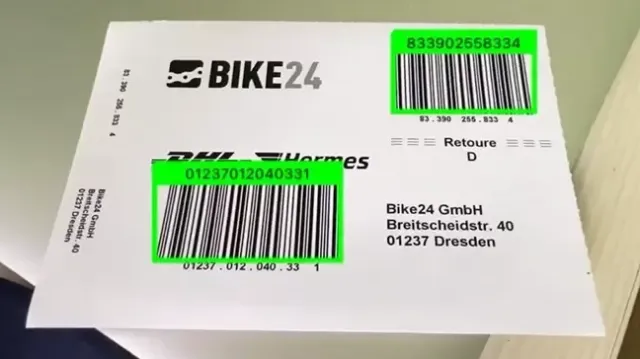
They get handled again and again, exposed to the weather, covered with tape, and scanned at different points by different people using different equipment. They often carry several codes at once, each identifying something else: the parcel, the carrier, the route, the destination or an internal workflow step.
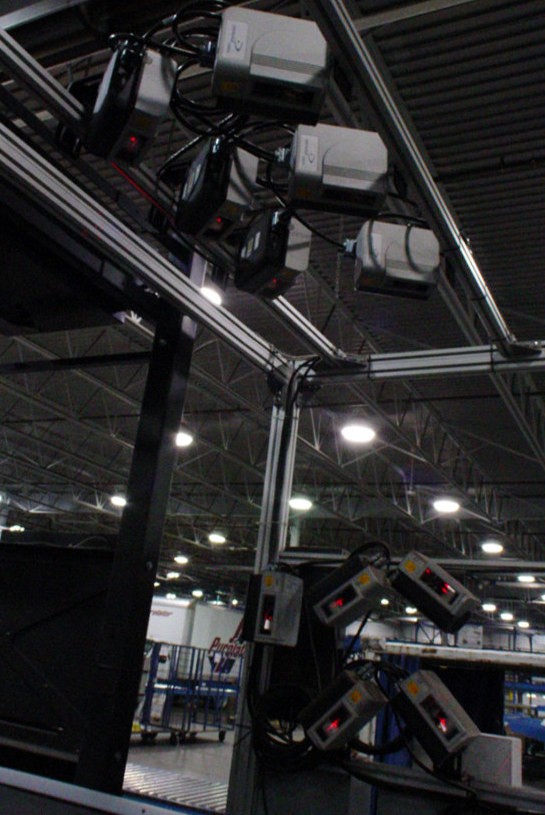
Fixed scanners mounted over a parcel conveyor in a sorting facility. Photo: jmv, CC BY-SA 2.0, via Wikimedia Commons
Scan4Transport
GS1 Scan4Transport defines a way to encode transport information directly on a logistics label. This can include ship-to and return-to details, address information, handling instructions and GLNs.
One of its useful characteristics is that relevant transport data can remain available when an online lookup is unavailable. That is especially relevant to first-mile, sortation and last-mile processes where an application cannot always depend on immediate access to a central system.
This does not mean every logistics application needs to implement Scan4Transport. It does mean developers should identify the standards and carrier formats already present in their labels before selecting or configuring a decoder.
MaxiCode
Parcel and carrier workflows may also encounter MaxiCode, the distinctive fixed-size 2D symbol with a central finder pattern.

A MaxiCode symbol: hexagonal modules around the central bullseye finder pattern. Image: BaptisteGrandGrand, CC BY-SA 4.0, via Wikimedia Commons
The formal ISO/IEC 16023 MaxiCode specification includes special encoding modes for destination-sortation symbols used by carriers in the transport industry. That makes it particularly relevant to parcel-processing and high-speed sortation environments.
A logistics SDK evaluation should therefore use actual carrier labels rather than a single MaxiCode sample displayed on a monitor. Test the expected camera distance, label size, package movement, print quality and lighting in the target facility.
Real Labels Are Rarely Perfect
The challenge in a warehouse is usually not reading one pristine barcode. It is maintaining a high first-pass read rate across labels that have been printed, handled, transported, wrapped, folded and sometimes damaged before they reach the scanner.

Shipping labels are often covered with tape before the parcel reaches a scanner. Photo: Meanwell Packaging, CC BY 2.0, via Wikimedia Commons
Common problems include:
- labels folded around the edge of a carton;
- scratches, tears or missing modules;
- weak print contrast;
- glare from plastic wrap or glossy tape;
- motion blur caused by the camera or parcel;
- small symbols captured from an awkward distance;
- curved or deformed 1D barcodes;
- direct marks on metal or plastic parts;
- several unrelated barcodes competing in the same camera view.
Do not group all of these problems under a generic “damaged barcode” setting. Different defects require different decoding strategies.
Damaged 2D Codes
For difficult QR Code and Data Matrix symbols, MatrixSight® is designed to locate and decode damaged or incomplete 2D patterns.
Deformed 1D Codes
A wrinkled or curved 1D barcode creates a different problem. If no straight line can pass through every bar, a conventional line-based read may fail even though much of the symbol is still visible.
Segment Decoding® is intended for 1D barcodes affected by deformation, including labels wrapped around rounded or irregular surfaces.
Blurred Retail Barcodes
For workflows involving EAN and UPC symbols, DeBlur can be evaluated against labels affected by motion, focus or print blur.
Direct Part Marking
Industrial logistics may extend into manufacturing, maintenance and serialized-part tracking. In those cases, Data Matrix symbols may be etched, engraved or printed directly onto a component rather than attached as a paper label.
The DPM barcode scanner mode should be tested with the actual surfaces, mark types, sizes and lighting used in production. A clean printed Data Matrix code is not a meaningful substitute for a small, low-contrast mark on reflective metal.
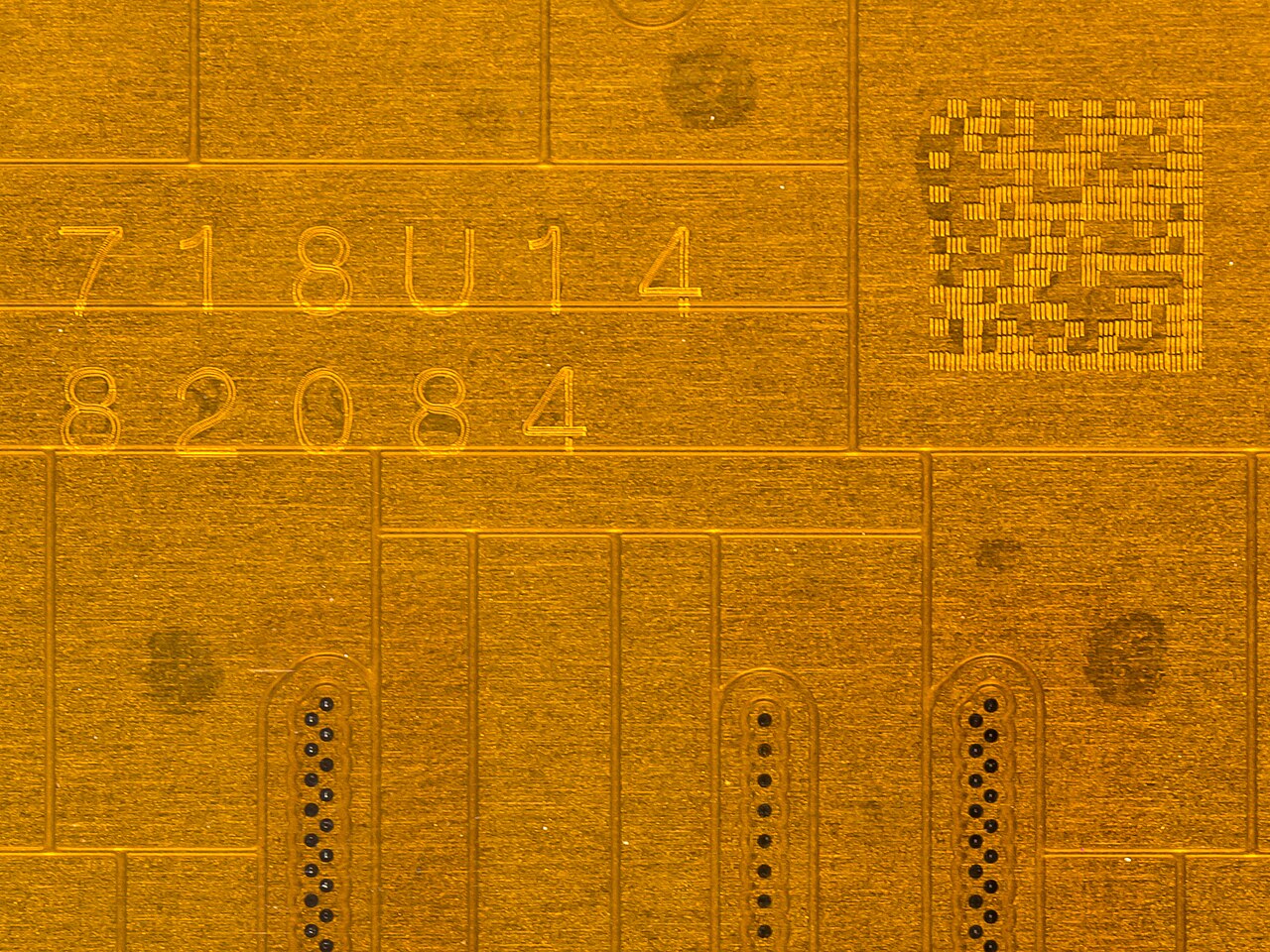
A Data Matrix code and serial number engraved directly into a metal part. Photo: Raimond Spekking / CC BY-SA 4.0, via Wikimedia Commons
The practical lesson is simple: build the test set from labels already present in the operation. Vendor samples are useful for an initial check, but they do not predict production performance.
Decide Whether You Need Every Barcode - or One Specific Barcode
A shipping carton may show:
- a product identifier;
- a carrier tracking code;
- a routing label;
- a return code;
- an older label that was never removed;
- a human-readable number encoded somewhere else on the package.
The application needs a clear rule for deciding which result matters.
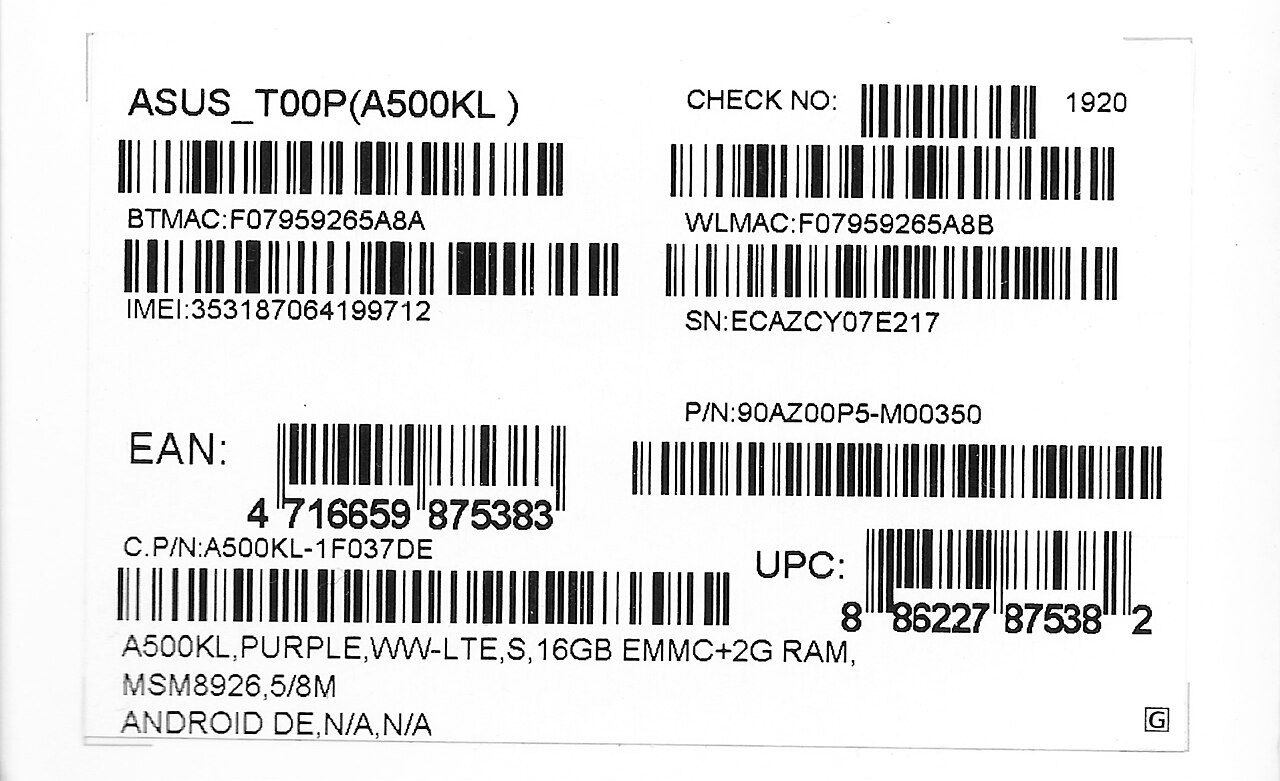
One packaging label can carry many barcodes: EAN, UPC, serial number, IMEI, MAC addresses and part numbers. Image: ASUS packaging label, public domain, via Wikimedia Commons
Batch MultiScan
Batch MultiScan is useful when the workflow genuinely needs several visible barcodes in one interaction—for example, inventory counting, confirming a group of labeled items or processing multiple packages together.
Its performance should be tested with:
- the actual number of codes expected in frame;
- realistic barcode sizes;
- the planned camera distance;
- overlapping or angled packages;
- repeated codes;
- mixed 1D and 2D symbols;
- the lowest-specification device in the intended fleet.
More results are not automatically better. The application still has to validate, deduplicate and map every accepted code to a business record.
Search & Find
Some workflows need the opposite of multi-scan.
A picker may be looking for one item among dozens of labels. A depot employee may have to find one parcel in a cage. Accepting the first readable barcode would be the wrong behavior.
Search & Find allows the application to continue evaluating visible results until it finds the requested value or configured match.
This distinction is worth defining early:
- Batch MultiScan: capture several relevant codes.
- Search & Find: locate one requested code among several.
- Ordinary single scanning: accept one valid result and close the session.
Continuous Scanning Needs Deliberate Duplicate Handling
Continuous Scanning keeps the scanning session open after a successful result, allowing the user to move directly to the next package or item. It is useful in receiving, picking, parcel intake and dispatch workflows where repeatedly reopening the camera would add unnecessary friction.
The application should not, however, treat every repeated detection in the same way.
Depending on the workflow, seeing the same value again may need to:
- be ignored completely;
- be accepted after a defined delay;
- increase the quantity by one;
- trigger a warning;
- remain blocked until the user moves to the next task.
barKoder exposes duplicate-delay controls in its continuous-scanning integrations, but the correct behavior remains a business decision.
A receiving application, for example, may reject an immediate duplicate because the camera remained over the same label. A stock-counting application may intentionally accept the same product again because the worker is counting another physical unit.
That logic belongs in the workflow design, not in an assumption that all duplicates are mistakes.
Platform Support Should Match the Real Device Fleet
A logistics company may use several types of devices at once:
- rugged Android computers in a depot;
- phones used by couriers;
- tablets at packing stations;
- browser-based applications at pickup counters;
- Windows workstations or kiosks;
- a cross-platform application shared between Android and iOS.
The relevant question is not whether an SDK supports many platforms in theory. It is whether it supports the exact operating systems, frameworks, processors and camera behavior used by the deployment.
barKoder provides native, desktop, browser and cross-platform options through its supported SDK platforms, including Android, iOS, WebAssembly, Windows, Linux, C#, Python and integrations such as Flutter, React Native, .NET MAUI, Capacitor, Cordova and NativeScript.
Browser-Based Scanning
For pickup locations and warehouse workstations, a Web Barcode Scanner SDK can keep scanning inside the existing browser application rather than requiring a separate native app.
Browser camera access has its own requirements. The application normally requests a camera stream through the browser's getUserMedia() API itself, which requires user permission and a secure context such as HTTPS.
A serious Web evaluation should therefore include:
- Chrome, Edge, Firefox and Safari where relevant;
- desktop and mobile browsers;
- permission-denied and permission-reset behavior;
- front/rear camera selection;
- laptops with weak integrated cameras;
- external USB cameras;
- camera switching and session recovery;
- deployment inside an iframe, where applicable.
“Offline” Is More Than One Requirement
Offline barcode decoding and offline logistics operation are not the same thing.
A decoder may process camera frames locally, but the application may still depend on connectivity for:
- first-time license validation;
- authentication;
- loading a route or pick list;
- resolving an identifier against the WMS or TMS;
- storing transaction records;
- synchronizing changes;
- reconciling conflicts;
- preventing duplicate submissions after reconnecting.
For that reason, test at least four layers independently:
- local barcode decoding;
- SDK license behavior;
- local application storage;
- synchronization with the backend.
A useful offline test is not simply switching the phone to airplane mode and scanning one barcode. Run a complete task: receive several items, record a discrepancy, scan a duplicate, close and reopen the application, reconnect and verify that the backend receives one correct set of transactions.
Software Scanning and Dedicated Hardware Can Coexist
A camera-based SDK does not make specialized scanner hardware obsolete in every environment.
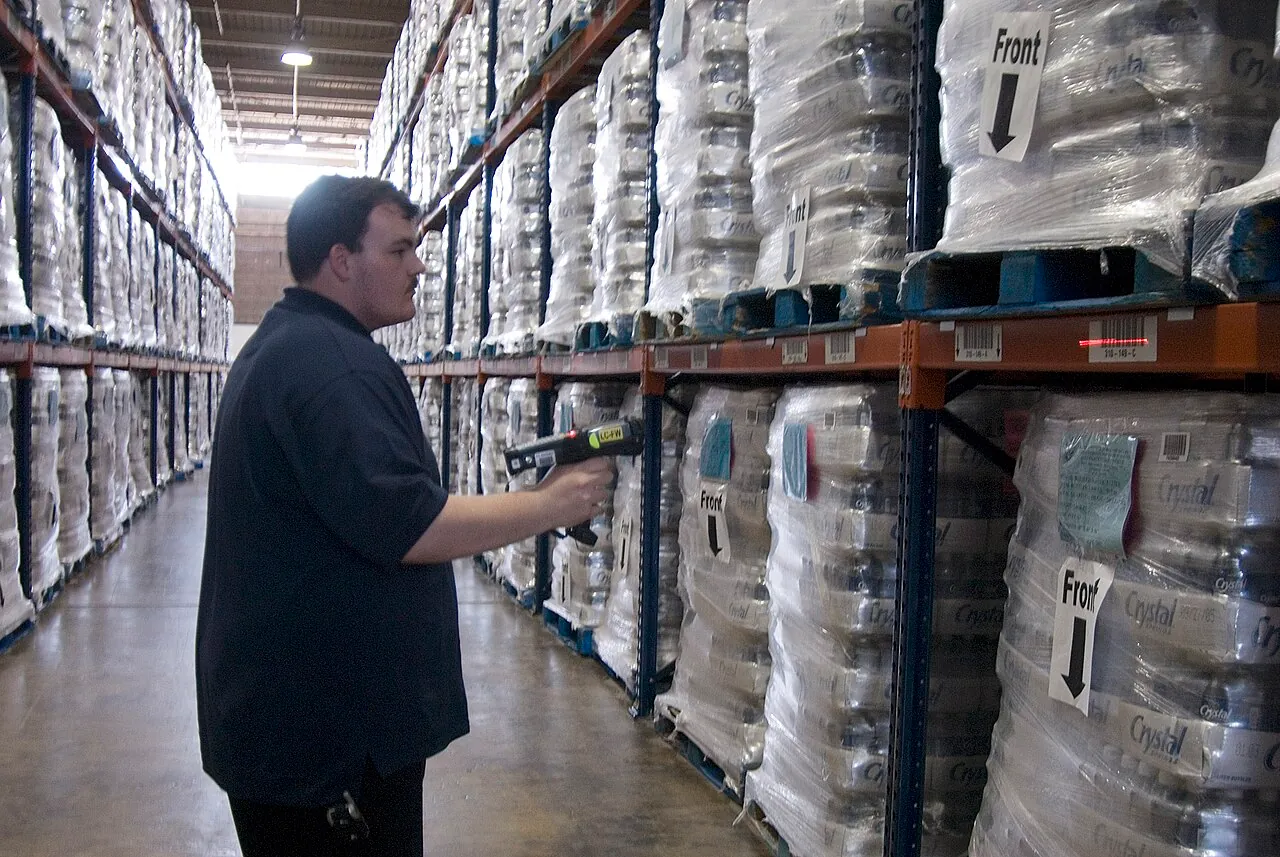
A dedicated handheld barcode scanner in a logistics center warehouse. Photo: Liz Roll / FEMA, public domain, via Wikimedia Commons
The better choice depends on the task.
Consideration | Software barcode SDK | Dedicated scanner hardware |
|---|---|---|
Deployment | Can use compatible phones, tablets, computers and industrial mobile devices | Requires dedicated hardware or devices with integrated scan engines |
Integration | Scanning can live inside the existing application and interface | May require drivers, vendor APIs or separate scanning software |
Flexibility | One software layer can serve several device types and workflows | Behavior is tied more closely to the selected hardware |
Ergonomics | Well suited to mixed and mobile workflows | Physical triggers and purpose-built grips may suit continuous intensive use |
Ruggedness | Depends on the selected host device | Rugged models may be purpose-built for harsh environments |
Multi-code features | Can support multi-scan, overlays and workflow-specific filtering | Depends on the scanner model and integration |
Cost profile | Includes SDK licensing, integration and compatible devices | Includes procurement, replacement, maintenance and integration |
Update path | Features can be updated through software releases | New requirements may depend on firmware or hardware capabilities |
A hybrid deployment is often sensible. Software scanning can run on phones and tablets where flexibility matters, while rugged mobile computers serve high-volume or harsh environments.
For a wider discussion of these trade-offs, see the guide to evaluating barcode scanner SDKs for enterprise apps.
Measure the Workflow, Not Just the Decoder
A useful evaluation produces operational evidence.
Before testing the new SDK, establish a baseline with the current process. Then repeat the same tasks using the same labels, devices and working conditions.
Useful metrics include:
Metric | What it reveals |
|---|---|
First-pass read rate | How often a label is decoded without repositioning or retrying |
Median time to accepted result | Typical user experience |
P95 time to result | Slow-end performance hidden by an average |
False-read rate | How often an incorrect value is returned |
Manual-entry rate | How often users must fall back to typing |
Retry rate | How frequently the label must be presented again |
Duplicate-transaction rate | Whether repeated detections create incorrect records |
Items or parcels processed per minute | End-to-end workflow throughput |
Device variance | Whether performance changes materially across the fleet |
Low-light read rate | Reliability in aisles, vehicles and loading areas |
Battery and CPU behavior | Suitability for sustained mobile use |
Recovery behavior | How the scanner handles permissions, camera loss, app suspension and network failure |
Do not test only the best phone in the office. Include the oldest supported device, the weakest camera and the browser configuration that is most likely to cause trouble.
The label set should also be representative:
- clean labels;
- low-contrast labels;
- small symbols;
- labels beneath tape;
- creased and folded labels;
- several barcodes on one package;
- labels photographed at realistic distances;
- every specialized format used by the operation.
A thirty-minute sustained scan session often reveals more than a sequence of isolated demo scans.
What Real Implementations Show
Feature pages explain what an SDK is designed to do. Customer projects show what mattered once it was placed inside an actual workflow.
Penguin Pickup: Browser-Based Parcel Scanning
Penguin Pickup operates a Canadian network of partner shops and smart lockers. Its Pulse web application manages daily parcel workflows, but the previous browser-based scanner introduced stability issues, browser-specific behavior and frequent manual entry.
After integrating the barKoder Web SDK, the company reported faster first-pass scans, fewer retries, reduced manual entry and more consistent performance across laptops, tablets and phones. Continuous scanning also helped operators move through parcel tasks with less interruption. Read the Penguin Pickup customer story.
The interesting point is not simply that a browser decoded a barcode. It is that the scanner had to behave consistently across different devices at customer-facing pickup locations.
MIT Group: Small Codes and Low-Light Warehouses
MIT Group needed software scanning for medical-supply warehouses where professional hardware readers could not be placed at every location. The team also had to read very small codes and operate in poor lighting.
MIT Group reported more than a threefold improvement in scanning performance after implementing barKoder, including reliable capture of small barcodes and QR Codes under difficult warehouse conditions. Read the MIT Group customer story.
This is a good example of why average decoding speed on a clean sample is a weak purchasing metric. The real requirement was dependable performance on small codes in the places where staff actually worked.
Box2Box: Fewer Manual Verification Steps
Box2Box provides a door-to-door storage service. Items are collected from customers, labeled and scanned into an application so their movement and storage can be tracked.
The company previously used a free Flutter scanning tool that produced enough incorrect results to require repeated manual verification. After moving to barKoder, Box2Box reported fewer interruptions and less need to double-check each scan. Read the Box2Box customer story.
Inexto: Industrial Track and Trace
Inexto uses barKoder in factory and logistics track-and-trace applications running on industrial mobile computers, including Zebra TC-series devices.
Its workflows include DPM Data Matrix, DotCode and QR Code scanning. Inexto highlighted integration simplicity, broad platform support and DPM performance as important factors in the deployment. Read the Inexto customer story.
Together, these projects make the same point from different angles: there is no single “logistics configuration.” A pickup counter, a warehouse aisle and a factory floor may all need barcode scanning, but they should not be evaluated with the same labels or device assumptions.
Where barKoder Fits
barKoder is designed to embed barcode scanning inside an existing mobile, browser, desktop or enterprise application rather than forcing users into a separate scanning tool.
For logistics and warehouse workflows, relevant capabilities include:
- Continuous Scanning for repeated item or parcel capture;
- Batch MultiScan when several visible codes must be captured;
- Search & Find when one requested item must be located among many;
- MatrixSight® for difficult or damaged 2D barcodes;
- Segment Decoding® for deformed 1D symbols;
- DeBlur for blurred EAN and UPC labels;
- DPM scanning for codes marked directly on industrial parts;
- MaxiCode support for relevant parcel and carrier workflows;
- the GS1 Parser for structured GS1 data.
The SDK does not replace the WMS, TMS, delivery platform or inventory system. Those systems still own the business rules, transaction history, permissions, validation and synchronization.
That separation is useful. The scanning layer can focus on obtaining a dependable result, while the host application decides what that result means and whether the transaction should proceed.
Test barKoder With the Labels You Actually Use
A logistics barcode scanner SDK should be tested where it will work: on the warehouse floor, at the parcel counter, inside the delivery vehicle and on the devices the team already carries.
Start with the difficult labels rather than saving them for the end of the trial. Include the oldest device in the fleet. Test duplicates, interrupted connectivity and the complete transaction after the scan.
A clean demonstration proves that a barcode can be decoded. A good operational evaluation shows whether the workflow becomes faster, more dependable and easier for the people using it.
Start a free barKoder trial and test the SDK with your own logistics labels, devices and application workflow.
For platform-specific configuration and implementation examples, see the barKoder documentation.
Frequently asked questions
What is a logistics barcode scanner SDK?
A logistics barcode scanner SDK is a software component that developers integrate into parcel, warehouse, transport or delivery applications. It uses a camera or image source to decode barcode data and returns that result to the application for validation and processing.
Which barcode formats are used in logistics?
The answer depends on the workflow, trading partners and carriers involved. Applications may encounter Code 128 and GS1-128, ITF-14, EAN/UPC, Data Matrix, GS1 DataMatrix, QR Code, MaxiCode, PDF417 and postal formats.
The symbology and the business identifier are separate concepts. An SSCC, for example, is an identifier for a logistic unit and is commonly carried in GS1-128 on a logistics label.
What is the difference between Continuous Scanning and Batch MultiScan?
Continuous Scanning captures one result after another without closing the scan session.
Batch MultiScan captures several visible barcodes from the same camera view.
A receiving workflow may use continuous scanning to process cartons individually, while an inventory or verification workflow may use Batch MultiScan when several relevant labels are visible together.
Can a smartphone replace a dedicated barcode scanner?
It can in many workflows, provided the selected device meets the requirements for camera quality, durability, battery life, ergonomics and scanning performance.
Dedicated scanners or rugged computers may remain the better choice for highly intensive work, physical-trigger requirements or harsh environments. A mixed deployment can use both approaches.
Can warehouse barcode scanning work offline?
Barcode decoding may take place locally, but full offline operation also depends on licensing, authentication, local storage and synchronization.
Test the whole application offline - not only the scanner - and confirm how transactions are reconciled after connectivity returns.
How should a barcode SDK be tested?
Use production labels, target devices and complete tasks. Measure first-pass read rate, time to result, false reads, retries, manual entry and end-to-end throughput.
The most useful test is the one that resembles a real shift rather than a controlled demo.