PDF417 Scan
PDF417 Barcode Scanner SDK
Read damaged, truncated and hard-to-scan PDF417 barcodes in your mobile and web apps. Evaluate LineSight on the labels and documents your users scan, then connect decoded results to your workflow.
Read damaged, truncated and hard-to-scan PDF417 barcodes in your mobile and web apps. Evaluate LineSight on the labels and documents your users scan, then connect decoded results to your workflow.

LineSight is barKoder's specialized PDF417 decoding technology. Test it on the barcodes your users actually scan, then wire it into your application.
Start with representative samples:
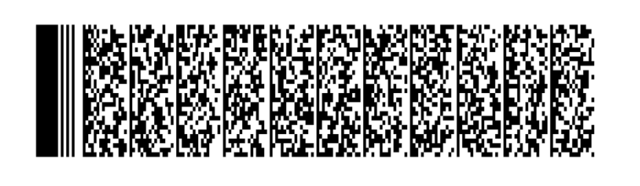
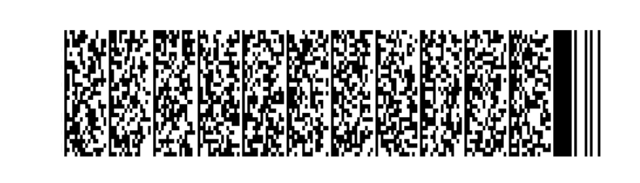
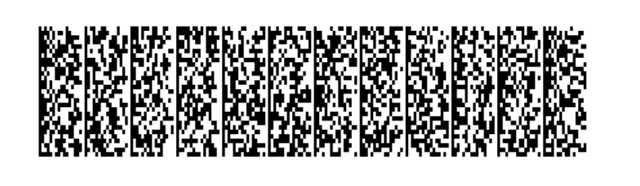
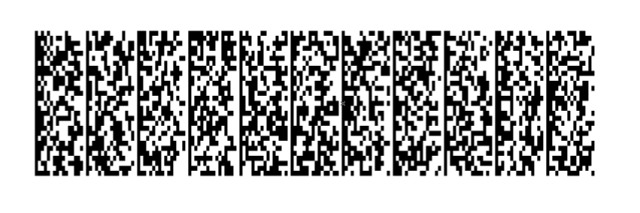
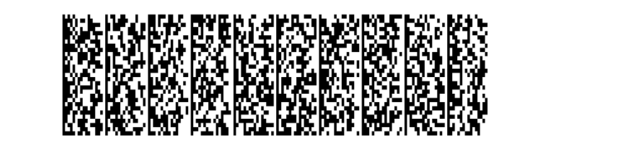
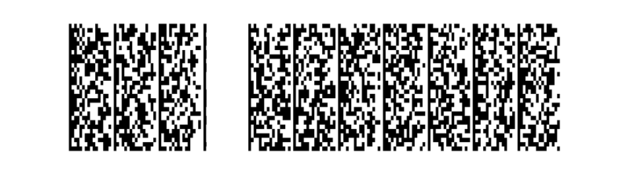
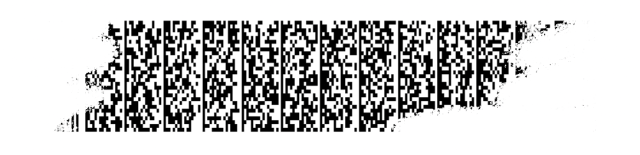
Compare successful reads, time to first result and how often each sample has to be repositioned on your target devices. The examples below show damaged or incomplete barcode patterns.
Start an SDK trialReading the barcode and interpreting what it contains are two separate steps. barKoder does both on the device, for licenses, ID cards and vehicle license discs.
Parses the PDF417 barcode on the back of U.S. and Canadian driver's licenses and ID cards, following the AAMVA DL/ID Card Design Standard (v1.0.0 to v10.0), with check digit and formatting validation.
Fields you can map
Decrypts and parses the ultra-dense PDF417 barcode on South African driving licenses, which holds up to 720 bytes of data. Processing runs on the device, without a remote parsing service.
Fields you can map
Extracts structured, positional data directly from the PDF417 barcode on South African Smart ID cards, giving direct access to key data such as ID numbers, names and dates.
Read about SA ID and license scanning →Extracts structured, positional data from the PDF417 barcode on South African vehicle license discs. The disc's barcode is much less dense, so it scans quickly, even through windscreen glare.
Enable the South African parsers →The SA ID and vehicle license disc parsers are enabled as options of the SA DL parser and are documented for the Android, iOS, Flutter, React Native, Capacitor, .NET MAUI, NativeScript and Cordova SDKs.
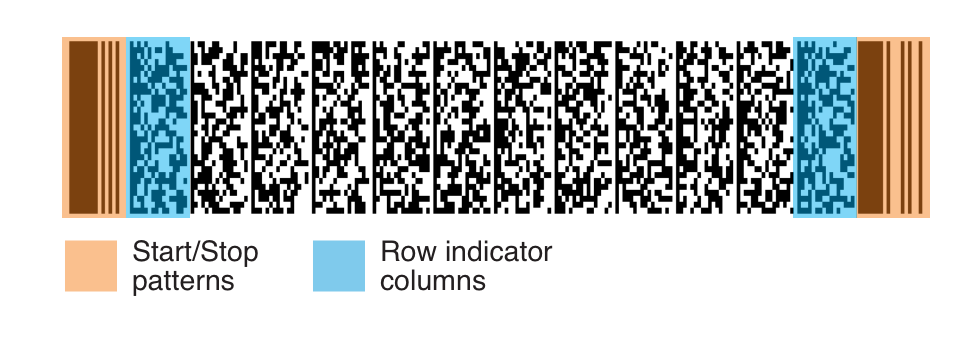
PDF417 is a two-dimensional stacked barcode that stores large amounts of data in a compact space.
Its Start and Stop patterns tell a decoder where the barcode is. The row indicator columns next to them hold what the decoder needs to read it: the number of rows and columns, the error correction level and more.
Most decoders depend on these elements. barKoder doesn't, so it keeps reading when they are worn, cut off or missing.
The same LineSight decoder and document parsers in native, desktop, web and cross-platform SDKs.
Direct SDKs for mobile, browser, desktop and server environments.
Official integrations for teams building one application across platforms.
Teams using barKoder to read PDF417 barcodes on IDs, licenses and vehicle documents.
Verified credentials
Certified information security management built around internationally recognized controls.
Official Solution Provider supporting standards-based barcode and data-capture workflows.
Solution Provider listing covering barcode, mobile application and 2D barcode capabilities.
Discover the barKoder Web SDK listing and connect through Microsoft Marketplace.
Registered Independent Software Vendor in Zebra's PartnerConnect ecosystem.
Install the free barKoder demo app, or open the web demo, and scan your own barcodes before you integrate the SDK.
iPhone and iPad
Scan with your camera, or point it at the QR code to open the App Store.

Android phones and tablets
Scan with your camera, or point it at the QR code to open Google Play.

Any modern browser
Runs the Web SDK in your browser, on desktop or mobile, with nothing to install.


Test with known samples. Print or display the testing sheet and scan each 1D and 2D barcode with the demo app. The data sheet summarizes the SDK for your team.
Yes. barKoder reads the PDF417 barcode on the license and parses it on the device: U.S. and Canadian licenses with the AAMVA parser, and South African driving licenses with the SA DL parser.
Yes. The parsers for South African Smart ID cards and vehicle license discs are enabled as options of the SA DL parser and are documented for the Android, iOS, Flutter, React Native, Capacitor, .NET MAUI, NativeScript and Cordova SDKs. See how to enable them.
Yes. The barKoder Web SDK includes a PDF417 decoder. Follow the Web SDK guide for installation and scanner configuration, then test it on your target browsers and devices.
No. The AAMVA and SA DL parsers run on the device, so parsed fields are available without a remote parsing service.
To check a single image, upload it to the free online barcode scanner. To read PDF417 barcodes inside your own app, use the SDK with a trial license.
No. Parsing interprets the data encoded in the barcode. It doesn't establish that the document is authentic or that it belongs to the person presenting it, so design additional checks around your application's requirements.
Use the same sample set, devices and conditions throughout your evaluation. Record failures as well as successful reads and speed, and keep sample types separate instead of reporting one overall accuracy figure.
Evaluate LineSight and the document parsers on your own samples with a free 30-day trial, or talk to an SDK expert about your project.