If you have ever worked with pharmaceutical products, you have undoubtedly encountered the frustrating situation where you aim a scanner at a barcode and nothing happens.
You give it another go. You bring the phone a bit nearer. Then a bit farther away. Perhaps you should adjust the angle. Perhaps you switch on the flashlight. After giving it another go, the barcode scans as if nothing had ever gone wrong.
What, then, really took place?
Usually, the initial response is to assign blame to the barcode. It appears too small, the printing may be unclear, or the packaging may be flawed. However, the truth is a little more nuanced. Barcode scanning can be difficult in pharmaceutical settings for a variety of reasons, and occasionally the
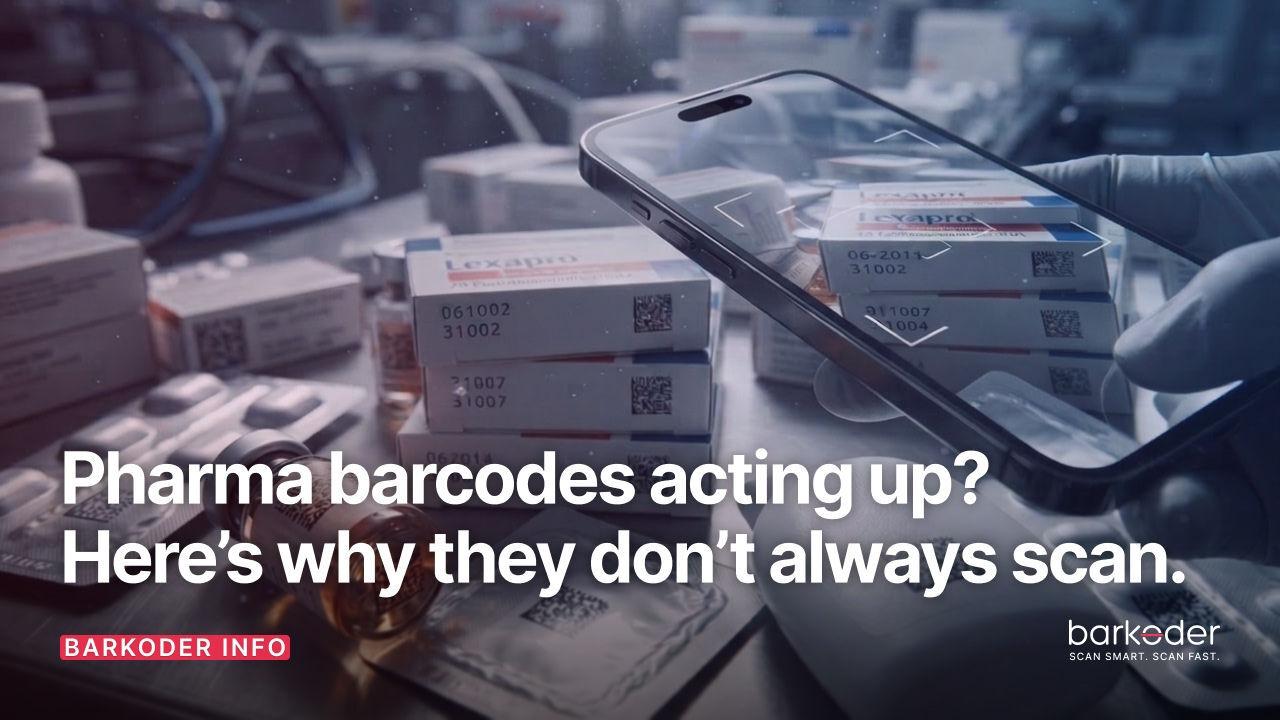
A good illustration of how difficult real-world barcode scanning can be is pharmaceutical packaging. Typically, a lot of information must fit into a very small space. In addition to the product name, dosage, manufacturer details, warnings, batch details, and expiration date, there is a barcode with crucial information somewhere on that comparatively small package.
This is one of the reasons why GS1 DataMatrix has become so important in pharmaceutical applications. A DataMatrix can store a significant amount of information while taking up relatively little physical space. That is extremely useful when you're dealing with small medicine packages.
But there is a catch.
The smaller the barcode becomes, the more demanding the scanning process can be.
A camera and decoding engine may find it challenging to decipher a barcode that appears to be perfectly readable to a human. When a DataMatrix's individual modules are small, the camera must record enough information to accurately distinguish them. The scanner's job becomes much more difficult if the image is slightly blurry, the lighting is bad, or the barcode is too far away.
Furthermore, pharmaceutical packaging doesn't really simplify matters.
Certain products are packaged in bottles, while others arrive in tiny cardboard boxes.
While some surfaces can be curved or uneven, others are glossy and reflective. When you point a phone at a shiny package with a flawlessly printed barcode, the light reflects straight into the camera.
There is the barcode.
It is visible to the camera.
However, it is still unable to correctly decode it.
This is one of those circumstances where people frequently believe that a better camera will solve the issue on its own. Naturally, it can be useful at times, but camera megapixels aren't the whole picture. What matters most are the device's ability to capture the barcode, the speed at which the image can be processed, and the decoding engine's performance when the barcode isn't presented in ideal circumstances.
For developers, this is where things start to get interesting.
You're not really creating an application for the ideal barcode when you're developing a pharmaceutical application. You're creating it for the barcode that someone will actually hold in front of a phone or tablet while standing in a distribution center, pharmacy, or warehouse at eight in the morning.
There may be some minor damage to that barcode. It could be tiny. It could be printed on materials that reflect light. It is possible for the person holding the device to move their hand. The lighting could be awful.
To put it another way, real life occurs.
Therefore, a good barcode-scanning SDK must be ready for those scenarios.
This is one of the areas where barKoder is designed to help. Instead of treating barcode scanning as simply a matter of recognizing a pattern, the SDK is built to handle practical scanning situations where speed and reliability matter.
And that becomes particularly important in pharma.
Consider a single package being scanned by a pharmacist. It might not seem like much of a delay. Now consider a warehouse worker who, over the course of a shift, scans hundreds or thousands of products. All of a sudden, those minor delays become much more apparent.
When an application requires more than just the barcode value, the same holds true.
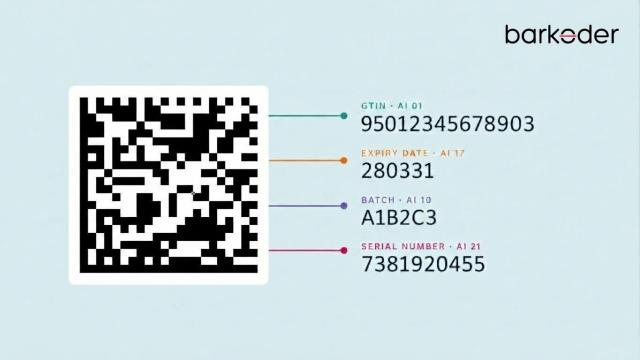
Pharmaceutical barcodes can encode a variety of information, including the GTIN, serial number, batch or lot number, and expiration date. The application may need to extract and manipulate those discrete bits of data rather than simply returning a single, long string.
The picture is taken by the camera. The barcode is found by the SDK. It is processed by the decoder. The outcome is sent to the application. The system managing the pharmaceutical product then interprets and uses the data.
The user doesn't consider any of this when everything functions properly.
They just move on after pointing the camera at the package.
There is also another small detail that can make a surprisingly big difference when developing a barcode-scanning application: don't enable every barcode symbology just because the SDK supports it.
If your pharmaceutical application is designed around a specific set of barcode types, configure the scanner around those requirements. If you know that your workflow primarily uses GS1 DataMatrix, for example, there is little reason to make the scanning engine search through every possible barcode format at the same time.
The more specific you can be about what your application is looking for, the more focused the scanning experience can become.
This is especially useful in environments where there may be several different codes printed on the same package. A medicine box could contain multiple symbols, numbers, and pieces of text, and the application needs to know which information actually matters.
That is why pharmaceutical barcode scanning is more complicated than it first appears.
It appears incredible from the outside.The more specific you are about what your application is looking for, the more targeted the scanning process can become.
This is especially useful when there are several codes printed on a package. The application has to decide which of a medicine box's numerous symbols, numbers, and textual components are truly significant.
Therefore, scanning pharmaceutical barcodes is more challenging than it first appears.
It appears to be very straightforward from the outside. You point a camera at a box that has a barcode on it to see the outcome.ly simple. There is a barcode on a box, you point a camera at it, and you get the result.
But underneath that simple interaction is a combination of image capture, barcode detection, decoding, data parsing, and application logic. And every part of that chain can affect the final experience.
Therefore, if a pharmaceutical barcode doesn't scan the next time, it might not be a problem.
Perhaps it's just too tiny.
Perhaps light is reflecting off the surface.
Perhaps there isn't enough detail captured by the camera.
Perhaps there were flaws in the barcode's printing.
The gadget might be moving.
Alternatively, the scanning engine might not be optimized for the situation in which you are trying to use it.
This is what makes barcode scanning so fascinating. The barcode is only one aspect of the story.
Making a barcode scan in ideal lab conditions is not the only objective for developers creating pharmaceutical applications. Making it function when a real person is holding a real product in a real setting is the aim.
When that occurs, the best scanning experience is one in which no one is even aware of the underlying technology.
You point the camera.
It scans.
The information appears.
And you move on with your work.
That's what good barcode scanning should feel like.