Unveiling barKoder VIN OCR: Fast, Accurate VIN Scanning in Any Condition
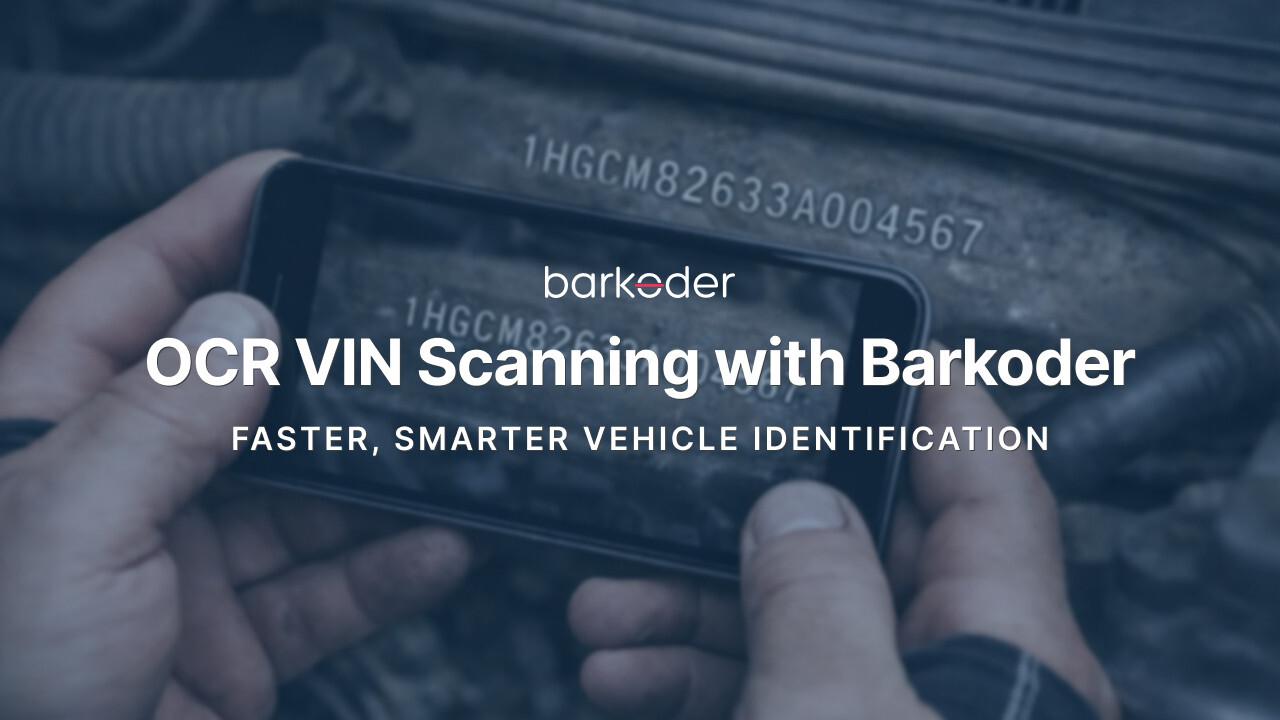
barKoder is proud to unveil our advanced VIN OCR capture capability, purpose-built for fast and reliable vehicle identification directly from mobile and web applications. Designed to handle real-world conditions such as glare, angled windshields, low light, and partially obscured characters, this new functionality enables seamless Vehicle Identification Number recognition without the need for manual entry or external hardware. The VIN OCR engine expands barKoder’s OCR portfolio and strengthens its position in automotive, fleet management, insurance, and inspection workflows. Coupled with our industry-leading VIN Barcode Recognition engine, barKoder now offers a full scanning suit for seamless capture of Vehicle Identification Numbers.
Here's what barKoder's CEO & Co-Founder Vangel Ivanov had to say:
“VIN scanning has long been a friction point in automotive and inspection workflows. With our VIN OCR capture, we’re removing that friction entirely — delivering fast, highly accurate vehicle identification directly from the camera, even in challenging real-world conditions. This is another step toward making intelligent data capture effortless and accessible across industries.”
What Is OCR VIN Scanning in barKoder?
OCR (Optical Character Recognition) enables software to read and extract text directly from images.
With OCR VIN scanning, barKoder can:
- Detect a VIN number visually
- Recognize and validate the 17-character format
- Extract the VIN instantly using a mobile camera
No barcode. No manual typing. No guesswork.
How barKoder OCR VIN Works
Using barKoder is simple and intuitive:
- Open the barKoder Scanner app or SDK
- Enable OCR VIN Mode
- Point the camera at the VIN location
- barKoder instantly reads and returns the VIN
The engine intelligently:
- Filters out irrelevant text
- Focuses on VIN-specific patterns
- Improves recognition even on difficult surfaces
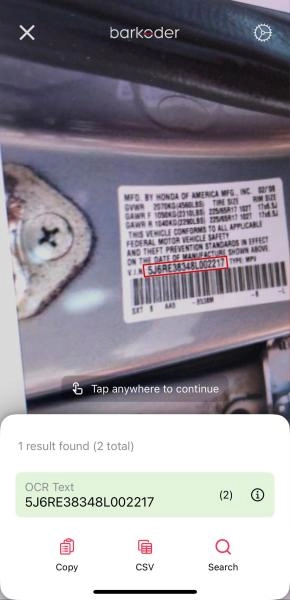
OCR VIN Scanning with barKoder is transforming the way vehicle identification numbers are captured and processed across industries that depend on speed, accuracy, and reliable data. A VIN is a 17-character alphanumeric code that uniquely identifies every vehicle, and it plays a critical role in registration, insurance, inspections, fleet management, and manufacturing. Traditionally, capturing this information has relied on manual entry or barcode scanning, both of which introduce friction, slow down workflows, and increase the risk of human error.
With OCR VIN Scanning, barKoder removes these limitations by allowing VINs to be read directly from visible text using a standard camera. Instead of searching for a barcode or typing long sequences of characters, users can simply point the camera at the VIN location and capture the data instantly. This approach works whether the VIN is engraved on a metal chassis, printed behind a windshield, displayed on a sticker, or shown on a document. By recognizing text visually, barKoder makes VIN capture possible in situations where barcodes are unavailable or impractical.
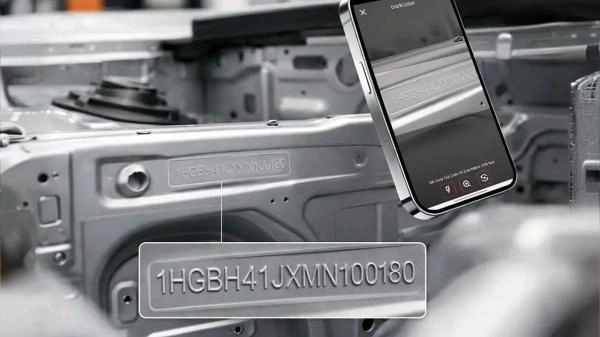
What makes barKoder especially effective is its ability to perform in real-world conditions. VINs are often difficult to read due to poor lighting, reflections on glass, dirt, scratches, or awkward angles. barKoder’s OCR engine is optimized to detect VIN patterns and filter out irrelevant text, allowing it to deliver accurate results even when conditions are less than ideal. This reliability is essential in fast-paced environments where delays or mistakes can be costly.
OCR VIN Scanning with barKoder also improves operational efficiency. Automating VIN capture reduces processing time, minimizes data entry errors, and ensures consistency across systems. This is particularly valuable for automotive businesses handling large volumes of vehicles, insurance companies processing claims, fleet operators tracking assets, and government agencies performing inspections and verifications. By digitizing VIN capture at the source, organizations can streamline workflows and improve overall data quality.
Another key advantage of barKoder is its flexibility. The technology can be integrated into existing mobile applications or enterprise systems through the barKoder SDK, allowing businesses to enhance their current processes without changing hardware or retraining staff extensively. This makes OCR VIN Scanning a practical upgrade rather than a disruptive change.
As industries continue to move toward automation and digital transformation, manual VIN entry is becoming outdated. OCR VIN Scanning with barKoder represents a modern, efficient, and reliable approach to vehicle identification. By combining advanced OCR technology with an intuitive scanning experience, barKoder helps organizations capture accurate VIN data faster, reduce operational friction, and stay competitive in an increasingly data-driven world, like we did with Club Assist and eCarMover.
Exploring OCR VIN Scanning with barKoder SDK
The barKoder SDK focuses primarily on barcode scanning, including 1D/2D barcodes, with high-performance real-time detection, camera handling, and platform-native features. In addition, it also supports MRZ scanning and VIN OCR, the first two OCR-related templates to be unveiled, with more to come.
To demonstrate the VIN OCR integration using barKoder, you will need the latest version of the SDK, which is available from our Developer Portal or the public repositories.
Enable OCR VIN support on Android - https://barkoder.com/docs/v1/android/android-examples/enable-ocr-vin-support
Enable OCR VIN support on iOS - https://barkoder.com/docs/v1/ios/ios-examples/enable-ocr-support
For more platforms and instructions on how to enable OCR VIN support, please refer to the examples for each platform & framework separately available on our documentation page. - https://barkoder.com/docs/v1/home