
Cordova with Vue Starter Example with barKoder Barcode Scanner SDK
Starter barcode scanning app example with VueJS
Read about barKoder latest news, updates and tutorials.
Starter barcode scanning app example with VueJS
barKoder VIN Scanning Mode empowered with the Segment Decoding technique
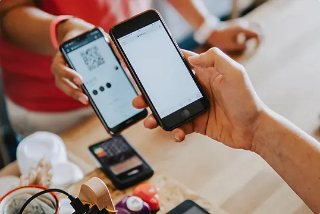
QR Code or barcode-based payments thrive via mobile barcode scanning
Official release of barKoder SDK v. 1.3.1
Scan from gallery and many new UI settings now available for the barKoder Web SDK
barKoder soon to be publicly available for both Linux & Windows
barKoder SDK version 1.2.9
Placeholder is happy to announce that the long-awaited support for Nativescript and Cordova. Both are now officially available for the barKoder Barcode Scanner SDK.

Testing the PDF417 samples using six different barcode scanners.
barKoder SDK version 1.2.8
There is a new Features available for the barKoder Barcode Scanner that is available as a Web App.

Testing, testing, testing…
We tested our SDK and compared it to the leading barcode scanner SDKs on the market.
We use cookies to enhance your browsing experience, analyze site traffic, and personalize content. You can choose which cookies to accept.
We use different types of cookies to optimize your experience on our website. Click on the categories below to learn more and adjust your preferences.
These cookies are essential for the website to function and cannot be disabled. They are usually set in response to actions you take, such as setting privacy preferences, logging in, or filling out forms.
Always ActivebarkoderCookieConsent - Stores your cookie preferencesbarkoder_session - Session identifier for logged-in userscsrf_token - Security token for form submissionsThese cookies enable enhanced functionality and personalization, such as chat support, videos, and social media features. They may be set by us or third-party providers.
user_preferences - Stores UI preferenceslanguage - Language selectiontheme - Theme preferencesThese cookies help us understand how visitors interact with our website by collecting and reporting information anonymously. This includes Microsoft Clarity and Google Analytics.
_ga, _gid, _gat - Google Analytics_clck, _clsk, CLID - Microsoft ClarityThese cookies are used to track visitors across websites to display relevant and personalized advertisements. They help measure the effectiveness of advertising campaigns and conversions.
_fbp - Facebook Pixel_gcl_au - Google AdsIDE, test_cookie - Google DoubleClick_uetmsclkid, _uetvid, _uetsid, MUID - Microsoft Bing UET (Universal Event Tracking)li_fat_id, lidc, bcookie, UserMatchHistory, AnalyticsSyncHistory, li_sugr - LinkedIn InsightApolloTracking - Apollo.io TrackingYour choices will be saved for 12 months. You can change your preferences at any time by clicking the cookie icon in the bottom left corner.