Exciting News: Release of barKoder SDK v1.6.8 and barKoder App
We’re excited to announce the release of barKoder SDK 1.6.8, along with updated versions of the Barcode Scanner by barKoder App now available on the Google Play Store and Apple App Store.
This release delivers meaningful improvements in performance, efficiency, and regional data parsing — continuing our mission to provide developer-first, enterprise-grade barcode scanning across mobile and web platforms.
What's New in barKoder SDK 1.6.8
Default resolution set to Full HD (FHD)
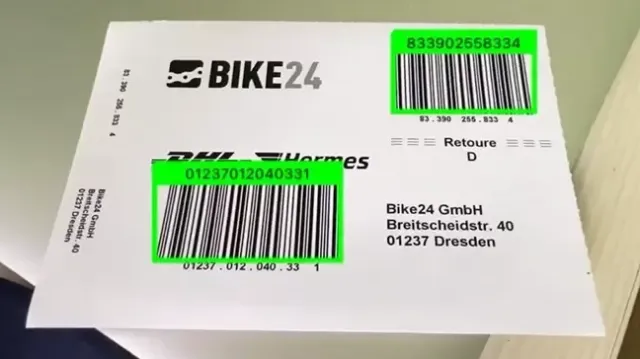
The SDK now defaults to Full HD resolution, delivering sharper image capture and improved decoding accuracy across the board, particularly beneficial in low-contrast environments, Direct Part Marking (DPM), damaged or partially obscured barcodes, as well as for scanning dense 2D codes like PDF417 and Data Matrix.
Added Power Saving Mode
We’ve introduced Power Saving Mode to help developers optimize battery usage during prolonged scanning sessions.
This is especially useful for:
- Warehouse and logistics workflows
- Field service operations
- Retail inventory scanning
- High-volume batch scanning
Developers can now balance performance and energy efficiency depending on their use case.
Beta: Data Parsers for South African IDs and South African Vehicle License Discs
We’re also introducing Beta support for structured data parsing from:
- 🇿🇦 South African Smart ID cards
- 🇿🇦 South African Vehicle License Discs
These parsers extract structured, positional data directly from PDF417 barcodes, enabling developers to build:
- Identity verification systems
- Fleet management platforms
- Automotive registration tools
- Insurance and inspection workflows
This beta feature allows teams to integrate local compliance and verification use cases more efficiently.
Additionally, we also introduced a fix for the existing parser for South African Driver’s Licenses (SADL), as well as numerous improvements to overall performance and stability.
Why This Release Matters
barKoder SDK 1.6.8 strengthens three key pillars of our platform:
- Performance — sharper resolution, optimized decoding
- Efficiency — power-saving scanning sessions
- Regional Intelligence — enhanced support for South African identity and vehicle data parsing
We continue to build a scanning engine that performs in real-world conditions — not just controlled environments.
Ready to Try?
Start evaluating the latest SDK here:
Clone one of our full demo apps, integrate into your project, and experience the improvements firsthand.