In the modern industrial landscape, data is the most valuable currency. From the sprawling aisles of a global distribution center to the sterile precision of a pharmaceutical laboratory, the ability to accurately capture data from barcodes is the heartbeat of efficiency. However, as we move through 2026, the hardware-centric approach of the past is being replaced by sophisticated software-driven solutions. Leading this charge is the barKoder barcode scanner, a solution that transforms standard mobile devices into high-performance data capture tools.
The shift toward a barcode scanner SDK (Software Development Kit) approach allows enterprises to leverage the high-resolution cameras and massive processing power of modern smartphones and tablets. Yet, not all SDKs are created equal. To achieve true enterprise-grade performance, a solution must handle the "real-world" variables: glare, motion blur, distance, and, most importantly, damaged labels.
1. The Core of Innovation: barKoder Decoding Technology
At the heart of our software lies a revolutionary approach to image processing. Traditional barcode engines often rely on simple pattern matching, which fails the moment a barcode isn't "perfect." The barKoder decoding technology is built on a different philosophy: reconstruction over simple recognition.
MatrixSight®: Decoding the Impossible
One of the most significant breakthroughs in our engine is the MatrixSight algorithm. While standard 2D scanners require a complete "finder pattern" (those distinctive squares in the corners of a QR code) to initiate a scan, MatrixSight allows the barKoder SDK to identify and decode 2D codes even when these critical patterns are missing or partially obscured.
This is particularly vital in manufacturing and automotive sectors where DPM barcode scanning (Direct Part Marking) is common. These codes are often etched into reflective metal or plastic surfaces, leading to specular reflection and low contrast. MatrixSight ignores these optical hurdles, providing a seamless scanning experience where traditional engines would simply time out.
Segment Decoding®: Giving New Life to Damaged Labels
In logistics and last-mile delivery, barcodes are rarely pristine. They are scratched by conveyor belts, wrinkled by moisture, or torn during transit. Our segment decoding technology acts as a digital forensic tool. It analyzes fragmented pieces of a 1D barcode and "stitches" the data back together in milliseconds.
This capability makes barKoder a leading damaged barcode scanner SDK, reducing the need for manual data entry—which is notoriously prone to error—and keeping the workflow moving without interruption.
2. Beyond Barcodes: The Power of barKoder OCR
Modern enterprise workflows often require the capture of alphanumeric data alongside barcodes. This is where barKoder OCR (Optical Character Recognition) provides a massive competitive advantage. By integrating OCR directly into the barcode recognition SDK, developers can create a unified "scan anything" interface.
Healthcare and ID Scanning
In healthcare, speed and accuracy save lives. The barKoder SDK is widely utilized as a healthcare MRZ scanner SDK, capable of reading the Machine Readable Zone (MRZ) on passports, ID cards, and driver's licenses. This automates patient intake and ensures that medical records are matched with 100% accuracy, eliminating the risk of manual transcription errors.
Automotive and Industrial Data
For the automotive industry, capturing the Vehicle Identification Number (VIN) is a daily necessity. Our VIN barcode scanner SDK doesn't just read the barcode version of the VIN; it can also read the printed text using OCR. This dual-layered approach ensures that whether the technician is looking at a door jamb sticker or a dashboard plate, the data is captured instantly.
3. Platform Versatility: The Developer's Playground
A professional barcode SDK must be as flexible as the developers who use it. We understand that an enterprise might have a native iOS app for its sales team, a web-based portal for its warehouse, and a cross-platform Flutter app for its delivery drivers.
The barKoder scanning software is engineered to be platform-agnostic, offering native-level performance across the board:
- Native Mobile Excellence: The barKoder SDK for iOS and barKoder SDK for Android provide native libraries ensuring the lowest possible latency and most efficient battery usage.
- The Web Revolution: With the barKoder SDK for Web, powered by WebAssembly (WASM), you can bring high-speed scanning to any browser.
- Desktop & Infrastructure: We provide dedicated support via the barKoder SDK for Windows, Linux, and more.
- The Plugin Ecosystem: For those using modern frameworks, we offer a Flutter barcode scanner plugin, React Native barcode scanner SDK, and support for .NET MAUI, Capacitor, and Xamarin.
4. Maximizing Efficiency with Advanced Features
Speed is a primary KPI for any data capture project. The barKoder SDK includes several "power features" designed to maximize throughput in high-volume environments.
Batch MultiScan and Continuous Mode
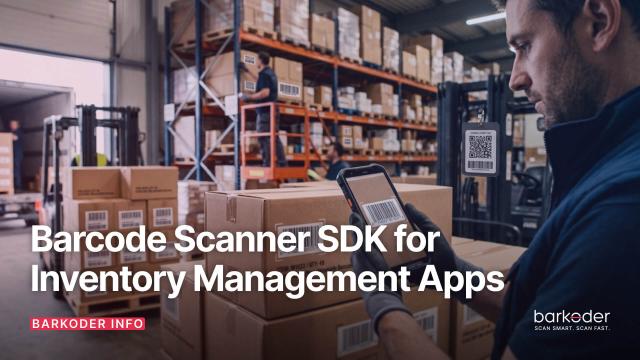
In a warehouse setting, a worker may need to scan twenty boxes on a pallet. Scanning them one by one is a bottleneck. Our high speed mobile barcode SDK features a Batch MultiScan mode that allows the camera to identify and decode every barcode in the frame simultaneously.
For workflows requiring rapid-fire individual scans, our Continuous Scanning mode allows the user to simply "sweep" their device over a group of items without needing to restart the scanner after every result.
Specialized Symbologies
Beyond standard QR codes, barKoder excels in niche industrial symbologies. This includes DotCode for the tobacco industry, PDF417 for logistics, and Aztec Code for transport ticketing.
5. Integrating the barKoder API into Your Workflow
Implementation is often the scariest part of adopting a new technology. However, the barKoder developer portal is designed to lower the barrier to entry.
The barKoder Config Explorer
We believe in giving developers total control. The barKoder Config Explorer is a web-based tool that allows you to fine-tune every aspect of the scanning engine. You can enable or disable specific symbologies, adjust the scanning window, and even set the resolution to optimize for speed or accuracy. Once your settings are perfect, the tool generates a configuration script that you can drop directly into your code.
Test Before You Build
You don't have to take our word for it. The barKoder Demo App, available on all major app stores, allows your stakeholders to test our decoding technology on their own devices. For a deeper dive into the technical capabilities, our documentation provides comprehensive guides for every supported platform.
6. The Economic Impact of a Reliable Barcode SDK
Beyond the technical specifications, there is a clear business case fo r choosing a reliable barcode SDK. In 2026, the cost of labor continues to rise, and the cost of "bad data" can be astronomical.
Reducing Total Cost of Ownership (TCO)
By using a software barcode scanner SDK, enterprises can move away from expensive, single-purpose hardware scanners. A ruggedized smartphone equipped with the barKoder SDK for mobile is often more powerful, more versatile, and easier to manage via MDM (Mobile Device Management) than a traditional laser scanner.
Eliminating Manual Entry
Every time a barcode fails to scan, a worker must manually type in a string of numbers. This takes an average of 10–15 seconds and has a significant error rate. By functioning as a barcode scanner that works with damaged codes, barKoder effectively eliminates this "friction cost," ensuring that data is captured correctly the first time, every time.
7. Looking Ahead: The Future of Data Capture
As we look toward the future, the barKoder barcode scanner will continue to evolve. We are currently exploring deeper Augmented Reality (AR) integrations to provide users with real-time data overlays—such as stock levels or expiration dates—directly on top of the physical items they are scanning.
Our commitment to being a barcode scanning technology provider means we aren't just reacting to industry trends; we are setting them. Whether it’s through our MatrixScan-style multi-scanning capabilities or our specialized DPM reader, our goal remains the same: to make data capture invisible, instant, and infallible.
Conclusion: Why barKoder?
Choosing the right barcode software development kit is a foundational decision for your digital transformation. It impacts your developers' productivity, your employees' efficiency, and your bottom line.
The barKoder SDK stands apart by offering:
- Unrivaled performance on damaged codes via Segment Decoding.
- Industrial-strength 2D capture with the MatrixSight algorithm.
- A truly multi-platform approach, from WebAssembly to Native Mobile.
- Advanced capabilities like OCR and Batch MultiScan.
Don't settle for "good enough" scanning. Experience the difference that high-performance barKoder decoding technology can make for your business.
Take the Next Step
- Try it: Download the barKoder Demo App.
- Configure: Build your perfect scanner with the Config Explorer.
- Connect: Reach out for an enterprise solution consultation.