Segment Decoding

Deformed Barcode Scanning with Segment Decoding

Read curved, wrinkled and crumpled 1D barcodes on bottles, vials, cans and delivery bags. Most decoders need one straight line through every bar. barKoder's Segment Decoding® reads each segment of the barcode and puts the data back together, so it keeps reading when no such line exists.

Smartphone showing the barKoder deformed 1D barcode feature icon Deformed 1D barcode feature icon

Test deformed barcode scanning on your own items

Barcodes in the field are rarely flat. They wrap around test tubes, get crumpled on delivery bags and distort on plastic bottles. Test Segment Decoding on the items your users scan, at the angles they hold them.

Collect deformed samples

Pick 1D barcodes that fail with your current scanner:

  • Labels on vials and test tubes
  • Bottles and aluminum cans
  • Crumpled poly-bags and envelopes
  • Wrinkled or folded labels
  • Small codes on lipsticks and syringes
  • Torn or scratched labels

Compare successful reads and how often users have to rotate or flatten the item.

Start an SDK trial

Turn on Segment Decoding

  1. Get a trial key and install the SDK for your platform.
  2. Enable the 1D symbologies you need, such as Code 128, Code 39 or EAN-13.
  3. Enable misshaped 1D decoding. It is off by default in the SDK and in the demo app.
  4. No code yet? Open the Misshaped template in the free demo app and scan the misshaped samples on the testing sheet.
See the misshaped barcode example

Why curved and wrinkled 1D barcodes fail

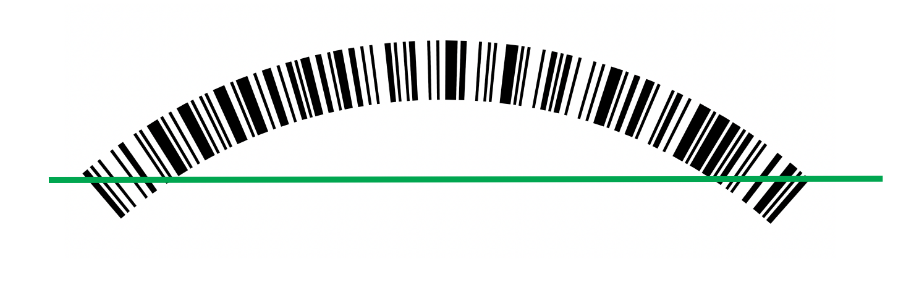
A 1D decoder reads a barcode along a scan line. Most decoders, hardware or software, need at least one straight line that crosses every bar. When a label curves around a bottle along the Z axis, the edges of the barcode taper off and that line disappears.

Flat 1D barcode with straight, parallel bars
Any decoder Flat barcode Any straight line across the bars reads the full code.
Gently curved 1D barcode with a green straight line still crossing every bar
Advanced decoders Slight curve One straight line still crosses every bar. This is the limit for most advanced decoders.
Strongly arched 1D barcode where no straight line crosses all the bars
barKoder No straight line through all bars Other software and hardware scanners rarely read this. Segment Decoding does.

How Segment Decoding reads deformed 1D barcodes

Instead of looking for one line through the whole barcode, Segment Decoding finds individual segments, works out how they relate to each other and reassembles them into one readable code. On a crumpled label, each fold becomes its own segment. The same approach helps with partially torn or scratched labels, when enough valid segments remain.

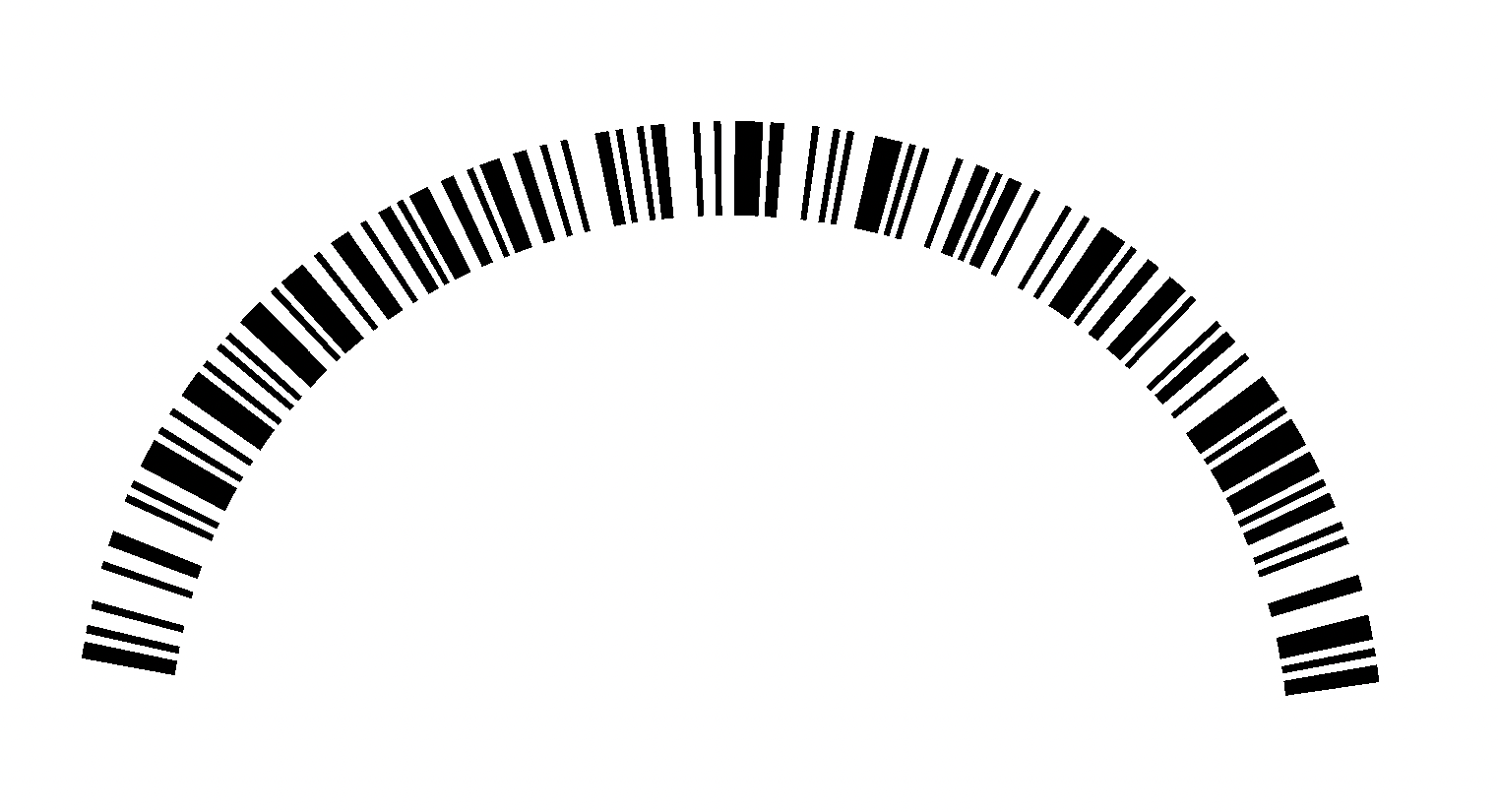
1D barcode bent into a half circle
barKoder Bent into an arch Bars fan out around a half circle.
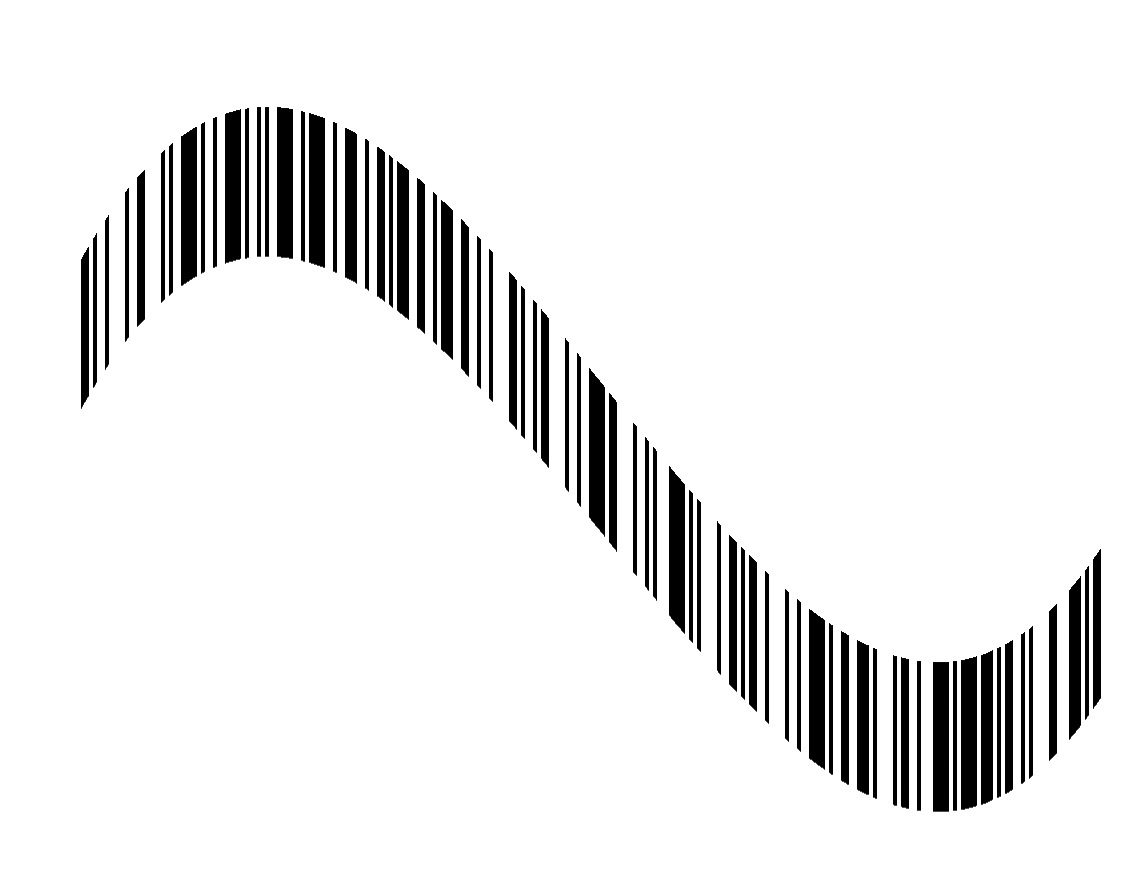
1D barcode distorted into an S-shaped wave with vertical bars
barKoder S-shaped wave The barcode rises and falls across its width.
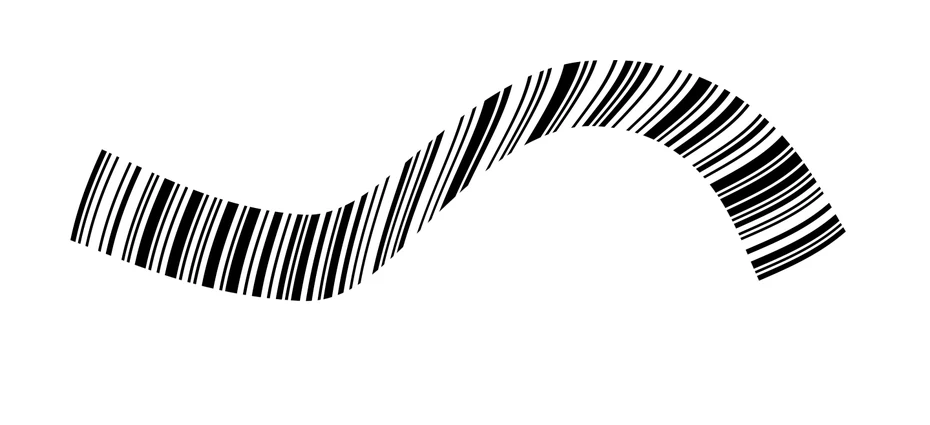
1D barcode twisted into a wave with bars at changing angles
barKoder Twisted wave Bars change angle along the curve, as on a crumpled bag.

Segment Decoding works with all supported 1D barcodes and adds to barKoder's other algorithms for damaged, crumpled and wrinkled codes. It is most useful on non-retail symbologies such as Code 39 and Code 128. For blurred EAN and UPC barcodes, pair it with DeBlur mode.

Where curved and wrinkled 1D barcodes show up

Add a damaged 1D barcode SDK to your app

Segment Decoding is one setting, called misshaped 1D in the API. These examples are copied from the barKoder docs.

Web (WASM)

JavaScript
                  Barkoder.setEnableMisshaped1D(Barkoder.constants.EnableMisshaped1D.Enable);
                

Python

Python
                  enableMisshaped1D = BarkoderSDK.constants["EnableMisshaped1D"]["Enable"];
                  BarkoderSDK.setEnableMisshaped1D(enableMisshaped1D);
                

Flutter

Dart
                  bool isEnabled = true;
                  _barkoder.setMisshaped1DEnabled(isEnabled);
                  print('Misshaped 1D barcodes enabled set to: $isEnabled');
                

On Android and iOS the same option is the enableMisshaped1D decoder config setting.

Misshaped 1D in each API reference: Android, iOS, Web, Flutter, React Native, Capacitor, Cordova, .NET MAUI, NativeScript and Python.

Read deformed 1D barcodes on every major platform

The misshaped 1D setting behind Segment Decoding is documented in the Android, iOS, Web, Flutter, React Native, Capacitor, Cordova, .NET MAUI, NativeScript and Python SDKs.

  • 7 native & desktop SDKs
  • 6 cross-platform integrations
  • One consistent scanning core

Deformed and damaged barcodes in production

Teams that read curved, damaged and badly positioned barcodes with barKoder.

Reverse Vending Machine

Maritime University of Szczecin · Web SDK

No hardware readerbarcode reads inside the machine's AI camera pipeline

Bottles and cans enter at different angles, rotate during analysis and bring reflections and curved surfaces. barKoder reads their blurred, partially damaged and poorly positioned barcodes.

Read the Reverse Vending Machine story →

Pollinate Development

Lottery and gaming · USA

Faster scansthan any library the team used before

A mobile app for Oregon State Lottery players scans physical Scratch-It and Jackpot Game tickets, which are easily damaged.

We were impressed with and drawn to barKoder’s capabilities in handling potentially damaged and deformed barcodes.Sam Tyrrell, Project Manager, Pollinate Development
Read the Pollinate Development story →

Tenaris

Industrial · Luxembourg · .NET MAUI

Field-provenon phones and tablets, offline

Reading small, low-quality or partially damaged codes, such as VINs, used to be unreliable. The PipeTracer app suite now reads them in field conditions.

Read the Tenaris story →
Deformed barcode resources

Try barKoder on your phone or in your browser

Install the free barKoder demo app, or open the web demo, and scan your own barcodes before you integrate the SDK.

iPhone and iPad

barKoder demo app for iOS

Scan with your camera, or point it at the QR code to open the App Store.

Download on the App Store
QR code linking to the barKoder demo app on the App Store

Android phones and tablets

barKoder demo app for Android

Scan with your camera, or point it at the QR code to open Google Play.

Get it on Google Play
QR code linking to the barKoder demo app on Google Play

Any modern browser

barKoder web demo

Runs the Web SDK in your browser, on desktop or mobile, with nothing to install.

Open the web demo
QR code linking to the barKoder web demo

Test with known samples. Print or display the testing sheet and scan each 1D and 2D barcode with the demo app. The data sheet summarizes the SDK for your team.

Questions about deformed barcode scanning

How do I scan barcodes on curved surfaces?

Use a decoder that doesn't need a straight line through every bar. With Segment Decoding enabled, the barKoder SDK reads 1D barcodes on bottles, cans, vials and test tubes from the angle the user holds them, without rotating the item into a perfect position.

Can I get reliable scanning for wrinkled or crumpled barcodes?

Yes. A crumpled label creates folds that break the straight scan path. Segment Decoding treats each fold as a separate segment and stitches the data back together, which is why it works on squashed poly-bags and padded envelopes.

Can Segment Decoding read torn barcodes?

Often, yes. Because the data is assembled from several segments, a scratch, dirt or a small tear doesn't stop the read if enough valid segments remain. For damaged QR and Data Matrix codes, use MatrixSight®.

Which barcode types does Segment Decoding support?

All 1D barcodes the SDK supports, for example Code 128, Code 39 and EAN and UPC. It is not for 2D codes.

Is Segment Decoding enabled by default?

No. Turn it on in the SDK with the misshaped 1D setting, for example enableMisshaped1D on Android and iOS or setEnableMisshaped1D in the Web SDK. In the demo app, use the Misshaped template.

Does Segment Decoding slow down scanning?

The logic is more complex than standard decoding, but the barKoder engine is written in optimized C++ and runs natively on the device. Users often save time overall, because they no longer re-align or flatten the barcode to get a read.

Does Segment Decoding help with VIN barcodes?

Yes. VIN barcodes are often Code 39 labels on paper or car windows, where Z-axis deformation is common. barKoder's VIN scanning mode is built on Segment Decoding and MatrixSight®, so it reads deformed Code 39 and Code 128 VINs as well as damaged QR and Data Matrix VINs.

Do I need special hardware to read deformed barcodes?

No. Segment Decoding is software. It runs on the built-in camera of standard smartphones and tablets, so teams can move from dedicated rugged scanners to the devices they already have.

Scan curved and wrinkled 1D barcodes in your app

Test Segment Decoding on your own bottles, vials and parcels with a free 30-day trial for 25 devices, or talk to an SDK expert about your project.