DeBlur Mode

Blurred Barcode Scanner SDK for EAN and UPC Codes

Scan blurry barcodes that other decoders give up on. barKoder's DeBlur mode reads EAN and UPC barcodes softened by motion, lens or focus blur, even when neighboring bars have fused together. You turn it on with one setting in the Android, iOS, Web and cross-platform SDKs.

Smartphone showing the barKoder DeBlur feature icon DeBlur feature icon

Test DeBlur on your own blurry barcodes

Clean barcodes scan with almost any decoder. The difference shows on the frames your users actually capture: a shaky hand, a moving package, a camera that hasn't focused yet. Test DeBlur on those frames before you commit to an SDK.

Collect blurred samples

Gather EAN and UPC barcodes that fail today:

  • Scans taken while moving
  • Out-of-focus close-ups
  • Smudged or poorly printed labels
  • Low-resolution camera frames
  • Bars fused together
  • Products on a moving line

Record successful reads, failures and time to result on the devices your users carry.

Start an SDK trial

Turn on DeBlur mode

  1. Get a trial key and install the SDK for your platform.
  2. Enable the EAN and UPC decoders you need.
  3. Enable UPC/EAN deblur. The Web SDK reference lists it as disabled by default.
  4. No code yet? Open the 1D Retail template in the free demo app and scan your samples.
Read the DeBlur API reference

Why blurred barcodes fail to scan

Blur softens the edges of bars and spaces and reduces the difference between neighboring elements. A person can still recognize the barcode, but the decoder only has the pixels. Motion blur is especially common in mobile scanning, because the phone and the barcode can both be moving. DeBlur handles the three common kinds of blur and the fused bars they produce.

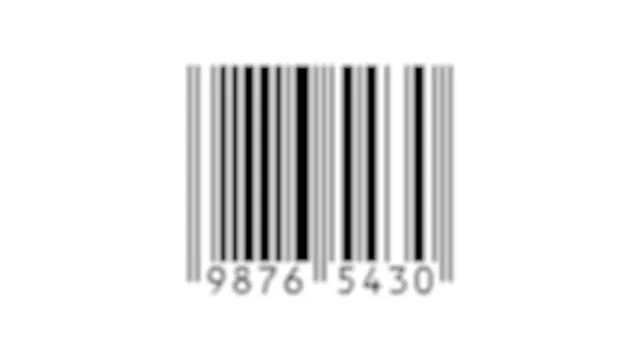
Heavily blurred EAN barcode whose bars have fused together
Fused bars Bars are smeared or overlap. DeBlur analyzes the merged lines and reconstructs the original data through pattern matching.
Motion-blurred 1D barcode
Motion blur The barcode or the device moves during capture, so a quick scan doesn't cost accuracy.
Out-of-focus 1D barcode
Focus blur Close-up shots, or moments when the camera struggles to focus.
Lens-blurred 1D barcode
Lens blur Distortion from different lenses, so barcodes captured on a range of cameras and smartphones still decode.

How the blurred barcode scanner SDK works

DeBlur is part of the barKoder decoder and runs on the device. It uses image pre-processing to recover data from heavily blurred EAN and UPC barcodes.

What DeBlur covers

  • The EAN and UPC families of retail barcodes, including heavily blurred samples.
  • Bars that are partially or completely smeared or overlapped.
  • Motion, lens and focus blur.
  • Blur from poor print quality or environmental conditions.

DeBlur doesn't affect Code 128. For other kinds of damage, barKoder has dedicated algorithms.

Damaged barcode scanning beyond blur

  • Segment Decoding reads curved, wrinkled and deformed 1D barcodes. Combined with DeBlur, it can get a read from a partial, blurry frame.
  • MatrixSight® reads damaged QR and Data Matrix codes with missing finder, timing or alignment patterns.
  • PDF417-LineSight® reads PDF417 barcodes with missing start or stop patterns.

In barKoder's published comparison of 55 blurred EAN and UPC samples, barKoder had the highest score of the SDKs tested, 89.09%. See the samples and method in our barcode scanner SDK comparison, then run the same test on your own barcodes.

Where blurry barcodes slow teams down

Enable DeBlur in your app

DeBlur is one decoder setting on every platform. These examples are copied from the barKoder API reference.

JavaScript
                      Barkoder.setUpcEanDeblur(Barkoder.constants.UpcEanDeblur.Enable);
                    

On Android and iOS the same option is the upcEanDeblur decoder config setting.

Dart
                      bool isEnabled =true;
                      await _barkoder.setUpcEanDeblurEnabled(isEnabled);
                      print('UPC/EAN deblur enabled set to:$isEnabled');
                    

DeBlur in each API reference: Android, iOS, Web, Flutter, React Native, Capacitor, Cordova, .NET MAUI, NativeScript and Python.

Use DeBlur on every major platform

UPC/EAN deblur is a documented decoder setting in the Android, iOS, Web, Flutter, React Native, Capacitor, Cordova, .NET MAUI, NativeScript and Python SDKs.

  • 7 native & desktop SDKs
  • 6 cross-platform integrations
  • One consistent scanning core

Blurry barcodes in production

Teams that switched to barKoder because their old scanner missed blurred and hard-to-read codes.

Blurred and damaged barcode resources

Try barKoder on your phone or in your browser

Install the free barKoder demo app, or open the web demo, and scan your own barcodes before you integrate the SDK.

iPhone and iPad

barKoder demo app for iOS

Scan with your camera, or point it at the QR code to open the App Store.

Download on the App Store
QR code linking to the barKoder demo app on the App Store

Android phones and tablets

barKoder demo app for Android

Scan with your camera, or point it at the QR code to open Google Play.

Get it on Google Play
QR code linking to the barKoder demo app on Google Play

Any modern browser

barKoder web demo

Runs the Web SDK in your browser, on desktop or mobile, with nothing to install.

Open the web demo
QR code linking to the barKoder web demo

Test with known samples. Print or display the testing sheet and scan each 1D and 2D barcode with the demo app. The data sheet summarizes the SDK for your team.

Questions about scanning blurry barcodes

Can a smartphone scan blurred barcodes reliably?

Yes, with a decoder built for it. Blur from motion or missed focus is common on phones because the device and the barcode are often moving. With the barKoder SDK in your app and DeBlur mode turned on, ordinary Android and iOS devices read heavily blurred EAN and UPC barcodes, even when bars have fused together.

Which barcode types does DeBlur support?

DeBlur is built for the EAN and UPC families of retail barcodes. It doesn't affect Code 128. For deformed 1D barcodes use Segment Decoding, and for damaged QR and Data Matrix codes MatrixSight®.

How do I enable DeBlur mode?

Set upcEanDeblur in the decoder config on Android and iOS, call Barkoder.setUpcEanDeblur(Barkoder.constants.UpcEanDeblur.Enable) in the Web SDK, or setUpcEanDeblurEnabled in Flutter, React Native, Capacitor, Cordova and NativeScript. .NET MAUI uses SetUpcEanDeblurEnabled and the Python library setUpcEanDeblur.

What is the best software for scanning damaged barcodes?

The one that reads your damaged samples on your devices. Collect barcodes that fail today, including blurred, smudged, curved and torn ones, and compare successful reads and time to result. barKoder covers blur with DeBlur, deformed 1D codes with Segment Decoding and damaged 2D codes with MatrixSight, and a free 30-day trial for 25 devices lets you test them in your own app.

Can I test blurry barcodes without writing code?

Yes. Install the free barKoder demo app and open the 1D Retail template, where the UPC/EAN deblur option is available. To read a barcode from a photo or screenshot in your browser, use the free online barcode scanner.

Does DeBlur work with continuous scanning?

Yes. barKoder's demo of blurred samples uses continuous scanning with a one-second delay, so the scanner keeps running and resumes after each successful read.

Can DeBlur unblur a QR code?

No. DeBlur works on EAN and UPC barcodes. QR codes are 2D codes, and barKoder reads damaged ones with MatrixSight, which handles QR codes with missing finder and alignment patterns and damaged data.

Does blurred barcode scanning need an internet connection?

No. Decoding runs locally on the device. The SDK connects only for the license check, at least once every 30 days, and the barKoder SDK doesn't store personal information from scanned barcodes.

Scan blurry barcodes in your own app

Test DeBlur on your hardest EAN and UPC samples with a free 30-day trial for 25 devices, or talk to an SDK expert about your project.